Is It Safe to Use AI to Write Emails?
Yes, AI genuinely helps you write emails. The risk is the names and contact details you paste. Strip them before sending and you write without exposing anyone.
Yes, you can use AI to write your emails. It's real, legitimate help. The true risk isn't the rewriting. It's the data you leave in the text you paste. An email holds names, addresses, phone numbers and client details. Paste a whole thread and all of that goes to the model provider. The fix is simple: strip the identities and paste only the part you want rewritten.
What an email really contains
A work email is almost always full of personal data. The European Commission names it clearly. These count as personal data: a name, a postal address, an email address, an IP address, an ID card number. All of it falls under the GDPR. The GDPR is the EU law that protects your data. And these are exactly the items you find in an email thread.
Masking a little isn't enough. The Commission is explicit: de-identified or encrypted data is still personal data if it can point back to the person. So "I just removed the last name" is not protection.
Why pasting a whole thread exposes you
When you paste text into a public chatbot, that text leaves your device. The NCSC, the UK's cyber authority, explains it well. Your query is visible to the company that provides the model. It is stored. It can be used to develop future versions of the service. The provider, its partners or its subcontractors can also read it back.
The NCSC gives two rules that apply straight to email. First, don't include sensitive information in queries to public models. Second, don't send a query that would be a problem if it became public. Because that online storage can be hacked, leaked or made public by accident. And the NCSC notes one more thing: pooling your queries builds an aggregated profile of you.
The fix: keep the help, remove the identities
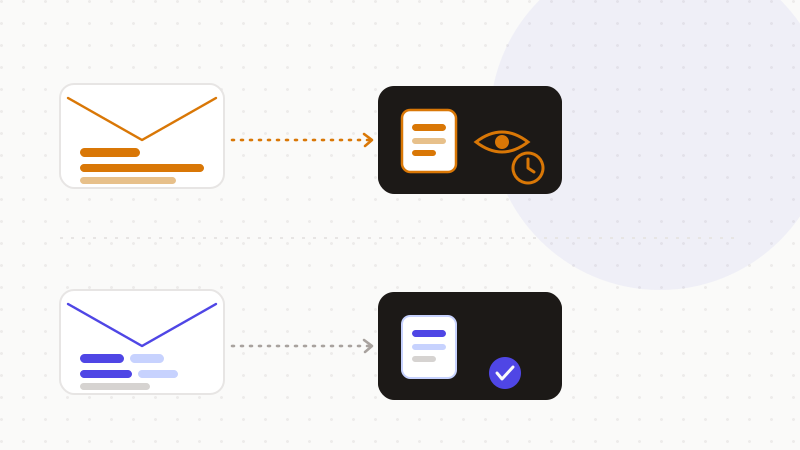
Good news: you don't have to choose between help and safety. The model needs the structure and the tone, not the real names. Strip the identities and swap them for placeholders. The rewrite stays just as good.
- 1Replace identities with placeholders: [CLIENT], [ADDRESS], [PHONE], [COMPANY].
- 2Paste only the portion to rewrite, not the full thread.
- 3Extract and anonymize the core of the message instead of copying the whole document.
- 4Put the real names back yourself, in your inbox, at the end.
One word on a practice that goes further. Connecting AI directly to your inbox is different from a one-off paste. An agent that reads all your messages reaches your whole history. The exposure surface becomes huge. The same caution applies: limit what the model can access.
| You assume | The reality |
|---|---|
| "Rewriting an email is risk-free" | The rewrite, yes — the pasted contact details, no |
| "I removed the name, so it's fine" | Data stays personal if it can re-identify someone |
| "I delete the conversation afterward" | "Deleted" doesn't mean erased right away |
"Deleted" doesn't mean gone
Many people think erasing a chat erases the problem. It's more nuanced. By default, consumer versions of ChatGPT can use conversations to improve the models. Deleted chats are kept 30 days in normal operation. OpenAI documents this in its Help Center ("How your data is used to improve model performance" and the "Data Controls FAQ").
A recent example shows it. In 2025, a court order in the OpenAI vs. The New York Times case forced OpenAI to keep logs that would normally have been erased. OpenAI explains this in "How we're responding to The New York Times' data demands." So for text already sent, "deleted" doesn't always mean erased right away. Better not to send the sensitive data in the first place. The ICO, the UK regulator, says the same in its guidance on AI and data protection.
- Write with AI as much as you want: it's a real gain.
- Never paste a full thread "for context."
- Remove names, addresses, phones and case numbers before sending.
That's exactly what ONYRI Sanitize is for. The engine detects names, addresses and numbers, then replaces them with reversible tokens before sending. Detection and the mapping stay in your browser. Only anonymized text reaches the AI. You then get the rewritten email back with your real data put in place, client-side. The model helps you write; it never sees your real contact details.
Frequently asked questions
- Is it safe to use AI to write emails?
- Yes, writing with AI is real, legitimate help. The risk isn't the rewriting, but the names and contact details you leave in the pasted text. Strip them with placeholders and paste only the portion to rewrite: you keep the help without exposing anyone.
- Is it risky to paste a whole email into ChatGPT?
- Yes. A full thread holds names, addresses, phones and client details, which become visible to the model provider. The NCSC notes these queries are stored and can be read back. Paste only the passage to rewrite, not the entire thread.
- How do I have AI rewrite an email without exposing my data?
- Replace identities with placeholders like [CLIENT] or [ADDRESS], send only the paragraph to rewrite, then put the real names back in your inbox. An anonymization engine can do this swap automatically, and only anonymized text reaches the AI.
Sources & references
- NCSC (UK) — ChatGPT and large language models: what's the risk? (queries are visible to the provider, stored, don't include sensitive information) — National Cyber Security Centre (UK)
- European Commission — Data protection explained: examples of personal data (name, address, email, IP) and GDPR principles including minimization — European Commission
- Forbes — Samsung bans ChatGPT after employees leaked confidential source code (May 2023) — Forbes
Keep your sensitive data in your browser
ONYRI Sanitize detects and masks your sensitive data before it reaches the AI, then restores the answer — from names to API keys.