Is It Safe to Use AI for Your Resume?
Risky in a consumer ChatGPT: a resume packs your name, address, email and phone, exposed to training, retention and review. The fix that actually protects you.
Using AI to write your resume is useful — but pasting your whole resume into a consumer ChatGPT is risky. A resume packs a high density of direct identifiers: full name, address, phone, email, work history, sometimes date of birth or a photo. In a consumer chatbot, that bundle can feed model training by default, be retained, and even be reviewed by a human. The risk isn't the writing itself, it's the contact details you attach. The fix: anonymize the resume, have the AI rewrite it, then re-inject your real details locally.
Why a resume is a special case
Most prompts contain just one or two sensitive items. A resume gathers, in a single document, almost everything that identifies you: first and last name, postal address, phone number, email, successive employers, degrees, and sometimes date of birth or a photo. Pasting it in full means sharing that whole keyring of identifiers at once — exactly the kind of bundle you'd avoid handing to a third-party service.
What a consumer chatbot does with your resume
By default, information given to a consumer chatbot can be used to train the model: some platforms exploit interactions to improve their systems, which means personal data can be retained and then reused. Exchanges can also be reviewed by humans, for example when a conversation is flagged as potentially against the usage rules. And deleting doesn't always suffice: in 2025, in the dispute between The New York Times and OpenAI, a U.S. federal court ordered the preservation of all ChatGPT conversation logs that would normally have been deleted — including ones erased by users themselves.
That order affected ChatGPT Free, Plus, Pro and Team accounts, as well as API customers without a zero-retention agreement, conflicting directly with OpenAI's usual 30-day deletion policy. Enterprise and education offerings (ChatGPT Enterprise, ChatGPT Edu) and customers under a zero-retention contract were excluded — which illustrates the gap in privacy guarantees between consumer use and structured professional use.
| You assume | The reality |
|---|---|
| “It's just for rewording” | The whole document, contact details included, is transmitted |
| “Only the machine reads it” | A flagged conversation can be reviewed by a human |
| “I delete it after, so it's gone” | A court order has been able to force keeping deleted chats |
| “My consumer account is anonymous” | Free, Plus, Pro and Team were affected; not enterprise/edu |
Why it's worse for a job seeker
A job seeker is already in a vulnerable position, and a leak of a resume's contact details — address, phone, email — directly increases exposure to abusive solicitation, identity theft and impersonation. Worse: even a manually “anonymized” resume stays vulnerable if contextual clues (a rare job title, a single employer, precise dates) allow re-identification. So protection isn't about removing the name, it's about neutralizing the whole set of identifiers.
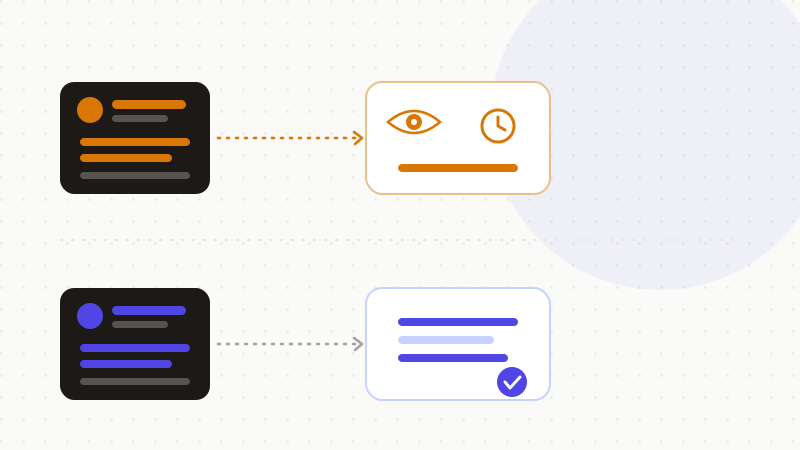
The fix: anonymize, have it rewrite, re-inject
The practical rule fits in one sentence: never share information that identifies you, nor documents you wouldn't want read by a third party, and keep what you type as vague as possible. Applied to a resume, it gives a simple flow:
- 1Anonymize: replace identity and contact details (name, address, email, phone, precise dates) with neutral tokens.
- 2Have it rewrite: send that anonymized resume to the AI so it can structure, clarify and rephrase it.
- 3Re-inject locally: put your real information back into the final document, on your machine — the AI never saw it.
A few complementary hygiene steps, useful but partial:
- Limit the use of your data for training via the platform's data controls.
- Prefer Temporary Chat, kept for a shorter time (up to 30 days) and not used for training.
- Keep in mind these settings don't remove the risk of transmitting real contact details.
That's exactly what ONYRI Sanitize does: the engine spots your resume's identifiers and replaces them with reversible tokens; detection and the token↔value mapping stay in your browser, and only anonymized text reaches the tool. The AI rewrites a resume with no contact details, you recover your real information in the browser — and no reviewer, no retention and no court order can expose what you never sent.
Frequently asked questions
- Is it safe to put your resume in ChatGPT?
- Not in a consumer ChatGPT: a resume packs your name, address, phone, email and work history, and by default this data can feed training, be retained and even be reviewed by a human. AI writing help is useful; it's the contact details that are the problem. Anonymize the resume before sending it.
- Does deleting the conversation protect my resume?
- Not necessarily. In 2025, a court order forced OpenAI to preserve ChatGPT conversation logs that would normally have been deleted, including ones erased by users. Erasing a conversation doesn't guarantee it disappears, so it's best never to put your real contact details there in the first place.
- How can I get AI to write my resume without exposing my data?
- Anonymize first: replace identity and contact details with tokens, have the AI rewrite the anonymized resume, then re-inject your real information locally into the final document. The AI works on the writing without ever seeing your real identifiers.
Sources & references
- How to protect your privacy from ChatGPT and other AI chatbots (default training, human review, data not to share) — Mozilla Foundation
- AI in recruitment: avoiding data privacy risks when entering resumes into public LLMs (GDPR, retention, re-identification) — Recruitment & Employment Confederation (REC)
- Preservation order requiring OpenAI to retain ChatGPT logs, including deleted conversations (parties affected, 30-day policy) — The Cyber Express
Keep your sensitive data in your browser
ONYRI Sanitize detects and masks your sensitive data before it reaches the AI, then restores the answer — from names to API keys.