Is Grammarly Safe With Your Data?
Grammarly sends your text to the cloud to check it, and its extension reads your pages. Here are the facts, the risk zones, and how to stay in control.
Here is the answer in one line. Grammarly is not malicious, but it sees a lot of what you type. A writing assistant reads the text in the fields where it is active. Your emails. Your documents. Your messages. To suggest fixes, it often sends that text to its cloud servers. So your drafts can leave your device. Grammarly states it runs a real security program. That is reassuring, but it does not change the architecture. For genuinely confidential text, the good habit is simple: anonymize the identifiers before any assistant reads them.
How a writing assistant sees your text
The principle is simple. To fix a sentence, the tool must first read it. Grammarly works in the fields where you enabled it. An email. An online document. A chat box. A form. Wherever it is active, it sees what you write.
The analysis does not always happen on your device. To generate its suggestions, the tool typically transmits your text to its cloud servers. That is where the work is done. The direct result: a confidential draft can leave your machine. Grammarly states that its software only inspects text while you are actively using a Grammarly product. Where it is not active, it reads nothing, according to the company.
What Grammarly states about security
To be fair, Grammarly publishes a detailed security program. On its Trust Center, the company states it does not sell your content to third parties. Its model relies on paid subscriptions, not on reselling your text. It describes encryption in transit (TLS) and at rest (AES-256). It mentions restricted internal access and independent audits, including SOC 2 Type 2 and SOC 3 reports. It also lists stated compliance with the GDPR and HIPAA (the US health-data law).
On training, Grammarly states it offers control. A 'Product Improvement and Training' setting can be turned off in your account. Once off, your content is not used to improve its models, according to the company. Grammarly also states that a small sample of processed text runs through de-identifying or aggregating steps before limited-time storage.
One last point matters: terms differ by plan. A personal account, a team and an enterprise do not share the same terms.
- Personal account: standard consumer terms, little administrative control.
- Team (business) plan: added contractual protections and admin controls.
- Enterprise plan: the highest level of contractual safeguards and governance.
- For work use, the business or enterprise plan fits better than a personal account.
The browser extension reads your pages
The browser extension reads page content by design. That is how it checks what you type. So its permission scope matters. OWASP, a recognized authority on application security, explains it plainly. An extension with broad permissions can access page content. That includes your emails, chat logs, documents and form fields, across the sites where it is allowed.
OWASP also flags the real danger. A permission like 'read and change all your data on all websites' becomes a serious exposure if the extension is ever compromised. An attacker would then inherit the same access. The lesson is not to ban the tool. It is to know its scope and to narrow it.
The legal frame: who processes your text
The law already covers this. Under the GDPR, as the ICO (the UK's data protection regulator) explains, any organization that decides the purpose of processing is a controller. It must have a lawful basis. It must be transparent and fair. And it must limit data to what is necessary.
This is the frame that governs a service processing the text you enter. And it is why knowing what a tool sends and stores really matters. Above all for legal, medical, financial or confidential content.
| Risk zone | The move that protects you |
|---|---|
| Legal draft (contract, dispute) | Disable the assistant on those pages; anonymize names and parties |
| Medical notes or patient record | Never type identifiers in the clear; mask them before analysis |
| Unreleased financial figures | Strip amounts and identifiers; prefer business terms |
| Confidential business text | Review the extension's per-site access; anonymize identifiers |
How to stay in control
Good news: you keep the wheel. A writing assistant stays useful day to day. You just have to frame it. Here are the concrete moves, from the simplest to the strongest.
- 1Disable the assistant on sensitive sites and fields (legal, medical, HR, finance).
- 2Open the extension settings and review its per-site access; limit it to what is useful.
- 3For work, choose business or enterprise terms, not a personal account.
- 4Check the training setting in your account and turn it off if you prefer.
- 5For a truly confidential draft, anonymize the identifiers before any analysis.
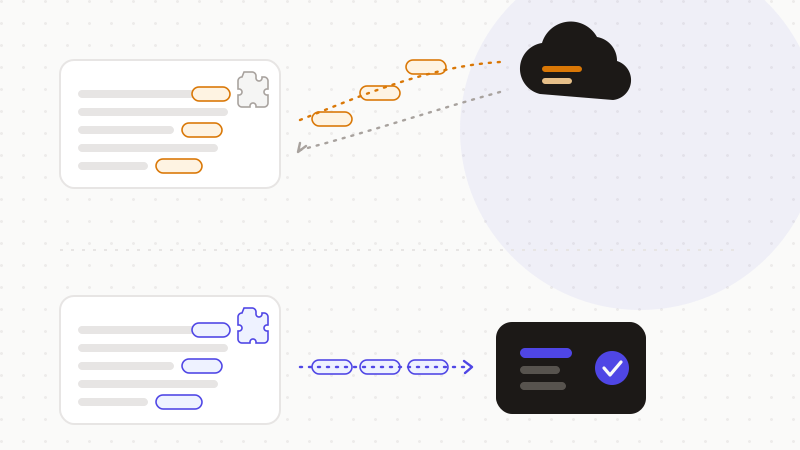
These moves cover most of it. But for genuinely confidential text, the safest step is to never let an identifier in the clear pass through a cloud service.
That's what ONYRI Sanitize is for. The engine detects sensitive data — names, amounts, identifiers, secrets — and replaces it with reversible tokens before sending. Detection and the mapping stay in your browser. Only anonymized text reaches the model. The assistant sees only tokens, never your real values. You keep the writing help, without exposing the draft you meant to keep to yourself.
Frequently asked questions
- Is Grammarly safe with your data?
- Grammarly is not malicious and publishes a real security program: encryption, SOC 2/3 audits, and it states it does not sell your content. But to check your text, it often sends it to the cloud, and its extension reads your pages by design. For legal, medical, financial or confidential content, disable it on sensitive sites and anonymize identifiers before analysis.
- Does Grammarly use my text to train its models?
- Grammarly states it offers a 'Product Improvement and Training' setting you can turn off in your account, so your content is not used to improve its models. Policies change, so check the live wording on grammarly.com/trust. In practice, turn that setting off and anonymize any truly sensitive text before you type it.
- Can the Grammarly extension read everything I type?
- The extension reads the content of pages where it is active — that is how it checks your text. OWASP notes that an extension with broad permissions can access emails, chats, documents and forms on the sites it is allowed on, and that this access becomes risky if it is compromised. Review its per-site access and limit it to non-sensitive pages.
Sources & references
- The Grammarly User Trust Center — Security, Privacy & Compliance (encryption, SOC 2/3 audits, stance on content and training) — Grammarly
- Browser Extension Vulnerabilities Cheat Sheet (broad permissions, access to page content, compromise risk) — OWASP
- A guide to lawful basis for processing personal data (controller, lawful basis, transparency, data minimisation) — UK Information Commissioner's Office (ICO)
Keep your sensitive data in your browser
ONYRI Sanitize detects and masks your sensitive data before it reaches the AI, then restores the answer — from names to API keys.