Perplexity and Your Data: Anonymize Before Your AI Searches
Your Perplexity queries are personal data. Anonymizing before your search keeps identifiers out of your AI prompts.
You want to use Perplexity without dropping sensitive data into it. Here's the direct answer. Perplexity is an AI search engine. You type real questions there. They often contain names, amounts or client situations. That's personal data under the GDPR. The good practice: anonymize before the search. You replace identifiers with reversible tokens, in your browser, before sending. ONYRI Sanitize is built for this. Let's set the context first.
Why your AI-search queries are sensitive
A search bar looks harmless. People treat it like a classic engine. But an AI answer engine isn't Google. You don't type three keywords. You write real sentences, with real context.
That's where the risk appears. Your questions often carry identifying details.
- A client's name and the amount of a pending quote.
- An email or phone number slipped into the question.
- A medical, legal or HR situation described in clear text.
- An internal project name or an in-house product code.
These are personal data. The CNIL makes the point: the GDPR applies, even in a tool that feels informal.
What Perplexity says about your data
Let's stay factual and attributed. Perplexity's policy depends on the surface you use. It isn't the same for a consumer account, for the API, or for the Enterprise plan.
On the consumer side, the « AI data retention » setting is on by default for Free, Pro and Max accounts. That is what Perplexity states, in a policy relayed by DeleteMe's opt-out guide. Still according to Perplexity, queries may then be used to improve or train the models.
Perplexity also documents a way out. According to Perplexity (via DeleteMe), you can turn off the « AI data retention » toggle in Account Settings, Preferences tab. This opt-out is only possible when you're signed into an account. And it applies, still according to Perplexity, only to future data: data already used for training may not be deleted.
Fair credit is due too. According to Perplexity's developer documentation, the API applies a « Zero Data Retention » policy. Prompts and responses sent via the API are neither stored nor used for training. Still according to that doc, only billing metadata is collected: token count, model identifier, timestamp. Finally, according to Perplexity (via DeleteMe), Enterprise data is never used for training.
Anonymize before your search
The idea is simple. You don't rely on a distant setting alone. You keep identifiers out of the query, from the start. Here's the flow with the ONYRI extension.
- 1You write your question on Perplexity's site, as usual.
- 2The ONYRI extension detects sensitive data directly in the browser.
- 3It replaces them with reversible tokens before the query leaves.
- 4Perplexity only receives the anonymized text; the token ↔ value mapping stays in your tab.
- 5On the answer, your real values are restored on screen, in the browser.
An important honesty note. The extension anonymizes the prompt in the browser. The sensitive values and the token ↔ value mapping never leave your tab. ONYRI does not « see » Perplexity's traffic and is not an intermediary. The anonymized text does go to Perplexity: that's what keeps the answer useful.
Consumer, API, Enterprise: policy by surface
The table below sums up the policy by surface, as Perplexity describes it. It also shows where ONYRI steps in.
| Perplexity surface | What Perplexity says | Setting / ONYRI's role |
|---|---|---|
| Consumer (Free, Pro, Max) | « AI data retention » on by default; queries usable for training | Manual opt-out in Preferences, sign-in required; ONYRI keeps identifiers out of the query |
| Developer API | « Zero Data Retention »: no storage or training, apart from billing metadata | Nothing to set on the API; ONYRI still helps minimize upstream |
| Enterprise | Never used for training; file retention ~7 days | Shorter retention than consumer (~30 days); ONYRI reduces what is sent |
How ONYRI does it
ONYRI Sanitize covers two surfaces. The web app handles text, tables and a built-in Chat tab. The browser extension grafts ONYRI directly onto major AI sites, including Perplexity. You add your own rules for in-house terms: project names, client codes. A Free tier serves as an entry point; advanced features belong to the paid plans.
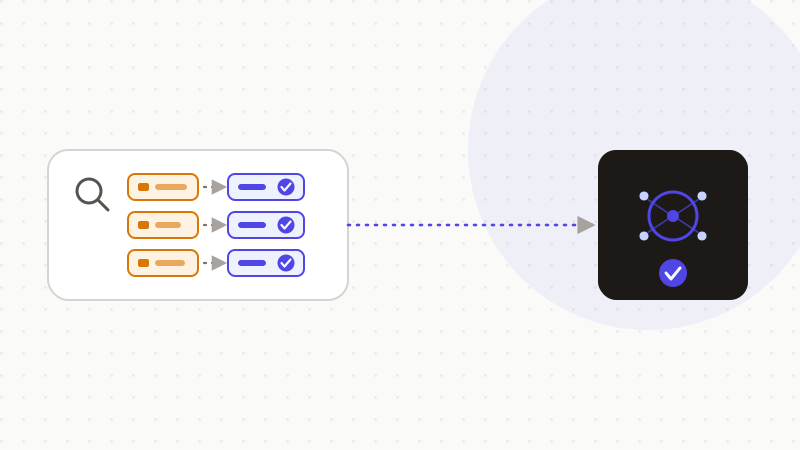
That's the whole logic of ONYRI Sanitize. Detect, replace with reversible tokens, restore the answer. The mapping stays in your browser, never on our servers. Detection is heuristic: it strongly reduces exposure, without claiming to catch everything. And reversible tokens are still pseudonymization, not anonymization under the GDPR. But the essential holds: your real values don't leave in your Perplexity queries.
Frequently asked questions
- Should you anonymize your data before using Perplexity?
- Yes, it's a good practice. Perplexity is an AI search engine: your questions often contain names, amounts or client situations. That's personal data under the GDPR. Anonymizing before the search keeps those identifiers out of your queries. The ONYRI extension does it in the browser, before sending.
- Does Perplexity use my queries to train its models?
- It depends on the surface. According to Perplexity (via DeleteMe), the « AI data retention » setting is on by default on consumer accounts, and queries may be used for training. An opt-out exists in Preferences, sign-in required, but it only covers the future. According to Perplexity's developer doc, the API instead applies a « Zero Data Retention » policy.
- Does the ONYRI extension send my data to its servers?
- No. The extension anonymizes the prompt in the browser. The sensitive values and the token ↔ value mapping stay in your tab and never reach our servers. Only the anonymized text goes to Perplexity, which keeps the answer useful. ONYRI does not see Perplexity's traffic.
Sources & references
Keep your sensitive data in your browser
ONYRI Sanitize detects and masks your sensitive data before it reaches the AI, then restores the answer — from names to API keys.