Notion AI and Your Data: What to Know Before You Use It
Per Notion, it doesn't train AI on your data. But your content still goes to a third-party model, so anonymizing sensitive fields still helps.
Should you anonymize your data before using Notion AI? Direct answer. Notion's default is rather privacy-friendly. Per Notion, neither it nor its AI subprocessors train models on your customer data. That's a genuine plus, and worth crediting. But Notion AI works over your workspace: notes, docs, databases. That content still goes to a third-party model to be processed. Anonymizing the most sensitive fields upfront reduces what leaves. ONYRI Sanitize helps with that.
What Notion says about your data
Let's start with the attributed fact. Per Notion (doc « Notion AI security & privacy practices »), by default Notion and its AI subprocessors don't use customer data to train any models. The official wording: « by default, Notion and its AI Subprocessors do not use Customer Data to train any models ». Also per Notion, using Notion AI grants it no right to train its models on your data.
Notion relies on third-party models. Per Notion, it names Anthropic and OpenAI as AI subprocessors. And it states it has contractual agreements with them. These agreements, per Notion, bar those subprocessors from training their models on customer data. Also per Notion, data sent to third parties is encrypted in transit via TLS 1.2 or higher.
- Per Notion: by default, neither Notion nor its AI subprocessors train models on your customer data.
- Per Notion: contractual agreements bar the AI subprocessors (it names Anthropic and OpenAI) from training their models on this data.
- Per Notion: data sent to third parties is encrypted in transit (TLS 1.2 or higher).
The nuance: your content still goes to a third party
A good default isn't the whole story. Here's the honest nuance. Even without training, your content is sent to a third-party model to be processed. Notion AI works over your workspace. And that workspace often holds client and internal data. It's not a chat prompt you retype: the content is already there.
Retention varies by plan. Per Notion, model providers keep the data for only thirty days or less on the Free, Plus and Business plans. Per Notion, the Enterprise plan gets zero data retention. Another point: the list of subprocessors can change. Hence the value of anonymizing the most sensitive fields upfront.
| Aspect | What Notion says (as of 2026-08-08) | Why anonymize upfront |
|---|---|---|
| Model training | By default, no training on your data (Notion and its subprocessors) | The sensitive field enters already pseudonymized |
| Retention by plan | Thirty days or less (Free, Plus, Business); zero on Enterprise | Your real values stay on your device |
| AI subprocessors | Third-party models (Notion names Anthropic, OpenAI); evolving list | Reduces exposure whatever the third party |
Anonymize sensitive fields first
A good default doesn't remove the need for care. Here's why anonymizing sensitive fields keeps its value, even with Notion AI.
- 1Your content is still sent to a third-party model for processing: the fewer real values it sees, the better.
- 2The list of subprocessors can change: upfront defense doesn't depend on a policy that can shift.
- 3A shared workspace is seen by the whole team: better that the most sensitive fields enter it already pseudonymized.
- 4Anonymizing first is a measure you control end to end, whatever the vendor's setting.
How ONYRI helps, and its real scope
Let's be clear about scope. Notion AI runs inside Notion. ONYRI doesn't intercept those internal calls. It does, however, act in two concrete cases.
- 1The content you paste into an AI chat: the ONYRI extension grafts onto chat sites and anonymizes the prompt in the browser, before you send.
- 2The sensitive fields you're about to type into a shared workspace: you pseudonymize them first, then you paste them.
- 3In both cases, the real values and the token ↔ value mapping stay on your device, in the browser.
Detection stays heuristic. It strongly reduces exposure, without promising zero risk. A Free tier serves as an entry point; advanced features belong to the paid plans.
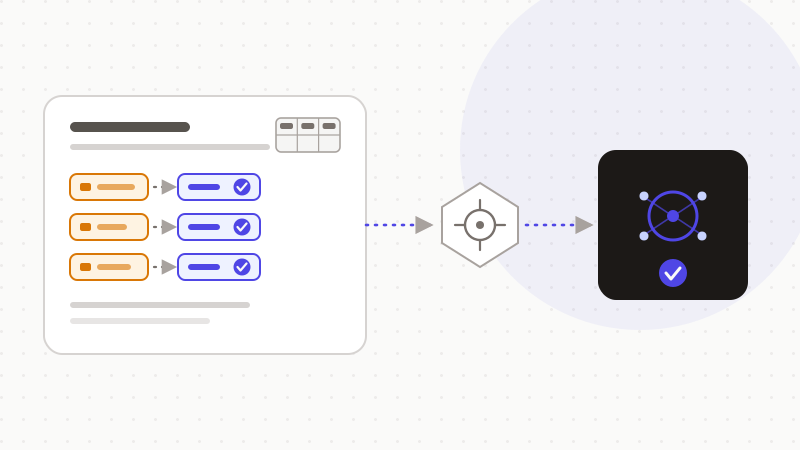
In short, Notion's default works in your favor, and that deserves credit. Per Notion, it doesn't train its models on your data, and neither do its subprocessors. But your content still goes to a third-party model, and the list of subprocessors can change. Anonymizing sensitive fields upfront stays a measure you control. ONYRI detects, replaces with reversible tokens, then restores in the browser. This approach reduces your data's exposure. It doesn't make it « anonymous under the GDPR »: reversible tokens are still pseudonymization.
Frequently asked questions
- Should you anonymize your data before using Notion AI?
- Notion's default helps: per Notion, neither it nor its AI subprocessors train models on your data. But your content still goes to a third-party model to be processed, and it often comes from a workspace full of client data. Anonymizing the most sensitive fields upfront reduces what leaves, and it's a measure you control.
- Does Notion AI train its models on my workspace data?
- No, per Notion. Per its security documentation, by default neither Notion nor its AI subprocessors (it names Anthropic and OpenAI) use customer data to train models. Retention differs by plan: thirty days or less for Free, Plus and Business; zero on Enterprise. Always check the policy in force, as it can change.
- Does ONYRI intercept Notion's internal AI calls?
- No. Notion AI runs inside Notion; ONYRI doesn't intercept those calls. ONYRI acts on the content you paste into an AI chat and on the sensitive fields you pseudonymize before typing them into a shared workspace. The tokens are reversible in the browser: that's pseudonymization, which reduces exposure without removing it.
Sources & references
- Notion AI security & privacy practices — Notion (no-train default, OpenAI/Anthropic subprocessors, retention by plan, TLS 1.2+) — Notion
- Notion's commitment to AI safety — Notion (AI security and privacy commitments) — Notion
- Developing AI systems: the CNIL's recommendations to comply with the GDPR (data controller, data reuse) — CNIL
Keep your sensitive data in your browser
ONYRI Sanitize detects and masks your sensitive data before it reaches the AI, then restores the answer — from names to API keys.