GitHub Copilot and Your Code: Protecting Secrets and Data
Per GitHub, Copilot Business and Enterprise don't train their models on your code. The real risk is secrets in code. Our tips, tier by tier.
Should you protect your code before handing it to GitHub Copilot? Direct answer. The real risk isn't the AI itself. It's what your code contains: API keys, tokens, connection strings, credentials, and sometimes real client data in test fixtures. Per GitHub, Copilot Business and Copilot Enterprise don't use this data to train their models. The Copilot Free, Pro and Pro+ plans follow other rules. The golden rule stays the same: never store a real secret in cleartext in code. And for the code you paste into an AI chat, ONYRI reduces exposure, in your browser.
What GitHub says, plan by plan
Let's start with the facts, attributed and dated (as of 2026-08-08). Per GitHub (changelog of 25 March 2026), starting 24 April 2026, interaction data from Copilot Free, Pro and Pro+ users serves to train and improve its models. This covers your inputs, the outputs, code snippets and the associated context. This regime is opt-out: training is on by default, and you must disable it in the settings.
The enterprise plans follow a different regime. Per GitHub, Copilot Business and Copilot Enterprise are not subject to this collection for training. Their data does not serve to train the foundation models. Also per GitHub, the content of private repositories « at rest » is not used to train its AI models. The nuance concerns the interaction data generated while using Copilot.
- Per GitHub, Copilot Free, Pro and Pro+: interaction data used for training since 24 April 2026, unless you opt out.
- Per GitHub, Copilot Business and Copilot Enterprise: excluded from this collection for model training.
- Per GitHub, the content of private repositories at rest is not used to train the AI models.
GitHub also offers a public-code detection filter, called « code referencing ». Per GitHub's documentation, it compares the suggestion and roughly 150 characters of surrounding code to the index of public repositories on GitHub.com. In « Block » mode, suggestions that match public code are blocked. Also per GitHub, such matches occur in fewer than 1% of inline suggestions.
The real risk: secrets in the code
Back to the essentials. A vendor policy, even a favorable one, doesn't protect a secret already written in the code. The danger comes from what the file contains. A repository often hides far more than you'd think.
- API keys and access tokens (cloud, third-party services, webhooks).
- Database connection strings, with host and password.
- Credentials and secrets hardcoded in a configuration file.
- Real client data slipped into fixtures or test datasets.
The right settings, step by step
How do you actually reduce exposure? Here's a simple order of priority, from most important to the useful extra.
- 1Get secrets out of the code: environment variables or a secret manager, never in cleartext in a versioned file.
- 2Check your Copilot plan and its training setting: on Free, Pro and Pro+, the opt-out is in the settings.
- 3Enable the public-code detection filter (« code referencing ») in « Block » mode when it's available.
- 4Review the code before publication and run a local secret scanner before each commit, as the CNIL recommends.
- 5For the code you paste into an AI chat, anonymize the sensitive values before sending.
The table below recaps the rules by plan, as GitHub describes them, and what you keep under control.
| Copilot plan | Training on interaction data, per GitHub | What you keep under control |
|---|---|---|
| Free, Pro, Pro+ | Since 24 April 2026: training unless you opt out | Get secrets out of code + opt out in settings |
| Business, Enterprise | Excluded from this collection for training | Never version a real secret, all the same |
| Private repositories at rest | Content not used for training, per GitHub | Review and scan for secrets before each commit |
Where ONYRI helps, and where it doesn't
Let's be transparent about the scope. The ONYRI extension grafts onto AI chat sites, like Copilot Chat on the web or ChatGPT. It anonymizes the text and code you paste there, in your browser, before sending. By contrast, it doesn't intercept the IDE's inline autocomplete, the well-known « ghost text ». It also doesn't act on a tool's internal AI calls. Its place is the code you copy-paste into a chat.
Concretely, the flow takes a few steps. You paste a snippet into the chat. The extension detects sensitive data and replaces it with reversible tokens. The already-pseudonymized text goes to the model. The token ↔ value mapping stays in the tab, on your device. On the answer, your real values are restored on screen, in the browser.
Two limits to keep in mind. First, detection stays heuristic: it strongly reduces exposure, without promising zero risk. Second, reversible tokens are pseudonymization, not anonymization under the GDPR: your data keeps a personal character. ONYRI reduces exposure. It replaces neither getting secrets out of the code nor Copilot's settings.
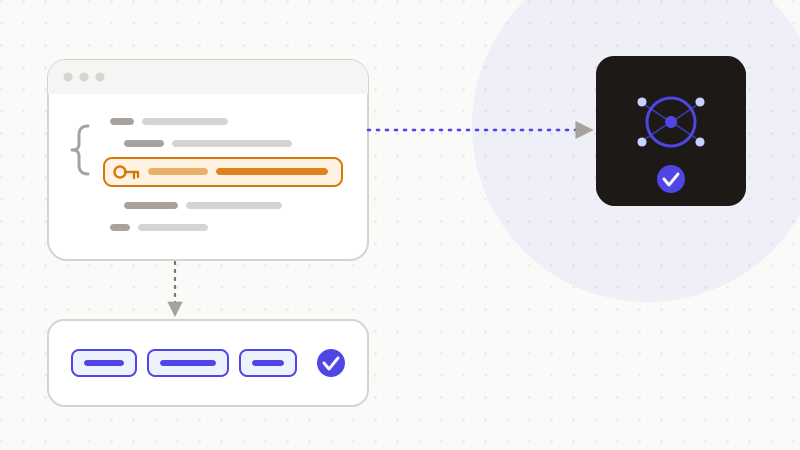
In short, the real risk in code isn't Copilot itself. It's what the code contains. Per GitHub, Business and Enterprise exclude your interaction data from training, while Free, Pro and Pro+ move to opt-out since 24 April 2026. Get secrets out of the code, set your plan, review before publication. And for the code you paste into an AI chat, ONYRI pseudonymizes it in your browser, which reduces your data's exposure. Pseudonymization stays reversible: it doesn't make your data anonymous under the GDPR.
Frequently asked questions
- Should you protect your code and secrets before using GitHub Copilot?
- Yes, especially the secrets. Per GitHub, Copilot Business and Enterprise don't use your interaction data for training. But Free, Pro and Pro+ do so by default since 24 April 2026, unless you opt out. In every case, never store a real secret in cleartext in code: environment variables or a secret manager.
- Does GitHub Copilot use my code to train its models?
- It depends on the plan, per GitHub. Copilot Business and Enterprise are excluded from this collection for training, and the content of private repositories at rest isn't used. On Copilot Free, Pro and Pro+, interaction data serves training since 24 April 2026, unless you opt out in the settings.
- Does ONYRI protect GitHub Copilot's autocomplete in my IDE?
- No. The ONYRI extension works on AI chat sites, like Copilot Chat on the web or ChatGPT, for the text you paste there. It doesn't intercept the IDE's inline autocomplete (« ghost text »). For that case, the right defense stays getting secrets out of the code and scanning before each commit.
Sources & references
- Updates to our Privacy Statement and Terms of Service: How we use your data (Free/Pro/Pro+ interaction data for training from 24 April 2026, opt-out) — GitHub
- Code referencing — GitHub Docs (compares ~150 characters to the public-repository index, « Block » mode, fewer than 1% of inline suggestions) — GitHub
- Developer's GDPR Guide — Managing your source code (secrets out of the repo, review before publication, secret detection before commit) — CNIL / LINC
Keep your sensitive data in your browser
ONYRI Sanitize detects and masks your sensitive data before it reaches the AI, then restores the answer — from names to API keys.