Which Tool Protects Your Company Data in AI?
Your teams already use AI. The best solution: a tool that anonymizes sensitive data before the prompt, deployable across the whole team.
Your teams already use AI, often without telling you. It’s what people call « shadow AI ». Banning it doesn’t work: people work around it. The most effective solution isn’t a block. It’s a tool that anonymizes sensitive data before it goes into the prompt. It detects risky information right on the device. It replaces it with tokens. And it deploys to the whole team, with shared rules. That way your people keep AI, but your real data stays with you.
Why banning AI doesn’t protect your data
Many leaders react with a memo: « no using AI ». The problem is that it doesn’t hold. These tools save real time. Your teams already use them, in their browser, sometimes on their phone. A ban simply pushes that use into the shadows. You then lose all visibility. And the real risk remains: sensitive data pasted into a prompt. So the right question isn’t « how do I block AI? ». It’s « how do I frame its use while reducing our data’s exposure? ».
What a good solution must do
A good solution doesn’t just say « be careful ». It brings a concrete, verifiable and deployable control. Here are the criteria that really matter:
- Detection on the device: sensitive data is spotted in the browser, before anything is sent. What's detected doesn't leave in clear text; detection is heuristic, so review edge cases.
- Reversibility: the replaced values can be restored on the client, to use the AI’s answer.
- Shared rules and profiles: the workspace defines what is sensitive once, and the whole team inherits it.
- Compatibility: the tool works with the models you already use, like ChatGPT, Claude or Gemini.
- No sensitive data at the vendor: the provider never receives your sensitive values or the token↔value mapping; they stay in the browser.
These criteria mark the line between a mere tip and a real safeguard. The table below compares the manual method and a deployed tool.
| Criterion | Erasing data by hand | Deployed anonymization tool |
|---|---|---|
| Reliability | Depends on each person’s vigilance | Tool-assisted detection, same rules for all |
| Scaling | Impossible across a whole team | Deployable to the entire workspace |
| Reversibility | Lost once the text is edited | Tokens restored on the client |
| Central control | None, everyone their own way | Shared rules and profiles |
ONYRI, a control built for teams
ONYRI Sanitize applies exactly these criteria. The engine detects sensitive data in text: names, emails, IBANs, API keys, and much more. It replaces them with reversible tokens. Detection and the token↔value mapping stay in the browser. They never reach our servers. Only anonymized text reaches the model. The answer is then de-tokenized on your device, so it stays readable.
For a team, two more things matter. First, custom rules and profiles per workspace. You define your in-house data once, like project names or client references, and every member inherits it. Second, coverage of real use. A web app covers Text, Tables and Chat. A browser extension covers the major AI sites. A Free entry point exists for testing; team use falls under the paid Pro and Team plans.
Deploying the control: the method
Framing AI without blocking it follows a few simple steps. Here is a realistic running order:
- 1Map the real use: who uses AI, for which tasks, with which data.
- 2Define your shared rules in the workspace: built-in categories plus your in-house data.
- 3Equip each device: web app for documents, extension for everyday AI sites.
- 4Train briefly: showing the reflex « I anonymize before sending » once is often enough.
- 5Document the approach in your register, under the minimization the GDPR requires.
This approach also respects data protection by design, a pillar the CNIL recalls for responsible AI use. You’re not starting from a blank page: you’re tooling a good practice.
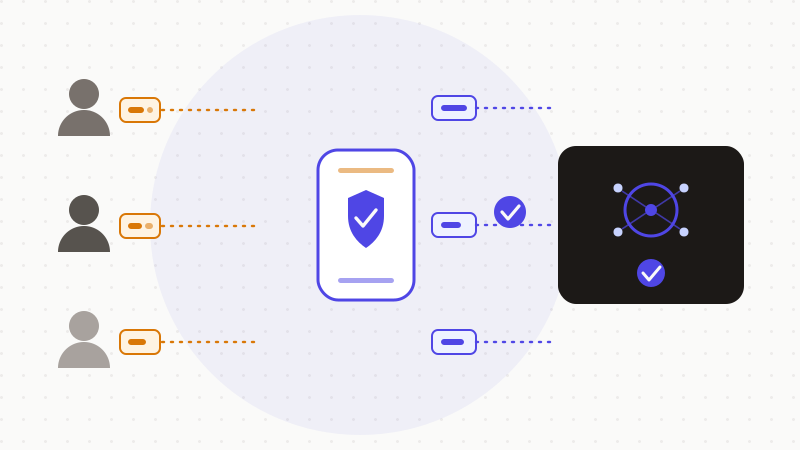
Framing AI in a company doesn’t mean banning it. It means deploying one simple control: detect and replace sensitive data before the prompt, for the whole team. ONYRI Sanitize does this work in the browser and keeps the token↔value mapping on the client: your sensitive data never leaves your browser. It isn’t turnkey GDPR compliance. But it’s a concrete step toward minimization, while reducing the exposure of your real data.
Frequently asked questions
- Which tool protects my company data in AI?
- The most effective solution is a tool that anonymizes sensitive data before the prompt. It detects the data on the device, replaces it with reversible tokens, and deploys to the whole team with shared rules. Your people keep AI, but your real values stay in the browser. It’s a control that reduces exposure, serving the GDPR minimization principle.
- Should I ban AI for my teams?
- Rarely a good idea. A ban pushes use into the shadows: people work around it, and you lose all visibility. The real risk is sensitive data pasted into a prompt. It’s better to frame the use with a tool that anonymizes before sending, rather than block a use you’ll no longer see.
- Is anonymizing before the prompt enough to be GDPR-compliant?
- No, not on its own. Replacing a value with a reversible token is pseudonymization: the data stays personal and subject to the GDPR. This control reduces exposure and serves minimization. But as the data controller, you also owe a legal basis, information to the people concerned, and a register. It’s a pillar, not the whole of compliance.
Sources & references
- Anonymizing personal data (irreversible anonymization vs reversible pseudonymization) — CNIL
- Developing AI systems: the CNIL’s recommendations to comply with the GDPR (minimization, privacy by design) — CNIL
- General Data Protection Regulation (GDPR) — official text (art. 5 minimization, art. 4 definitions) — EUR-Lex (European Union)
Keep your sensitive data in your browser
ONYRI Sanitize detects and masks your sensitive data before it reaches the AI, then restores the answer — from names to API keys.
Anonymize my prompt