ChatGPT records your chats: take back control in 5 minutes
By default, ChatGPT keeps your conversations and may use them. The 3 settings to switch off in 5 minutes — and the one protection that depends on no setting.
By default, ChatGPT keeps your conversations in your history and, on a consumer account, may use them to improve its models. Good news: three settings, reachable in five minutes, sharply reduce that exposure. Less good news: those settings act on the provider's side and don't cover everything. The only protection that depends on no setting is not putting the sensitive data in the conversation in the first place.
Why your conversations are kept by default
An assistant like ChatGPT keeps a history to serve your exchanges back to you, and — on consumer plans — the provider may use those conversations to train its models unless you turn it off. It's an experience choice, not a fate: the official documentation (OpenAI's “Data Controls FAQ”) describes the options to limit this retention and use. You just have to go find them.
The 5-minute fix
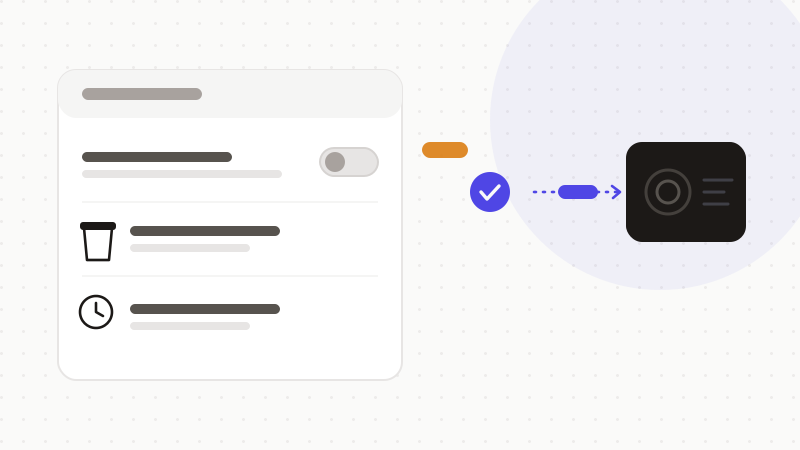
Three actions, in the app's settings, cover the essentials:
- 1Turn off training: Profile → Settings → Data Controls → disable “Improve the model for everyone.” Your future conversations stop feeding training.
- 2Clear history: in Settings → General → “Delete all chats.” This empties your history (without removing what already fed training).
- 3Use temporary chat for sensitive exchanges: it doesn't appear in history and doesn't feed memory.
What these settings don't cover
Turning off training doesn't erase what was already used, and above all doesn't make your messages invisible: the text is still transmitted, processed, and may be retained for a time for safety — even when you've disabled training. A setting reduces a specific use; it doesn't remove the fact that the data leaves your device.
| Setting | What it does | Its limit |
|---|---|---|
| Training disabled | Your future conversations no longer train models | Doesn't erase what already trained; doesn't stop transmission |
| History deleted | Empties your conversation list | Doesn't remove data from past training sets |
| Temporary chat | Out of history and memory | May be retained for a time for safety |
The protection that depends on no setting
If every setting leaves a gray zone, the only solid guarantee is upstream: don't hand over the sensitive data. What never leaves your browser can't be retained, reused or reviewed — whatever the state of your checkboxes.
- Do the 3 settings: it's good hygiene.
- But don't rely on them for truly sensitive data.
- Remove identities, identifiers and secrets before sending.
That's what ONYRI Sanitize is for: the engine detects sensitive data and replaces it with reversible tokens before sending; detection and the token↔value mapping stay in your browser, and only anonymized text reaches the AI. Your settings stay useful — but they now only apply to already-neutralized content.
Frequently asked questions
- How do I stop ChatGPT from using my conversations for training?
- In Settings → Data Controls, disable “Improve the model for everyone.” Your future conversations stop feeding training, across your whole account. This doesn't, however, erase what was already used.
- Does deleting my conversations erase them everywhere?
- No. Deleting history empties your conversation list, but doesn't remove data from training sets it may already have entered, nor from logs kept for safety. That's why it's best not to put sensitive data in it.
- Is temporary chat completely private?
- It doesn't appear in history and doesn't feed memory, but the provider may retain it for a time for safety. For sensitive data, the only guarantee is to anonymize it before sending.
Sources & references
- “How to stop ChatGPT from using your data for training” — Tom's Guide
- “How to Stop ChatGPT Training On Your Data” — Tech.co
- “How to keep your ChatGPT conversations out of its training data” — ThreatDown (Malwarebytes)
Keep your sensitive data in your browser
ONYRI Sanitize detects and masks your sensitive data before it reaches the AI, then restores the answer — from names to API keys.