Is It Safe to Upload Documents to ChatGPT?
Uploading a PDF to ChatGPT is no safer than pasting it: the file goes to OpenAI's servers, may feed training, and can survive deletion. What actually protects you.
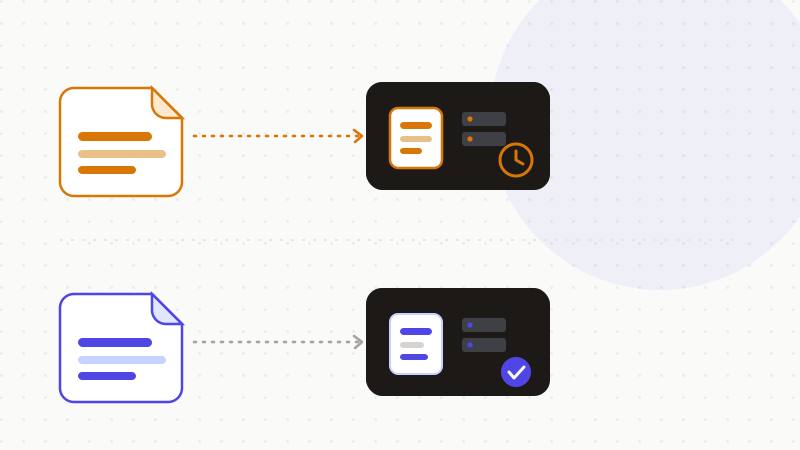
Uploading a document to ChatGPT is no safer than pasting its text: the file is sent to OpenAI's servers and kept in your account exactly like a message. On consumer accounts (Free and Plus), its content can feed model training by default, unless you explicitly opt out. And even when deleted, a file may be retained for around 30 days — or far longer under a legal hold. Yet a contract or financial PDF packs far more sensitive data than a plain prompt. The only certain protection: remove or redact the sensitive parts before sending.
What happens to a file you send to ChatGPT
A file — PDF, image, spreadsheet — dropped into ChatGPT is treated like any other conversation content: it's uploaded to OpenAI's servers and stays tied to your account, just like text pasted into the message box. So the act of uploading creates no protected bubble: it offers no extra guarantee over a copy-paste. The difference is volume — a document brings everything it contains in a single move.
Training, retention: what happens by default
On Free and Plus accounts, conversation and file content can feed OpenAI's model improvement by default — unless you explicitly turn the option off. Enterprise, Business, Edu and API offerings, by contrast, don't use data for training by default. To opt out on consumer accounts, open Settings → Data Controls and turn off “Improve the model for everyone”; that opt-out applies only to future conversations, not retroactively.
Deletion isn't instant either. Once training is off or a conversation is deleted, the data doesn't disappear immediately: a deleted chat or file is retained, then removed from OpenAI's systems within about 30 days, unless a security or legal hold requires keeping it. Temporary Chat keeps an exchange out of history and memory, but it's no guarantee of zero processing, nor does it waive other retention obligations. (cf. OpenAI Help Center — Chat and File Retention Policies in ChatGPT, and the Data Controls FAQ.)
- 1Settings → Data Controls → turn off “Improve the model for everyone”: your future uploads stop feeding training.
- 2Prefer Enterprise, Business, Edu or API accounts when confidentiality is critical (no training by default).
- 3Keep in mind that a deleted file is retained for about 30 days, and longer under a legal hold.
Why a deleted document can survive
The 30-day window isn't an absolute ceiling. A court ruling in the The New York Times v. OpenAI dispute forced the company to preserve ChatGPT conversation logs — including exchanges users believed they had deleted. The order, dated May 13, 2025, covered Free, Plus, Pro and Team accounts as well as API use without a “Zero Data Retention” agreement; the court ordered production of an anonymized sample of more than 20 million logs. Only zero-retention offerings and certain enterprise tiers were spared. In other words, content you send can outlive deletion and slip beyond your control. (cf. Ars Technica — “OpenAI says court forcing it to save all ChatGPT logs is a privacy nightmare”.)
A PDF exposes more than a prompt: the Samsung case
A contract, a financial file or an internal memo packs far more sensitive data than a hand-written prompt: names, addresses, bank details/IBANs, tax IDs, amounts, confidential clauses or trade secrets often all sit in a single file. The impact of a leak or reuse is multiplied accordingly. In April 2023, Samsung engineers learned this the hard way: one employee pasted proprietary source code to debug it, another code tied to semiconductor equipment, a third the contents of an internal meeting to generate minutes. Samsung responded by restricting generative-AI use, on pain of penalties up to dismissal.
| You assume | The reality |
|---|---|
| “Uploading a PDF is safer than pasting” | The file is processed and stored exactly like pasted text |
| “My document isn't used for training” | On Free/Plus it is, by default, unless you explicitly opt out |
| “I delete the file, it's erased” | Kept ~30 days, and longer under a legal hold |
| “A document is just like a prompt” | It packs names, IBANs, amounts and clauses in one shot |
The fix: anonymize before sending
Since neither training, nor retention, nor the survival of a deleted file is fully under your control, the only guarantee is about the content. Specialist sources recommend removing or redacting sensitive information before any upload, or using pseudonymization so that no real data is transmitted — sending only anonymized or summarized content rather than a raw document. If the file contains no sensitive data in the clear, neither training nor extended storage exposes anything usable.
- Do the opt-out setting: it's good basic hygiene.
- But don't rely on it for a contract or a financial file.
- Redact or pseudonymize names, IBANs, identifiers and secrets before sending.
That's exactly what ONYRI Sanitize is for, on text and tables alike: the engine spots a document's sensitive data and replaces it with reversible tokens before sending; detection and the mapping stay in your browser, and only anonymized text reaches ChatGPT. Whether the file feeds training, is kept for 30 days or demanded by a court, all that's left is tokens — not your real information. To go further, see our guide on anonymizing a document before handing it to an AI.
Frequently asked questions
- Is it safe to upload documents to ChatGPT?
- Not as-is: a file (PDF, image, spreadsheet) sent to ChatGPT is processed and stored like pasted text, can feed training by default on Free and Plus accounts, and is kept for about 30 days after deletion. A raw document is only safe once it has been anonymized or redacted before upload.
- Are my ChatGPT files used to train the models?
- On consumer accounts (Free and Plus), yes by default, unless you turn off “Improve the model for everyone” in Settings → Data Controls. Enterprise, Business, Edu and API offerings don't use data for training by default. Opting out applies only going forward, not retroactively.
- Is a document deleted from ChatGPT really erased?
- Not immediately: a deleted file is retained, then removed within about 30 days, unless a security or legal hold applies. A court ruling in the New York Times v. OpenAI case even forced the company to preserve logs that users believed they had deleted.
Sources & references
- Does ChatGPT Store Your Data in 2025? (storage, 30-day retention, training by default and opt-out, consumer vs Enterprise/API accounts) — Nightfall AI
- Samsung threatens to fire employees who leaked data to ChatGPT (April 2023 incident: source code and meeting minutes) — Fortune
- OpenAI forced by the court to hand over ChatGPT logs (including deleted conversations) in the New York Times case — Thurrott.com
Keep your sensitive data in your browser
ONYRI Sanitize detects and masks your sensitive data before it reaches the AI, then restores the answer — from names to API keys.