Does a VPN protect your data in ChatGPT?
No. A VPN hides your IP, private mode clears local history — but neither protects what you send to the AI. What actually works.
No: a VPN does not protect your data in ChatGPT. A VPN hides your IP address and location; private browsing stops your browser from saving local history. Neither protects what you actually send to the AI — your prompt reaches the provider in the clear, readable, and can be retained or reused. The only thing that protects the content is removing the sensitive data from the prompt itself.
What a VPN really does (and doesn't)
A VPN encrypts the path between you and the server and hides your IP. That's useful against network interception and IP-based tracking — but your prompt's content arrives intact at its destination, where it's read to be processed. Private browsing only touches your device: it keeps the conversation out of your local history. Neither changes what leaves for the model.
| Hides your IP | Clears local history | Protects what you send | |
|---|---|---|---|
| VPN | Yes | No | No |
| Private browsing | No | Yes | No |
| Anonymizing the prompt | — | — | Yes |
Why the confusion is dangerous
The risk is the false sense of security. “I'm on my VPN, so I can paste this client file” is a common — and wrong — line of reasoning. A VPN doesn't stop the provider from seeing, logging or reusing your text. Believing otherwise leads to exposing data you thought was protected.
What actually protects the content
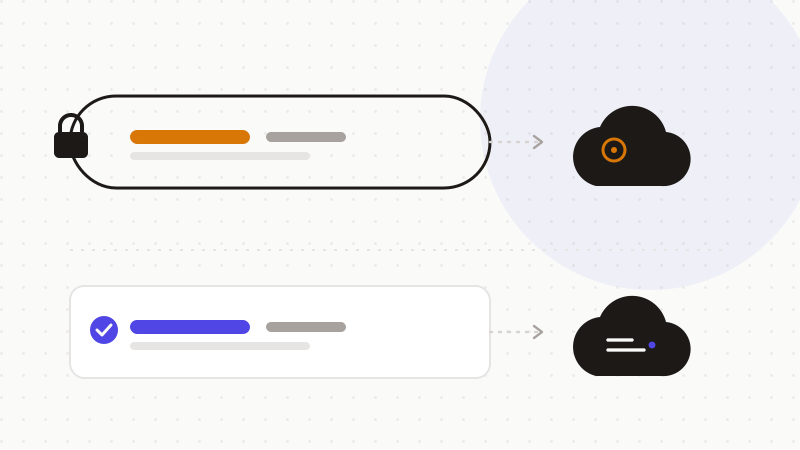
If the risk comes from what the prompt contains, protection means acting on the content: detect sensitive data and replace it with reversible tokens before sending, then restore the answer in your browser. The model only ever sees neutralized text. This complements a VPN, it doesn't compete with it: the VPN protects the path, anonymization protects the data.
ONYRI Sanitize acts at exactly this level: detection and the token↔value mapping stay in your browser, and only the anonymized text reaches the model. With or without a VPN, your sensitive data doesn't leave in the clear.
Frequently asked questions
- Does a VPN make ChatGPT private?
- No. A VPN hides your IP and location, but your prompt reaches the provider in the clear, where it can be read, retained or reused. To protect the content, you must anonymize the sensitive data before sending.
- Does private/incognito mode protect my prompts?
- No. Private browsing only stops your browser from saving the conversation locally. What you send to the AI leaves exactly the same way. It doesn't protect the transmitted content.
- What actually protects what I send?
- Removing the sensitive data from the prompt before sending: an engine detects it, swaps it for a reversible token, then restores the answer in your browser. The model never sees the real information. It complements a VPN.
Sources & references
Keep your sensitive data in your browser
ONYRI Sanitize detects and masks your sensitive data before it reaches the AI, then restores the answer — from names to API keys.