Is It Safe to Use AI for Project Management?
Yes, with one rule: anonymise personal data before the prompt. A ticket or a roadmap is not neutral text — you stay the GDPR controller for it.
Yes, with one simple rule. Anonymise the personal data before you send the prompt. AI can summarise a ticket, draft a status update, or plan a sprint. But a project tool is not neutral text. A bug ticket can hold customer personal data. It can carry logs with personal data inside. It can even hide a secret a developer pasted in a hurry. Your roadmap holds unreleased plans a rival would love to see. Under the GDPR, you are the controller for that customer and employee data. Article 5(1)(c) says send only what the task needs. So mask names and identifiers before the prompt. Keep the roadmap out of consumer tools. And give a connected AI assistant the narrowest access you can.
A ticket holds more than a task
People assume a ticket just describes a task. The reality is wider. A bug report often carries far more. The name and email of the customer who reported it. A log snippet with an IP address or an identifier. Sometimes an API key a rushed developer pasted to reproduce the error. Exporting a ticket is not exporting neutral text.
- Customer personal data: name, email, account number.
- Logs with personal data: IP addresses, session identifiers.
- Secrets pasted in a hurry: API keys, passwords, tokens.
- Screenshots and attachments showing a real user's screen.
OWASP lists 'Sensitive Information Disclosure' among the top risks for LLM (large language model) applications. A model can expose personal data, credentials and confidential business information. In its inputs and its outputs. A ticket brings exactly that mix together. Pushing it as-is to a consumer AI puts it on a third party's servers.
The roadmap is competitive data
A roadmap is not just another document. It is your unreleased plans, your priorities and your timelines. That is exactly what a rival wants to know. Pasted into a consumer AI, it lands on a third party's servers. You no longer control who reads or keeps it.
The common-sense rule is simple. A roadmap and technical secrets do not belong in a consumer tool. Reserve them for enterprise tools governed by a data-processing agreement. Ask for a no-training clause. This is good practice, not a legal duty. But it protects your edge.
Sprints and workload: data about your staff
The GDPR does not only protect customers. Your staff too. Workload figures, sprint notes and performance-style observations are personal data. They describe identifiable people: your teams. Processing them through AI triggers the same duties.
Two key ideas come from the GDPR. First, the controller (Article 4(7)). It is the party that decides the purposes and means of processing. Article 24 makes that controller responsible for the measures needed to show compliance. If you run Jira, Asana or Linear, you are that controller for the data inside them. You stay accountable, even when that data passes into an outside AI.
Second, data minimisation (Article 5(1)(c)). Personal data must be 'adequate, relevant and limited to what is necessary'. Sending a whole ticket export when an anonymised summary would do goes well beyond that need.
Connected AI assistants: the access question
Some AI assistants plug into your whole project workspace. That is handy. It is also risky. Such an assistant gets very broad access to your tickets, roadmaps and team data. It is the same access problem as a connected calendar or cloud drive.
The principle of least privilege answers this. OAuth is the protocol that grants an app access to your data. Applied to OAuth, the principle means an app should request only the permissions it truly needs. No more. An assistant that asks for full workspace access is over-scoped. Narrowing the scope limits what a compromised or over-curious integration can reach.
| You assume | The reality |
|---|---|
| “A ticket is just a task” | It can hold customer data, personal logs and secrets |
| “Nobody cares about my roadmap” | It is unreleased plans a rival wants to see |
| “Sprint notes aren't personal data” | They describe identifiable staff — the GDPR applies |
| “A connected assistant needs to see everything” | Least privilege says grant only the scope it needs |
The fix: anonymise, wall off, narrow access
Good news: AI stays useful for project management. It can summarise a ticket, draft a status update, help you plan. You just take away what it does not need to see.
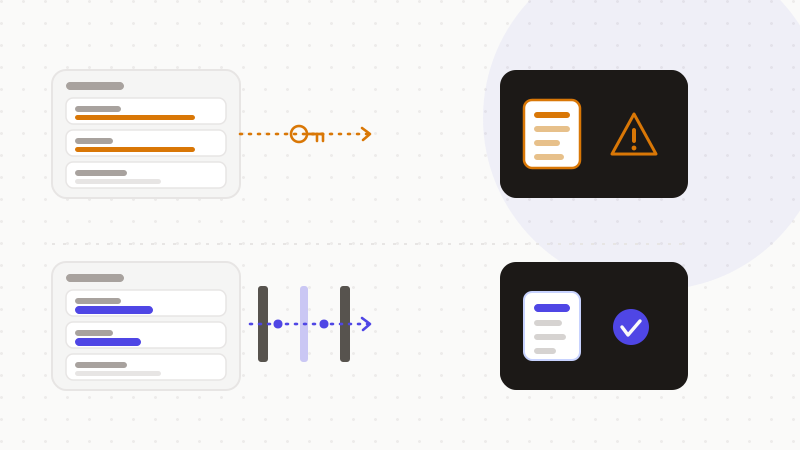
OWASP recommends scrubbing sensitive data before it reaches the model. That way, the content you supply cannot leak into a response or into training. Anonymise customer and employee identifiers before the prompt. The AI then summarises or drafts on a de-identified version.
- 1Anonymise customer and employee identifiers in the text, in the browser.
- 2Keep roadmap and technical secrets out of consumer tools.
- 3Grant AI connectors the narrowest possible access scope.
- 4For sensitive data, pick an enterprise tool with a data-processing agreement and no-training terms.
That's what ONYRI Sanitize is for. The engine detects sensitive data — customer names, emails, employee identifiers, secrets — and replaces it with reversible tokens before sending. Detection and the mapping stay in your browser. Only anonymized text reaches the model. The AI sees only tokens, never your real project data. You get the help, without exposing your customers, your teams or your roadmap.
Frequently asked questions
- Is it safe to use AI for project management?
- Yes, as long as you anonymise personal data before the prompt. AI can summarise a ticket, draft a status update or help you plan without seeing real names. But a ticket can hold customer data, personal logs and secrets. Under the GDPR, you are the controller for it. Mask the identifiers, keep the roadmap out of consumer tools, and narrow your connectors' access.
- Can I paste a ticket export into ChatGPT?
- Better not to, as-is. A ticket export can carry customer personal data, logs and sometimes a secret. OWASP lists sensitive information disclosure among the top LLM risks. The GDPR also requires you to send only what is necessary. Anonymise the identifiers first: the AI then summarises on a de-identified version.
- Is a connected AI assistant safe on my project workspace?
- It depends on its access. An assistant plugged into the whole workspace gets very broad access — the same risk as a connected calendar or cloud drive. The principle of least privilege, applied to OAuth, says grant only the permissions needed. Narrow the connector's scope and keep roadmap and secrets apart.
Sources & references
- Regulation (EU) 2016/679 (GDPR) — full text (controller Art. 4(7), data minimisation Art. 5(1)(c), controller responsibility Art. 24) — EUR-Lex (Publications Office of the European Union)
- LLM02:2025 Sensitive Information Disclosure — OWASP Top 10 for LLM Applications (PII, credentials and business-information leakage) — OWASP GenAI Security Project
- OAuth 2.0 Access Tokens and the Principle of Least Privilege (request only the scopes you need) — Auth0 (Okta)
Keep your sensitive data in your browser
ONYRI Sanitize detects and masks your sensitive data before it reaches the AI, then restores the answer — from names to API keys.