Is It Safe to Use AI for Photography? A Guide for Studios
A photo is dense personal data: faces, locations, EXIF/GPS metadata. What the ICO and EFF say, and how to protect client galleries before you use AI.
The short answer: be careful. AI can help you cull and edit, but do not send it identifiable client galleries. A photo is dense personal data. A face. A location in the background. And EXIF metadata (the technical data baked into the file), often GPS coordinates. Uploading the file uploads all of that, usually without you seeing it. Per the ICO, any photo of an identifiable person is personal data. A face can even become biometric data. The fix comes down to three moves: strip the metadata, check the contract, and keep identifiable faces out of consumer AI.
A photo is dense personal data
A single image reveals a lot. It shows a face. It shows a place. It shows who is with whom. Per the ICO (Information Commissioner's Office, the UK data protection authority), any photo of an identifiable person is personal data. It relates to an identified or identifiable individual.
The face deserves special care. The ICO explains that a face is exactly the kind of physical characteristic that can become biometric data. That happens when specific technical processing builds a facial-recognition template to identify the person. Without that processing, the photo stays personal data, not yet biometric. But it is already sensitive. So a studio handles biometric-adjacent data every single day.
Metadata travels with the file
Every photo file carries EXIF metadata. The EFF (Electronic Frontier Foundation, a digital-rights group) has documented this for years. A camera or smartphone with GPS stamps the exact latitude, longitude and time of the shot. That information travels with the image, invisibly.
The EFF warns about the risk. These hidden geotags can be read back to pinpoint where a photo was taken. Across several photos, they reconstruct a home, a route, a routine. So the EFF advises stripping metadata before you put anything online.
This matters twice over for a RAW or JPEG file. Many social platforms strip EXIF on upload. That does not happen when you send the raw file to an AI. There, the metadata goes through. A client's home address, the shoot location, the device model, the timestamp: it all leaves, without ever showing on the image.
- The GPS coordinates of the shoot location.
- The exact timestamp of every photo.
- The camera or smartphone model.
- Sometimes a client's home address, invisible on screen.
Client galleries are private, and often confidential
A wedding, family, children's or boudoir gallery is intimate. The client contract and the model release govern how it can be used. They can forbid sharing with a third party. And a consumer AI is a third party. So uploading the gallery can breach the agreement you signed.
What the rules ask of a studio
The principle is common to the GDPR and the UK GDPR, and echoed by other regulators like the CNIL. A photography business is a data controller. The ICO asks it for two things. Build in technical and organisational measures by design and by default. And have a valid lawful basis before processing personal data.
Then there is retention and training. Sending identifiable images to a consumer AI can mean they are stored, reviewed by a human, or used to improve the model. This varies by provider. Read the data terms of the specific tool, rather than assume.
| The risk | What to do |
|---|---|
| The face, personal data that is biometric-adjacent | Avoid or anonymise identifiable faces |
| EXIF/GPS metadata baked into the file | Strip the metadata before any upload |
| The client contract and model release | Check what the contract allows before you share |
| Retention or training by the AI | Read the tool's terms; prefer vetted professional tools |
The fix, in practice
You can keep AI in your workflow. The key: never hand it a raw identifiable file. Strip the metadata. Check the contract. Choose professional tools with clear terms. And anonymise what you can.
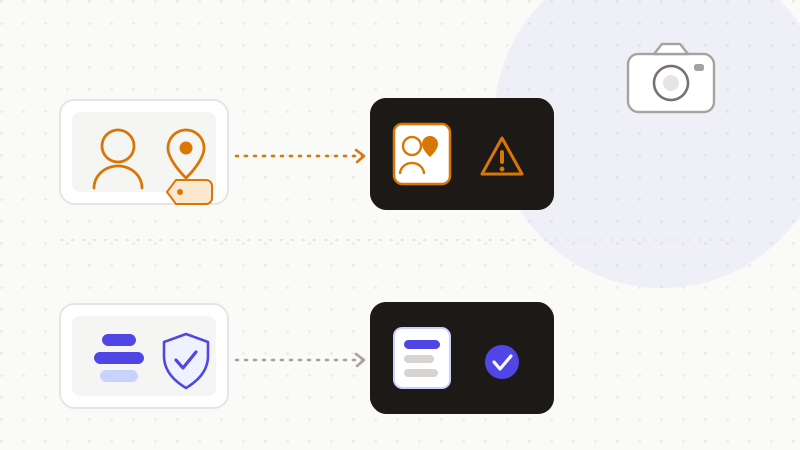
- 1Strip EXIF/GPS metadata from every file before it leaves your workflow.
- 2Check the client contract and the model release before you share.
- 3Do not send identifiable client galleries or minors' images to consumer AI.
- 4Prefer vetted professional tools with proper data-processing terms.
ONYRI Sanitize works on text. For everything you type into AI — captions, client emails, management notes — the engine detects sensitive data. Client and model names, addresses, numbers and emails. It replaces them with reversible tokens before sending. Detection and the mapping stay in your browser. Only anonymized text reaches the model. On the file side, the rule stays simple: strip the metadata and keep identifiable galleries out of consumer AI.
Frequently asked questions
- Is it safe to use AI for photography?
- With care. AI can help you cull, edit or caption with no sensitive data. But do not send identifiable client galleries to a consumer AI. A photo is dense personal data: a face, a location, and EXIF/GPS metadata baked into the file. Strip the metadata, check the contract and model release, and prefer professional tools with clear terms.
- What is EXIF metadata, and why is it a risk?
- EXIF is the technical data baked into a photo file. Per the EFF, a camera with GPS adds the exact latitude, longitude and time of the shot. These geotags travel with the image, invisibly. So sending the raw file to an AI can disclose a client's home or a shoot location. Strip the metadata before you share anything.
- Is a face in a photo biometric data?
- Not automatically. Per the ICO, any photo of an identifiable person is personal data. A face only becomes biometric data after specific technical processing, such as building a facial-recognition template. Without that processing, the photo stays personal data — already sensitive, but not yet biometric.
Sources & references
- Biometric data guidance: Biometric recognition (a photo of a person is personal data; a face becomes biometric data after technical processing) — Information Commissioner's Office (ICO)
- A Picture is Worth a Thousand Words, Including Your Location (EXIF/GPS photo geotags, strip before sharing) — Electronic Frontier Foundation (EFF)
- Children and the UK GDPR: our general approach to a child's personal data (specific protection, best interests, sharing with third parties) — Information Commissioner's Office (ICO)
Keep your sensitive data in your browser
ONYRI Sanitize detects and masks your sensitive data before it reaches the AI, then restores the answer — from names to API keys.