Is Grok Safe? What xAI Does With Your Data
By default, your public X posts and Grok chats train xAI's models. Grok is safe only if you keep sensitive data out. The setting to switch off, and the fix.
Grok is only as safe as the data you hand it: by default, X shares your public data with xAI to train Grok — public posts, engagements, reposts, profile information — along with your own interactions with the assistant. This sharing is on until you switch it off. A setting in X lets you opt out, but it only applies going forward. And an August 2025 incident showed that “shared” Grok conversations ended up public and indexed by search engines. The only certain protection is about the content: remove sensitive data before sending.
What xAI does with your data by default
Grok is the AI assistant from xAI, integrated directly into the X (ex-Twitter) platform. By default, X shares its users' public data with xAI to train Grok: public posts, engagements, reposts, profile information, plus your own interactions with Grok. Because Grok lives inside X, the data footprint it can learn from is potentially wider than a standalone chatbot's: it can draw on your public activity on the platform, not only what you type into the Grok chat box. This sharing is opt-in — it's on unless you turn it off — which is the central answer for anyone asking whether Grok is safe with their data: it is, if you configure the settings and keep sensitive data out of the prompt.
Turning off sharing: the setting in X
You can opt out from the X settings — Settings and privacy → Privacy and safety → “Grok & Third-party Collaborators” — where three options are enabled by default and can be unchecked:
- 1Allow your public data and Grok interactions to be used for training: uncheck to stop this future use.
- 2Let X personalize the Grok experience: uncheck to limit profiling.
- 3Let Grok remember conversation history: uncheck, and use “Delete conversation history” on the same screen.
Making your account private also stops your data from being used for training: xAI does not train Grok on private-account data. The exact steps are in the xAI Privacy Policy (x.ai/legal/privacy-policy) and in the “Grok & Third-party Collaborators” screen of X's settings.
The incident of Grok conversations made public
In August 2025, hundreds of thousands of Grok conversations became publicly accessible and were indexed by search engines including Google, Bing and DuckDuckGo. The cause: Grok's “share” feature generated a unique public URL per conversation, left open to crawler indexing — apparently without users understanding their chats would become searchable. More than 370,000 shared chats were indexed, containing medical and psychological questions, business details, personal information, and at least one password — a reminder of how much sensitive content people paste into an AI.
This is not unique to Grok. OpenAI ran a similar short-lived experiment that let users share ChatGPT conversations via a link, which also made thousands of exchanges discoverable in Google before it was rolled back. The pattern is the same one described in our article on AI chats ending up on Google: a “share” link that quietly becomes a public, indexable web page. The lesson: a shared AI conversation can become a permanent, searchable public record.
| You assume | The reality |
|---|---|
| “My data isn't used for training” | By default, public posts + Grok interactions are |
| “I switched the setting off, I'm done” | Opting out only applies going forward, not to already-trained models |
| “Sharing a chat keeps it private” | A shared link could become a public page indexed by Google |
| “I delete it, it's erased right away” | Deletion is queued, generally removed within ~30 days |
Retention, control and the fix that holds
On retention, the xAI Privacy Policy indicates that when you delete conversations or your account (or use Private Chat mode), the data is queued for deletion and generally removed within about 30 days, except where it must be kept for legal, compliance or safety reasons. Conversations on an active account otherwise remain accessible in the chat list, with no fixed published retention window for active chats; deletion can be requested in-app or via xAI's privacy portal. Grok's data practices are under formal regulatory scrutiny in the EU: on 11 April 2025 the Irish Data Protection Commission announced an inquiry into X Internet Unlimited Company (XIUC) over processing personal data in EU/EEA users' public posts to train the Grok large language models, and the advocacy group noyb filed complaints across multiple EU countries on the same point.
- Uncheck the three “Grok & Third-party Collaborators” options in X: good basic hygiene.
- Don't rely on opting out for truly sensitive data: it only covers the future.
- Be wary of the “share” button: a chat link can become a public, indexable page.
- Remove identities, emails, financial details, API keys and internal identifiers before sending.
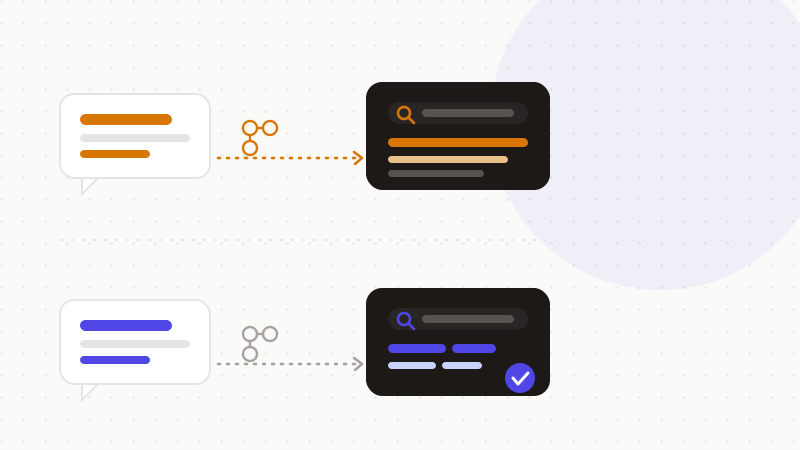
That's exactly what ONYRI Sanitize is for: the engine replaces sensitive data — names, emails, financial details, API keys, internal identifiers — with reversible tokens before sending; detection and the token↔value mapping stay in your browser, and only anonymized text reaches the tool. Whether xAI trains on it, retains it, or a “share” link goes public, it only finds tokens — not your real information.
Frequently asked questions
- Is Grok safe with your data?
- Grok is safe if you keep sensitive data out of the prompt. By default, X shares your public data and Grok interactions with xAI for training, and that sharing stays on until you switch it off in the settings. The certain protection is to anonymize sensitive data before sending.
- How do I stop Grok from using my data for training?
- In X: Settings and privacy → Privacy and safety → “Grok & Third-party Collaborators,” uncheck the three options enabled by default, or make your account private. Note: opting out only applies going forward and doesn't remove your data from models that are already trained.
- Can my Grok conversations become public?
- Yes, it happened: in August 2025, more than 370,000 Grok chats shared via the “share” feature became public pages indexed by Google, Bing and DuckDuckGo. The same pattern hit a ChatGPT conversation-sharing feature. Don't share a chat that contains sensitive data, and anonymize before sending.
Sources & references
- Thousands of Grok chats made searchable on Google via the share feature, with sensitive prompts exposed — TechCrunch
- Over 370,000 shared Grok conversations indexed by search engines, exposing medical questions, personal details and passwords — eWeek
- Irish DPC announces inquiry into X (XIUC) over using EU/EEA public posts to train the Grok LLMs (11 April 2025) — Irish Data Protection Commission
Keep your sensitive data in your browser
ONYRI Sanitize detects and masks your sensitive data before it reaches the AI, then restores the answer — from names to API keys.