How to Turn Off Meta AI (WhatsApp, Instagram, Messenger)
On WhatsApp, Instagram and Messenger, Meta AI can't be fully removed. Here is what you can actually turn off, limit and refuse Meta.
Let us be direct. On WhatsApp, Instagram and Messenger, you cannot fully remove Meta AI. The assistant is built into the app. WhatsApp and Meta state that no setting deletes the feature itself. But there is good news. You control what the assistant sees. A message you never send to it never leaves your phone. So the real protection is not a button. It is a habit: don't talk to it, don't tag it, and clear its chats.
The honest answer: Meta AI cannot be fully removed
Many articles promise a button to delete Meta AI. That button does not exist on most versions. The colourful circle in WhatsApp, the AI search bar in Instagram: they are built in. Forbes, citing Wired, confirmed this for WhatsApp. You can ignore the AI button. You can choose not to use it. But the button stays. On some versions, a “show Meta AI” setting hides the shortcut. That hides the icon, without deleting the feature. And this setting depends on your version and region.
So change the goal. Do not try to uninstall the assistant. Try to give it nothing. A prompt you never write never reaches Meta. That is the one protection that does not depend on a setting, a country, or a version.
What you can actually do
The right strategy is behavioural. You limit exposure instead of removing the feature. Here is the list, in order.
- 1Don't open the Meta AI chat and don't message it.
- 2Don't tag @Meta AI and don't add it to your groups.
- 3Clear any Meta AI chats you already started: swipe the chat, then Delete.
- 4In WhatsApp, turn on Advanced Chat Privacy for sensitive threads.
- 5In the EEA or the UK, submit Meta's objection form.
- 6Anonymise sensitive data before talking to any AI you do choose to use.
Clear its chats and block the AI thread by thread
Clearing a Meta AI chat is simple. Swipe the assistant's thread, then tap Delete. The thread leaves your list. WhatsApp also offers a per-chat setting. It is called Advanced Chat Privacy and it arrived in 2025. It is off by default. You turn it on inside each thread, via the contact or group name.
This setting has a precise effect. Per WhatsApp's Help Center and the Electronic Frontier Foundation (EFF) explainer, it blocks @Meta AI from being invoked in that conversation. It also stops chat export and media auto-download. One limit matters: it is per-chat, not a global kill switch.
- It blocks @Meta AI from being invoked in that specific thread.
- It stops the conversation from being exported.
- It halts automatic media download.
- It stays per-chat: you must turn it on thread by thread.
| Action | Is it possible? |
|---|---|
| Uninstall Meta AI from the app | No. Meta states no setting removes the feature |
| Clear a Meta AI conversation | Yes. Swipe the chat, then Delete |
| Block the AI in one thread (Advanced Chat Privacy) | Yes on WhatsApp, but thread by thread |
| Refuse training on your public content | Yes in the EEA and the UK, via the objection form |
| Hide the Meta AI icon | Sometimes, depending on the version — it hides, it doesn't delete |
EEA and UK: the objection form
The regional difference is real. In the European Economic Area (EEA) and the UK, Meta offers an objection form. It lets you refuse the use of your public content to train its AIs. That covers your posts, your comments and your profile info. Meta states it made the form “easy to find, read and use”. Meta also states it honours the objections it receives. One limit matters: objecting is not retroactive. It blocks future use, not past use.
The timeline explains this caution. Meta paused EEA AI training in June 2024. Pressure from regulators and privacy groups played a part. Meta resumed on 27 May 2025. In between, the Irish Data Protection Commission (DPC) reviewed extra safeguards. The DPC cites updated transparency notices and an improved objection mechanism. It also mentions de-identification and output filtering. People who had not objected before late May 2025 had their public content included. The form itself stays available going forward.
Encryption and photos: don't mix up the settings
One last point prevents mistakes. Encryption settings differ by app. On Messenger, personal chats are end-to-end encrypted by default. On Instagram, message encryption is optional: you must turn on a secure chat. But anything you address to Meta AI is processed by Meta. It is not shielded by end-to-end encryption. We cover this for messaging in “Is Meta AI in WhatsApp safe?”. And we cover training on your data in “Is Meta AI safe with your data?”.
Watch out for a separate feature too. In 2025, Facebook can access your camera roll for “cloud processing”. The goal: to suggest AI edits and collages. This feature is opt-in: it asks for your permission. You can turn it off in Facebook's settings. Look for “camera roll suggestions” and “camera roll cloud processing”. TechCrunch and Malwarebytes documented it, first in the US and Canada. Don't confuse it with Meta AI in WhatsApp or Instagram.
The protection that works: give it nothing sensitive
Let us sum up. You cannot uninstall Meta AI. You can avoid it, clear its chats and refuse training where it is offered. But the AI you do choose to use stays useful. It can summarise, translate, explain. None of that needs a client name or a salary. The right reflex happens before you send. Strip the sensitive data from the prompt first.
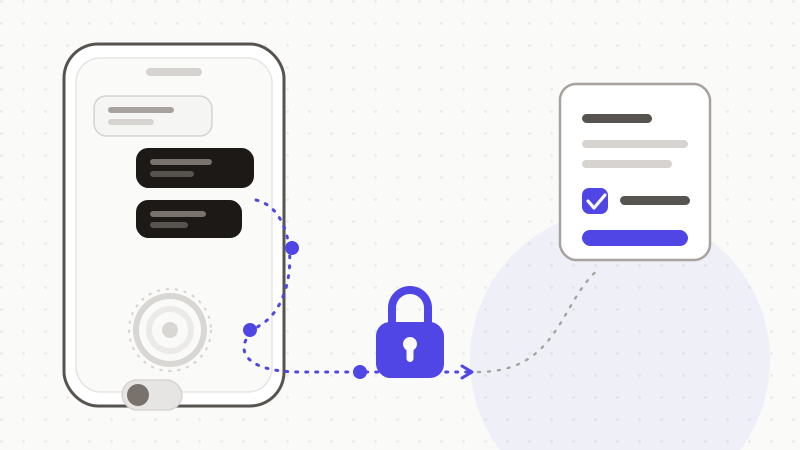
That is exactly what ONYRI Sanitize is for. The engine spots sensitive data in your text — names, contact details, amounts, identifiers, technical secrets — and replaces it with reversible tokens. Detection and the mapping stay in your browser. You then copy anonymized text, into the AI of your choice. The assistant works on tokens, never on your real values. You restore the original on your side. A message you never expose can neither be trained on, nor leaked.
Frequently asked questions
- How do I turn off Meta AI on WhatsApp, Instagram and Messenger?
- You cannot fully delete it: WhatsApp and Meta state that no setting removes the feature, which is built into the app. What you can do: don't open the Meta AI chat, don't tag it in groups, clear its threads (swipe, then Delete), turn on Advanced Chat Privacy in WhatsApp thread by thread, and — in the EEA or the UK — submit Meta's objection form. The best protection is still to write nothing sensitive to it.
- Can I really remove the Meta AI button from WhatsApp?
- Not on most versions. Forbes, citing Wired, reports that you can ignore the AI button and choose not to use it, but that it stays in place. On some versions and regions, a setting lets you hide the “Meta AI” shortcut. That hides the icon, without uninstalling the feature. The behaviour depends on your app version.
- Can I stop Meta from using my data to train its AI?
- In the EEA and the UK, yes, for your public content. Meta offers an objection form that refuses the use of your posts, comments and profile info for training. Meta states it honours the objections it receives. Note that objecting is not retroactive; it applies going forward. Meta also states it does not train its AIs on your private messages, unless you share them with Meta AI by tagging it.
Sources & references
- Making AI Work Harder for Europeans (EEA public-content training and the objection form) — Meta Newsroom
- Statement on Meta AI, 21 May 2025 (pause, safeguards, resumption, objection right) — Data Protection Commission (Ireland)
- How To Remove Meta AI From WhatsApp (the button cannot be deleted, only limited) — Forbes
Keep your sensitive data in your browser
ONYRI Sanitize detects and masks your sensitive data before it reaches the AI, then restores the answer — from names to API keys.