Can Meta AI See Your Photos? The Two Cases People Confuse
Meta AI can't secretly open your camera roll. But photos you post publicly on Facebook and Instagram can train its AI. Here are the two cases.
The answer is two cases you must never confuse. First, your public photos. Meta states it uses public content from Facebook and Instagram — including photos on adult accounts — to train its AI models. Your private messages are treated differently. Second, your camera roll. In 2025, Meta launched an opt-in feature that can send photos from your phone to its cloud, even unposted ones, to suggest edits. That feature is off by default. So Meta AI does not secretly comb your gallery. The real question is what you share and what you switch on.
Two mechanisms, often confused
The confusion comes from one question asked of two realities. “Can Meta AI see my photos?” actually covers two things. The first is AI training on your public content. The second is a feature that reads your camera roll. They have neither the same trigger nor the same rules. Let us separate them clearly. That is the only way to decide with your eyes open.
| Mechanism | What it is | Default status |
|---|---|---|
| Training on public content | Meta says it trains its AI on your public photos and posts (adult accounts) | Active — objection possible depending on region |
| Camera-roll / cloud feature | Sends phone photos, even unposted, to Meta's cloud to suggest edits | Opt-in — off until you turn it on |
| Private messages | The content of your private conversations | Excluded from training, unless explicitly shared with Meta AI |
1) Your public photos can train Meta's AI
Start with the broadest mechanism. Meta states it uses public content to train its generative AI models. That includes photos and posts shared publicly on Facebook and Instagram by adult accounts. It also includes captions and your interactions with Meta AI. Meta says it does not use the content of private messages with friends and family. The exception: if someone in the chat chooses to share it with Meta AI. So the line is clear. Public content feeds the AI. Private content, in principle, does not.
An objection route exists, but it is asymmetric. In the EEA and the UK, the legal basis is stronger. Meta offers an objection form there, through the Privacy Center. The path runs through Settings and Privacy, then Privacy Center, then the generative-AI section. In the US, you can submit a request. But Meta does not guarantee it will be honored. The advocacy group NOYB, founded by Max Schrems, argues Meta should ask for opt-in consent. It criticizes Meta for forcing hundreds of millions of users to object. That criticism comes from NOYB, not from Meta.
2) The camera-roll feature and its cloud processing
This second mechanism is entirely different. In 2025, Meta rolled out an opt-in Facebook feature in the US and Canada. TechCrunch reported it in October 2025. The feature uploads photos from your camera roll to Meta's cloud. That includes images you have not posted. The stated goal: let Meta AI suggest edits, collages, recaps or new styles. In plain terms, it looks at photos that never left your phone. But nothing happens until you turn it on.
Meta describes several guardrails, which we attribute to Meta. The feature must be turned on by the user. Suggestions stay private unless you choose to share them. The media is not used for ad targeting. And Meta says it will not train its AI on those photos, unless you edit or share the result. One point deserves your attention. Enabling the feature accepts Meta's AI terms. Those terms allow AI to analyze your “media and facial features”. These are Meta's own statements, not facts verified independently.
If you do not want this feature, switch it off. The steps are simple.
- 1Open the Facebook app, then Settings.
- 2Go to Preferences, then “Camera roll sharing suggestions”.
- 3Find the two usual toggles: suggestions while browsing, and “cloud processing”.
- 4Turn off “cloud processing” to stop the upload and analysis of your camera roll.
- 5Leave it off unless you actively want these suggestions.
What a single photo really reveals
A photo is dense personal data. The ICO, the UK data protection regulator, explains it well. Once an algorithm processes an image to extract someone's facial features for unique identification, the result is biometric data. It is special category data under Article 9 of the UK GDPR. Its processing is prohibited, unless a specific lawful condition applies. And an image says more than your face. It can reveal far more.
- Your face, and therefore data close to biometric.
- Your location, from backgrounds or embedded metadata.
- The people you are with.
- Your home, your car, your workplace.
How to keep your photos truly private
The answer is practical, not alarmist. Keep genuinely private photos off Meta's apps. Leave camera-roll cloud processing off, unless you actively want it. Remember that anything posted publicly can train the AI. So think before you post. Use the objection route where it is offered. And never upload an identifiable photo to a general-purpose AI you would not want retained. Anonymize it or strip its metadata first.
This cluster covers the other sides of Meta AI in dedicated articles. We handle the question “does Meta AI train on your data” separately. We explain elsewhere how to turn off or limit Meta AI in the apps. We also detail Meta AI on Instagram and Messenger, and its case inside WhatsApp. This article stays on your photos. The two mechanisms above are its core.
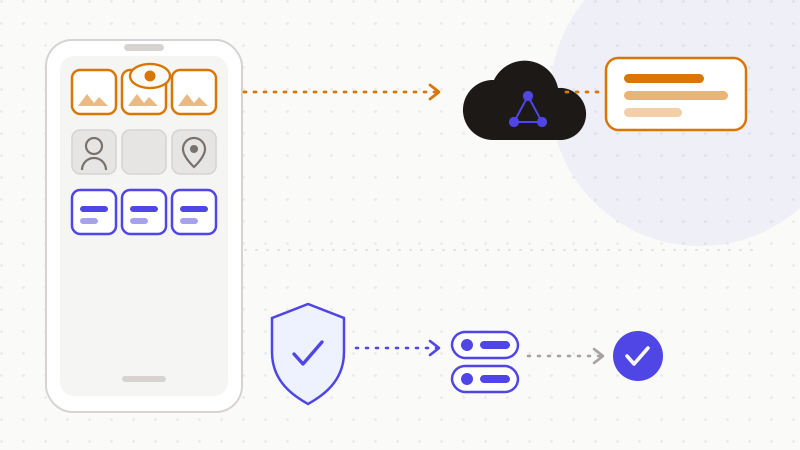
The last step is the easiest to automate. You do not have to choose between AI help and privacy. You only have to stop an identifiable image from leaving as is.
That is what ONYRI Sanitize is for. The engine detects sensitive data in your text — names, contact details, locations, identifiers, technical secrets — and replaces it with reversible tokens. Detection and the mapping stay in your browser. You then copy anonymized text to the AI of your choice. The assistant works on tokens, never on your real values. You restore the original on your side. For your photos, the rule stays manual and simple: keep private images off Meta's apps, and out of any AI you do not control.
Frequently asked questions
- Can Meta AI see my photos?
- It does not secretly comb your camera roll. Two cases exist, and you should not confuse them. One: Meta states it uses your public Facebook and Instagram photos to train its AI, on adult accounts. Two: an opt-in feature, off by default, can send phone photos to Meta's cloud to suggest edits. Your private messages are treated differently. The real lever remains what you publish and what you switch on.
- Does Meta use my photos to train its AI?
- According to Meta, yes, for public content on adult Facebook and Instagram accounts. Private messages are excluded, unless explicitly shared with Meta AI. An objection route exists: stronger in the EEA and the UK through the Privacy Center, more uncertain in the US. Note this: objecting stops future use, but it does not remove what a model has already learned.
- How do I turn off Meta AI's camera-roll feature?
- In the Facebook app, open Settings, then Preferences, then “Camera roll sharing suggestions”. You usually find two toggles: one for suggestions while browsing, and a separate one for “cloud processing”. Turn off cloud processing to stop Facebook uploading and analyzing your camera roll. The feature is opt-in: it stays inactive until you turn it on.
Sources & references
- Facebook's AI can now suggest edits to the photos still on your phone (opt-in camera-roll feature, cloud processing, US/Canada) — TechCrunch
- Biometric data guidance: Biometric recognition (a photo processed to identify a face becomes biometric data) — Information Commissioner's Office (ICO)
- How to opt out of Meta's AI training (objection route, EEA/UK vs US asymmetry, objecting does not undo past training) — MIT Technology Review
Keep your sensitive data in your browser
ONYRI Sanitize detects and masks your sensitive data before it reaches the AI, then restores the answer — from names to API keys.