How to Opt Out of AI Training (Every Major Tool)
The setting exists in ChatGPT, Claude, Gemini and Meta AI. Here is where each one hides — and what an opt-out does not stop, despite the promise.
Yes, you can turn off model training on your conversations. Most major AI tools offer the setting. It simply hides in a different place in each one. But be clear about what an opt-out does not do. It is almost never retroactive. It does not stop your text from reaching the provider. And it does not exempt you from safety review. An opt-out reduces one risk. It does not make your data private. This guide shows where the setting lives, tool by tool, and where its promise ends.
What an opt-out stops — and what it does not
An opt-out is a setting plus a promise. The setting cuts one specific use: model training. The promise belongs to the provider. It can be revised with the terms of service. Four things stay true, even with the switch off.
- Your text still travels. It is sent to the provider so it can answer you.
- It is still stored for a while. Every provider keeps a short window, for service and abuse prevention.
- Safety review can still apply. Flagged content can be read by a human.
- What is already trained stays trained. A finished model does not unlearn your sentences.
If your first question is whether AI trains on your data at all, our dedicated explainer answers that. This article answers the next one. How to switch training off, and how far that really protects you.
ChatGPT (OpenAI): the Data Controls section
OpenAI states that the setting lives in your account settings, under Data Controls. The toggle that matters is currently named “Improve the model for everyone”. OpenAI states that turning it off means new conversations are no longer used to train its models. Your chat history stays visible. The choice applies at account level, so it follows you across devices.
OpenAI also offers Temporary Chat. That is a per-conversation mode, not a global setting. The conversation does not appear in your history. It is handy for a one-off, sensitive exchange.
- 1Open your ChatGPT account settings.
- 2Go to the Data Controls section.
- 3Switch off “Improve the model for everyone”.
- 4For a one-off exchange, start a Temporary Chat instead.
One warning applies to all four tools in this guide. Names and paths move often. Look for the “Data Controls” or “Privacy” section rather than a fixed path. This guide describes the settings as they stood on its publication date.
Claude (Anthropic): the Model Improvement setting
Anthropic states that on its consumer plans — Claude Free, Pro and Max — conversations may be used to improve its models. Unless you switch off the setting Anthropic calls “Model Improvement”. It sits in your account's Privacy Settings. Anthropic adds two caveats. Chats flagged for safety review can still feed its safety and enforcement work. Incognito chats, by contrast, are excluded from training.
In its August 2025 announcement on updated consumer terms, Anthropic tied the choice to retention. Allowing your data to be used for model improvement extends retention to five years. Declining keeps the previous 30-day window. Anthropic states the choice only applies to new or resumed chats. And that content already absorbed into a completed training run cannot be pulled back out of the resulting model.
Anthropic also states that these consumer terms do not cover Claude for Work, Claude for Government, Claude for Education or the API. Those plans sit under separate documents.
Google Gemini: the “Keep Activity” control
Google describes a control it calls “Keep Activity”. You manage it through Gemini Apps Activity, at myactivity.google.com. Google states that with it switched off, future chats stop appearing in your Activity. They are also no longer used to train its AI models.
But Google is explicit about the rest. This is not a delete button. Chats are still kept for a short window — Google cites 72 hours — to run the service and guard against abuse. And content already picked for human review can be retained for up to three years. That track is separate from the Activity setting. Turning the setting off does not erase it.
This is the most common misreading. Switching the training control off is not a deletion. It is not a shield against human review either. It narrows one specific use of your data, and nothing more.
Meta AI: an objection, not a toggle
With Meta, the route depends on your region. In the European Union it is not a switch, it is an objection form. Meta announced in April 2025 that it would train its AI on public content from adult accounts and on interactions with Meta AI. Meta states that EU users receive in-app and email notices carrying a link to that form. Meta states that private messages with friends and family are not used, unless you choose to share them with an AI feature. Public content from accounts of under-18s is excluded.
This right to object is not a vendor favour. It is written into Article 21 of the GDPR. Anyone in the EU can object, at any time, to processing based on legitimate interests. The controller must then stop, unless it shows compelling legitimate grounds. Outside the EU there is generally no equivalent route for public content. Meta's legal basis is also being challenged by privacy groups: that is an open debate, not a settled finding.
Business and enterprise tiers: the opposite default
Business, enterprise and API plans are sold on the opposite default. As a rule, no training on customer content unless the customer explicitly asks for it. That is a real difference. But it is a contractual commitment, not a toggle. Treat it like a contract.
- Read the terms and the DPA (Data Processing Agreement) for your exact plan.
- Do not assume the consumer help page applies to you: Anthropic itself says its consumer terms cover neither Claude for Work nor the API.
- Check your workspace administrator's settings too.
- Ask for confirmation again at each renewal: terms change.
| Tool | Where the setting lives | What it actually stops | What it does not stop |
|---|---|---|---|
| ChatGPT (OpenAI) | Settings > Data Controls > “Improve the model for everyone”; Temporary Chat per conversation | New conversations being used to train the models (per OpenAI) | The send to the provider, short-term retention, safety review, training already done |
| Claude (Anthropic) | Privacy Settings > “Model Improvement”; Incognito chats | New or resumed chats being used for model improvement; retention back to 30 days (per Anthropic) | The send to the provider, safety review, and anything already in a completed training run |
| Google Gemini | Gemini Apps Activity > “Keep Activity” (myactivity.google.com) | Chats being saved to Activity and used to train the AI models (per Google) | The send to the provider, about 72 hours of retention, chats under human review (up to 3 years) |
| Meta AI (EU) | Objection form sent by in-app and email notice (GDPR right, Article 21) | Your public content and interactions being used for training, once the objection is applied | The send to the provider, content already used, and the lack of an equivalent route outside the EU |
| Business / enterprise plans | Contract, DPA and admin console | Training on customer content, by default — a contractual commitment | The send to the provider, retention set in the contract, abuse review |
The honest limit: a setting is not a border
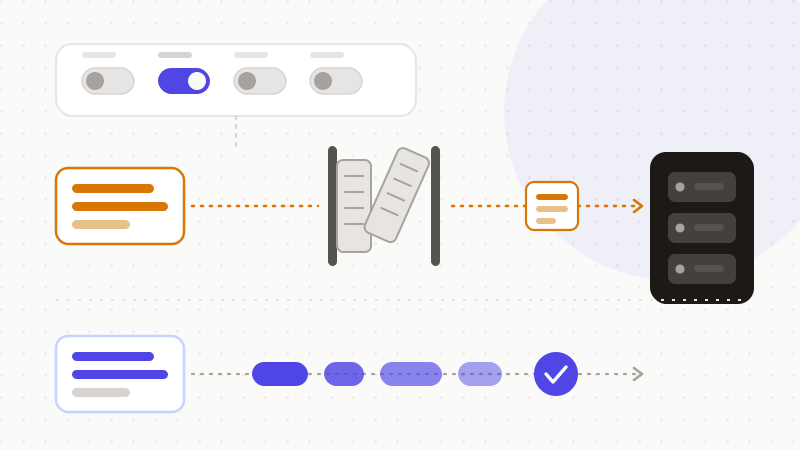
Add these rules up and the picture is sharp. An opt-out is a setting plus a promise. The setting can be renamed or moved. The promise can be revised. And either way, your text still travels to the provider. It is still stored for a while. It can still be reviewed for safety. The only sentence that cannot leak is the sentence you never sent.
Hence the durable fix. It is structural, not contractual. Strip the sensitive values before you paste your text. The names. The identifiers. The salaries. The API keys. The model then reasons about the shape of your problem, without ever seeing the real values. No change of terms can catch up with you.
- 1Switch training off in every tool you use, today.
- 2Re-check those settings each quarter: they move.
- 3For work, demand the contract and the DPA, not the consumer help page.
- 4Above all, anonymize the sensitive values before you paste.
That is exactly the logic behind ONYRI Sanitize. The engine spots sensitive data in your text and replaces it with reversible tokens. Detection and the mapping stay in your browser. Only anonymized text reaches the model. You restore the real values on arrival, locally. The training setting then becomes a secondary concern. A provider cannot store, review or train on what it never received.
Frequently asked questions
- How do I opt out of AI training on my data?
- The setting exists at most providers, in different places. OpenAI puts it in Settings, under Data Controls, as “Improve the model for everyone”. Anthropic calls it “Model Improvement”, in Privacy Settings. Google calls it “Keep Activity”, inside Gemini Apps Activity. Meta, in the EU, uses an objection form rather than a toggle. Names and paths change often, so look for each tool's privacy or data-controls section.
- Does an opt-out delete my past conversations?
- No. Anthropic states its setting only applies to new or resumed chats, and that content already absorbed into a completed training run cannot be pulled back out of the model. Google states that turning “Keep Activity” off does not delete your chats: they are still kept for about 72 hours, and up to three years if they were selected for human review. An opt-out acts on the future, not the past.
- Do enterprise plans train models on my data?
- Usually not: business, enterprise and API plans are sold without training on customer content unless the customer asks for it. But that is a contractual promise, not a toggle in the interface. Read the terms and the DPA for your exact plan. Anthropic, for instance, states that its consumer terms do not cover Claude for Work, Claude for Government, Claude for Education or the API.
Sources & references
- “Is my data used for model training?” — the Model Improvement setting, safety review, Incognito chats — Anthropic
- Gemini Apps Activity / “Keep Activity” — what turning it off does and does not do (72 hours, up to 3 years for reviewed chats) — Google
- GDPR, Article 21 — the right to object to processing based on legitimate interests (the basis for EU objection routes) — EUR-Lex (Official Journal of the European Union)
Keep your sensitive data in your browser
ONYRI Sanitize detects and masks your sensitive data before it reaches the AI, then restores the answer — from names to API keys.