Do Humans Review Your Gemini Chats? Yes — and How to Stop It
Yes — by default, human reviewers can read your Gemini chats, kept up to 3 years even after you delete them. The setting to switch off, and the real fix.
By default, your conversations with Google Gemini can be read by human reviewers and kept for up to three years — even after you delete your activity. Google itself states this, and advises against entering confidential information you wouldn't want reviewed. A setting reduces that exposure in a few clicks, but it doesn't cover everything. The only certain protection remains not entrusting the sensitive data to the tool.
What Google does with your Gemini chats
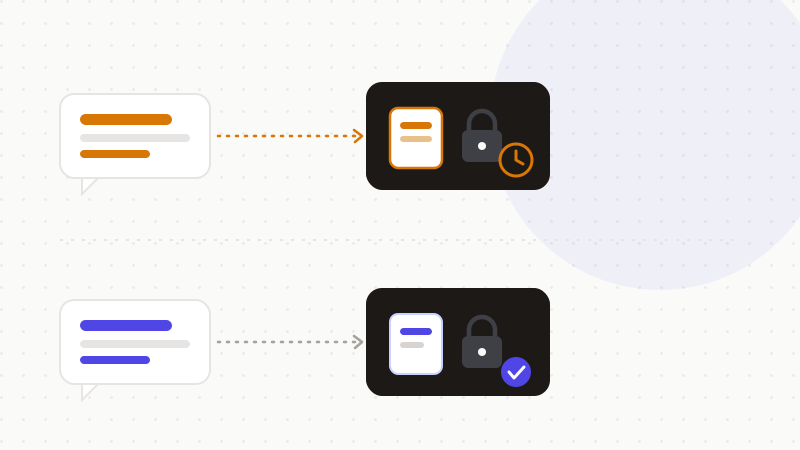
To improve service quality and the models, a portion of Gemini conversations is read, annotated and processed by human reviewers — including service providers. Conversations selected for this review are disconnected from your account, but kept for up to three years, and they are not deleted when you delete your activity. In other words, deleting a conversation isn't enough to pull it out of the review pipeline.
Turning off review: the setting in practice
You can limit this collection in a few steps:
- 1Turn off “Gemini Apps Activity”: your exchanges are then no longer shown to human reviewers nor stored to build datasets.
- 2Delete your past activity from the activity settings.
- 3Keep in mind that conversations already selected for review remain kept for up to three years regardless.
What the setting doesn't cover
Even with activity off, Google says it still uses your conversations to respond to you and to protect the service, sometimes with help from people. And the setting doesn't undo what was already selected for review. So a setting reduces a use; it doesn't remove the fact that the data was transmitted.
| You assume | The reality |
|---|---|
| “Only the machine reads my chats” | Human reviewers can read a portion of them |
| “I delete it, it's erased” | Reviewed chats are kept up to 3 years |
| “Turning off activity blocks everything” | Google can still use them to respond and protect |
The fix: don't entrust sensitive data
Since neither review nor retention is fully under your control, the only guarantee is about the content: if the conversation contains no sensitive data in the clear, neither a reviewer nor three-year storage exposes anything usable.
- Do the setting: it's good basic hygiene.
- But don't rely on it for truly sensitive data.
- Remove identities, identifiers and secrets before sending.
That's what ONYRI Sanitize is for: the engine detects sensitive data and replaces it with reversible tokens before sending; detection and the mapping stay in your browser, and only anonymized text reaches the AI. Whether Gemini reviews or retains the conversation, it only finds tokens — not your real information.
Frequently asked questions
- Do humans really read my Gemini conversations?
- Yes, a portion: Google states that human reviewers, including service providers, read and annotate some Gemini conversations to improve quality and models. That's why Google advises against entering confidential information.
- Does deleting my Gemini activity erase everything?
- No. Conversations selected for human review are kept up to three years and are not deleted when you delete your activity. Deletion empties your history, not that review pipeline.
- How do I use Gemini without exposing my data?
- Turn off Gemini activity to limit collection, but above all anonymize the sensitive data before sending: an engine replaces it with a reversible token, and Gemini never receives the real information.
Sources & references
- Gemini Apps Privacy Hub (collection, human reviewers, retention) — Google
- “Google Gemini Warning: Don't Share Confidential Information” — Search Engine Journal
- “Privacy Concerns with Onboard AI: Google Gemini” — University of Tennessee — OIT
Keep your sensitive data in your browser
ONYRI Sanitize detects and masks your sensitive data before it reaches the AI, then restores the answer — from names to API keys.