Does AI Record Your Voice? (Voice Mode, Voiceprints)
Usually yes: your voice is sent to the vendor's servers, transcribed, and may be retained. But settings let you limit and delete it.
The honest answer comes with a nuance. Most of the time, yes, your voice leaves your device. When you talk to a voice mode or an assistant, the audio is sent to the vendor's servers. There it is transcribed into text, then processed. Both the audio and the transcript can be retained. Depending on your settings, samples may be used to improve the model. They can even be reviewed by humans. But this is not a permanent secret recording. And you have settings to limit all of it. The CNIL and the ICO frame this topic.
How voice mode works: the path your voice takes
The CNIL describes the typical flow in a few steps. First, a wake word activates the assistant. Next, your request is captured. Then it is sent to the vendor's servers. There, an engine turns speech into text. The meaning is extracted, and a spoken reply is generated. Most devices do not process everything locally. Only a minority transcribe on the device itself.
The key point is simple. By default, the audio travels. It does not stay in your pocket. This trip to the cloud is the norm, not the exception.
What can be kept after a request
Many people assume only the answer is stored. The CNIL shows the opposite. After a request, a voice assistant may retain several things.
- The written transcript history of your requests.
- The raw audio recording of the request itself.
- Associated metadata: date, time and account name.
So both the audio and the text can be stored. Not just the answer. And what you say out loud often contains personal data. A name. A number. A health detail. The same information you would type on a keyboard.
The 2019 episode: humans were listening
A useful reminder dates from 2019. The Guardian first reported the case of Siri, Apple's assistant. It emerged that contractors and staff at major vendors listened to samples of recordings. The stated goal was quality and accuracy review. Sometimes these clips captured intimate or sensitive moments. Sometimes an accidental wake-word trigger was the cause. And all of it happened without clear disclosure to users.
This covered a sample, not every recording. The backlash was strong. Vendors added safeguards. Apple suspended its program, then moved to an explicit opt-in with the ability to delete Siri recordings. Google reinstated review only with explicit consent. Amazon let users opt out of having Alexa recordings used for human review. Today's controls come from that moment: history, deletion, opt-outs.
Is your voice “special category” data?
The law adds an important nuance. Your voiceprint is biometric data. Under the GDPR, Article 9 covers biometric data processed “for the purpose of uniquely identifying a natural person”. That data is a special category. Its processing is prohibited in principle, unless a condition applies. The most common one is your explicit consent. The CNIL confirms it: recognising a speaker by their voice counts as sensitive data.
The controls exist: use them
Good news: you keep the wheel. Most tools offer controls. You can turn off voice history. You can delete recordings. You can refuse to let your inputs be used to “improve the model”. Vendors publish their own retention rules. For example, OpenAI documents its settings for ChatGPT voice mode. These policies change, so check the live setting in the app.
| Common belief | The more accurate picture |
|---|---|
| “AI secretly records me all the time” | Audio is sent after a wake word; accidental triggers do happen (2019) |
| “Only the answer is kept” | Per the CNIL, the audio, the transcript and metadata can be kept too |
| “All voice is special category data” | Only when it is used to uniquely identify you (GDPR Article 9) |
| “There is nothing I can do” | History, deletion and opting out of training are all adjustable |
The fix for sensitive content
The real question isn't “is my voice biometric”. It's “what am I saying out loud”. A client name. An account number. A diagnosis. That data is worth as much as what you type. The rule is simple. For sensitive content, don't dictate raw identifiers into voice mode. Prefer anonymised text, or strip the identifiers before you send.
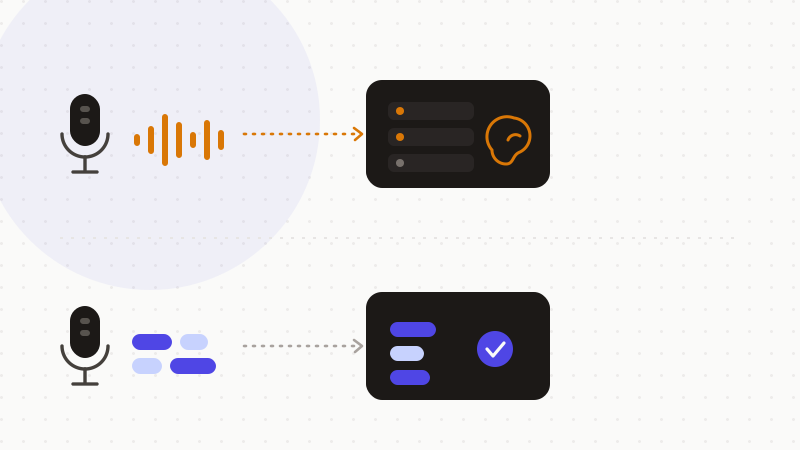
When you must include a concrete case, anonymise it first. Replace each identifier with a token. The AI reasons about the shape of your situation. It never sees the real values. You restore them afterwards, locally.
- 1Spot what you were about to dictate: names, numbers, health data.
- 2Write or anonymise the text first, in the browser.
- 3Send only the anonymised text to the model.
- 4Restore the real values in the reply, locally.
That's what ONYRI Sanitize is for. The engine detects sensitive data — names, numbers, health details — and replaces it with reversible tokens before sending. Detection and the mapping stay in your browser. Only anonymised text reaches the model. Whether you type this text or dictate it next, the AI sees only tokens, never your real values.
Frequently asked questions
- Does AI record your voice?
- Most of the time yes, in the sense that your audio leaves the device. When you talk to a voice mode or an assistant, the voice is sent to the vendor's servers. There it is transcribed, and both the audio and the transcript can be retained. Depending on your settings, samples may be used to improve the model. But this is not a permanent secret recording, and settings let you limit all of it.
- Is my voice special category data under the GDPR?
- Not automatically. Your voiceprint becomes “special category” data (GDPR Article 9) only when it is used to uniquely identify you. That is what the ICO and the CNIL make clear. A plain recording is still personal data, but not necessarily Article 9 data. And what you say can always contain ordinary personal data.
- How can I use voice mode without exposing my data?
- Open the tool's settings. Turn off voice history, delete recordings, and opt out of “improve the model” if you want. Above all, don't dictate raw identifiers. For sensitive content, prefer anonymised text, or strip the identifiers before you send.
Sources & references
- What is special category data? (biometric data is only special category when used to identify a person) — Information Commissioner's Office (ICO)
- How to opt out of human review of your voice assistant recordings (2019 episode and Apple / Google / Amazon opt-outs) — Mozilla Foundation
- How voice assistants work in 5 steps (audio sent to servers, transcribed, retained; voice as sensitive data) — CNIL
Keep your sensitive data in your browser
ONYRI Sanitize detects and masks your sensitive data before it reaches the AI, then restores the answer — from names to API keys.