ChatGPT Remembers Wrong Information About You? How to Find and Fix It
ChatGPT's memory can save an inaccurate or outdated fact about you, then bias its answers. How to view, fix or delete a memory — and what to never leave in it.
ChatGPT's Memory feature saves facts about you across conversations. It can also keep something inaccurate or outdated — a job you no longer hold, a misread preference, a detail you never confirmed — and then carry that error into later answers. You can view, edit and delete each memory, but turning memory off doesn't erase what's already saved. And the real fix is to keep a sensitive fact from being memorized at all.
Why ChatGPT stores facts that turn out wrong
Memory builds a persistent profile from your conversations, sometimes inferring details you didn't explicitly state. But an inference can be wrong, a fact goes stale (you changed jobs), and a single offhand sentence can become a stored “fact” that colors later replies.
Find and fix a wrong memory
In a few steps:
- 1Settings → Personalization → Manage memories: see the full list of what ChatGPT saved.
- 2Delete the wrong entry (⋯ → Delete) or correct it (edit the summary, or tell ChatGPT “update my memory about X”).
- 3Verify the change took — memory updates are sometimes inconsistent, so re-check the list.
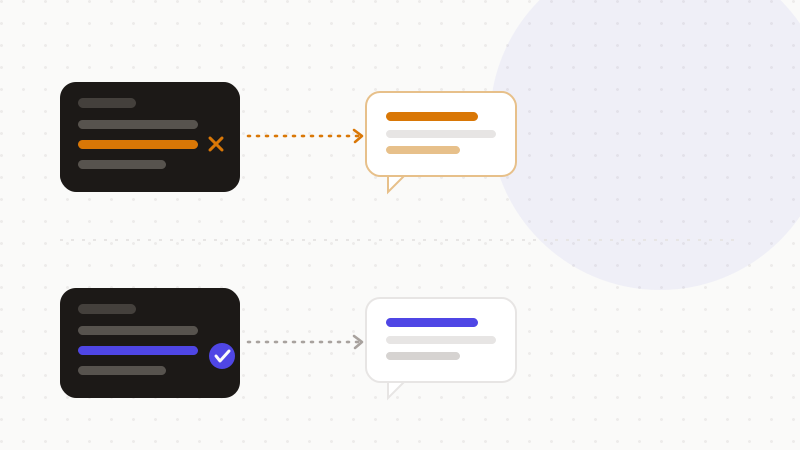
Why a setting isn't the real protection
Fixing memories is reactive: you repair the error after the fact, and you can't always be sure an update applied. For anything sensitive, the safer move is upstream: don't let the real value enter the chat, so there's nothing wrong (or revealing) to memorize.
| You assume | The reality |
|---|---|
| “Turning memory off erases it” | Existing memories stay until you delete them |
| “Deleting the chat deletes the memory” | The memory it created remains |
| “A correction always sticks” | Memory updates can be inconsistent — verify |
The fix: keep sensitive facts out of memory
A wrong fact about your job is annoying; a memorized client name, salary or ID is a privacy problem. If the sensitive value never reaches ChatGPT, it can't be memorized — correctly or incorrectly.
- Review and clean your memories periodically.
- Edit or delete wrong entries, then re-check.
- Never paste identities, client data or secrets you wouldn't want remembered.
That's what ONYRI Sanitize is for: the engine replaces sensitive data with reversible tokens before sending; detection and the mapping stay in your browser, and only anonymized text reaches ChatGPT. Memory can then keep only a token — never your real information.
Frequently asked questions
- How do I delete a wrong thing ChatGPT remembers about me?
- Open Settings → Personalization → Manage memories, find the incorrect entry, and delete it (⋯ → Delete) or edit the summary. Turning memory off alone won't remove it.
- Why does ChatGPT keep using outdated information about me?
- Memory persists facts across chats and can hold stale or inferred details. Until you delete or correct that memory, ChatGPT may keep referencing it.
- How do I stop ChatGPT from remembering sensitive details?
- Disable memory or use temporary chats, and anonymize sensitive data before sending: if the real value never reaches ChatGPT, it can't be memorized.
Sources & references
Keep your sensitive data in your browser
ONYRI Sanitize detects and masks your sensitive data before it reaches the AI, then restores the answer — from names to API keys.
Anonymize my prompt