Can Your Employer See Your ChatGPT Conversations?
On a personal ChatGPT account, your employer can't read your chats via OpenAI — but the work device and network can capture what you type. The nuance, and the only fix.
On a personal ChatGPT account (Free, Plus or Pro), your employer is not the account administrator: they can't read the content of your conversations through OpenAI, and a manager can't see a colleague's chats unless that colleague explicitly shared them. But no visibility on OpenAI's side doesn't mean no visibility at all: on a work device or work network, monitoring tools can capture what you type or paste. And if your company gives you a ChatGPT Enterprise, Team, Business or Edu account, the administrators do have real controls. The only certain guarantee is about the content: don't put anything sensitive in the prompt.
Personal account: OpenAI hands your employer nothing
As long as you use your own ChatGPT account, your employer has no admin role over it. So they can't, through OpenAI, open a dashboard and read your exchanges. A manager also can't access another user's conversations unless that user generated and passed along a share link. From the platform's point of view, your personal history stays your history. That's the good news — but it isn't the whole story, because the employer's visibility doesn't depend on the account alone.
Work device and network: what monitoring can capture
On a company-issued machine, an endpoint data loss prevention (endpoint DLP) agent can provide real-time visibility into system activity: clipboard operations (copy-paste), screenshots, printing, application behavior and network connections. It specifically monitors browser-level events — file uploads and downloads, copy-paste between web apps, screenshots — which covers exactly the act of pasting a prompt into ChatGPT, Claude, Gemini, Perplexity or DeepSeek. And inspection doesn't stop at the URL you visited.
DLP content inspection tools analyze the text itself: they flag sensitive data via regular expressions (card numbers, social-security-style identifiers, passports), predefined keywords, exact data matching against a fingerprint database (EDM), document fingerprinting and machine-learning classifiers on unstructured text. In other words, a prompt's content can be read and classified, not just the fact that you opened an AI site.
- Clipboard: what you copy and then paste into a chat can be logged.
- Work browser: uploads, downloads and session screenshots are visible.
- Content inspection: the prompt text can be scanned by regex, keywords and classifiers.
- Work network / proxy: traffic can be inspected regardless of which account is logged in.
On the US legal side, the federal Electronic Communications Privacy Act (ECPA) allows monitoring of employee communications under two conditions: consent (often collected via a policy signed at hiring) and the “ordinary course of business” for legitimate purposes such as quality, leak prevention or system integrity — provided employees are notified that monitoring may occur. Several states add prior notice or consent: Connecticut requires prior written notice to affected employees; Delaware a daily electronic notice or a one-time acknowledged notice; New York a written notice at hiring with signed acknowledgment and a visible posting.
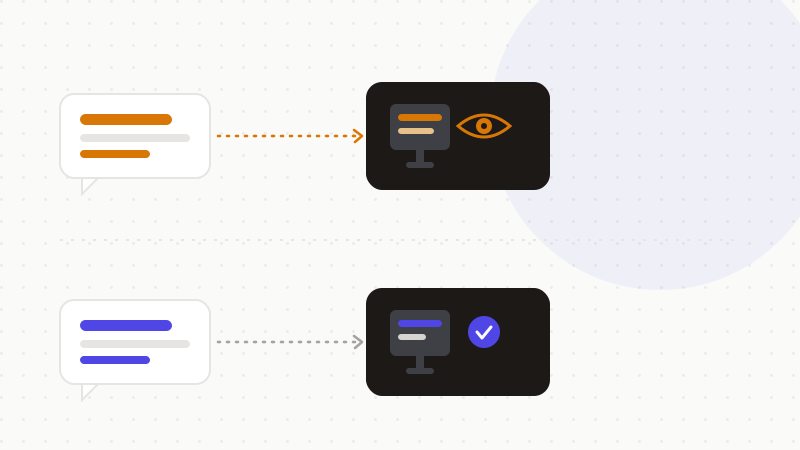
Company-provided account: admins are in control
The picture changes with a company-provided ChatGPT Enterprise, Team, Business or Edu account: the organization controls the workspace. Administrators can access an audit log of conversations and GPTs via OpenAI's Enterprise Compliance API. Each user sees their own conversations, but workspace controls give admins compliance visibility. Concretely, the Compliance API provides access to full workspace logs and metadata — timestamped interactions, conversations, uploaded files, GPT configuration, memories, users — for eDiscovery, DLP or SIEM use cases. Such chat-log access is generally reserved for litigation, investigations or audits. See OpenAI's “Enterprise privacy at OpenAI,” “Admin Controls, Security, and Compliance,” “Compliance APIs for Enterprise Customers,” and “Data access for your managed ChatGPT account” pages.
Retention is likewise in the administrator's hands: on Enterprise and Team, the retention period is configurable (often 30 days by default, can be set lower, or even zero with the Zero Data Retention option on Enterprise). Deleted conversations are removed from OpenAI's systems within 30 days, barring a legal hold. Finally, beware a common confusion: OpenAI says it does not use ChatGPT Enterprise, Business, Edu or API inputs and outputs to train its models — but “no training” does not mean “invisible.” The conversations remain accessible to the workspace administrator.
| You assume | The reality |
|---|---|
| “My employer reads my ChatGPT chats” | On a personal account, no — OpenAI doesn't hand them your conversations |
| “Personal account = invisible at work” | The work device and network can capture what you type or paste |
| “DLP only sees the sites I visit” | It can inspect the prompt content (regex, keywords, classifiers) |
| “On ChatGPT Enterprise it's private” | The admin has controls, an audit log and the Compliance API |
| “No training = invisible” | No training, but the workspace admin keeps access |
The fix: entrust nothing sensitive to the prompt
None of the levers above is fully under your control: neither device and network monitoring, nor admin controls on a company account. The only guarantee that holds at the content level — whatever the account, device or network — is to put nothing sensitive in the prompt. If the text you send contains no sensitive data in the clear, then whether a DLP inspects it, an admin finds it in an audit log, or a proxy logs it, there is nothing usable to expose. As the Mozilla Foundation notes, you shouldn't assume ChatGPT keeps your information secret.
- 1Assume a work device or network can be monitored.
- 2Read your employer's IT policy: it often spells out what is logged.
- 3Remove or replace identities, identifiers, secrets and sensitive numbers before sending.
- 4Send only anonymized text — the rest of the chain then becomes moot for the content.
That's exactly what ONYRI Sanitize is for: the engine spots sensitive data and replaces it with reversible tokens before sending; detection and the token-value mapping stay in your browser, and only anonymized text reaches the AI. Whether a DLP agent inspects the prompt, a workspace admin reviews an audit log, or a proxy records the traffic, it only finds tokens — not your real information.
Frequently asked questions
- Can my employer see my ChatGPT history?
- On a personal ChatGPT account, no: your employer isn't the account administrator and OpenAI doesn't hand them your conversations; a manager can't see a colleague's chats without an explicit share. But on a work device or network, monitoring tools can capture what you type or paste, and on a company-provided ChatGPT Enterprise account, administrators have workspace controls.
- Is a personal ChatGPT account invisible on my work computer?
- Not necessarily. Even with a personal account, an endpoint DLP agent can log the clipboard, uploads and screenshots, and inspect a prompt's content (via regular expressions, keywords and classifiers). Account privacy doesn't protect the work device or network.
- On ChatGPT Enterprise, can my company see my conversations?
- Yes, potentially. On an Enterprise, Team, Business or Edu account, the organization controls the workspace: administrators can access an audit log via OpenAI's Compliance API, and the retention period is configurable. “No training on your data” doesn't mean “invisible to the admin.”
Sources & references
- Mozilla Foundation — “Can My Boss Read My ChatGPT Queries?” (personal account visibility vs Enterprise workspace admin) — Mozilla Foundation
- CurrentWare — “US Employee Monitoring Laws: Guide to ECPA & State Compliance” (what employers can legally monitor, state notice rules) — CurrentWare
- Palo Alto Networks — “Endpoint DLP” (what endpoint DLP captures: clipboard, browser, content inspection) — Palo Alto Networks
Keep your sensitive data in your browser
ONYRI Sanitize detects and masks your sensitive data before it reaches the AI, then restores the answer — from names to API keys.