Can You Put Your French Tax Notice in ChatGPT?
Yes to understand it, no to paste it raw. First mask your tax number, notice reference and reference income: those identifiers authenticate the notice.
Yes, an AI can help you understand your French tax notice (avis d'imposition). But no, don't paste the raw document into ChatGPT. Your notice holds highly sensitive information: the reference income (RFR), the tax number, the notice reference and your family situation. These very elements serve to verify a tax identity. The right reflex: mask these identifiers before sending anything to a consumer AI.
What a French tax notice really contains
A French income tax notice is not just a mundane administrative slip. It gathers several sensitive data points in one place. That is what makes it a document to protect.
- The declared income and the number of shares (parts) in your household.
- The reference income (RFR), which reveals your income level.
- The tax amount and the sums to pay or be refunded.
- The 13-digit tax number and the 13-digit notice reference.
The tax number and the notice reference appear in the “References” box, at the top left of the document. The RFR appears on the first page. These are exactly the elements a third party asks for when verifying a notice.
Why these numbers are a key, not a detail
The misconception to correct: “a tax notice is mundane, harmless.” False. The pair of tax number plus notice reference works as an authentication key. With those two numbers, a third party — a landlord, an organization — can check the authenticity of your notice. They use the tax notice verification service (SVAIR) on impots.gouv.fr, without even creating an account.
Those two numbers also identify the taxpayer in any correspondence with the tax office. The RFR, for its part, exposes your income level and the makeup of your household. Gathered in one document, these elements are worth far more than a harmless slip.
The stakes: personal data beyond your control
According to the CNIL, personal data is any information relating to an identified or identifiable natural person. The RFR, your family situation and your tax identifiers fall squarely within that definition. The GDPR, which took effect on 25 May 2018, governs the processing of this data.
Yet pasting a notice into a consumer AI transfers this information into the provider's processing. It then leaves your control. You no longer decide how it is stored or reused. That shift is what you want to avoid.
The fix: anonymize before the prompt
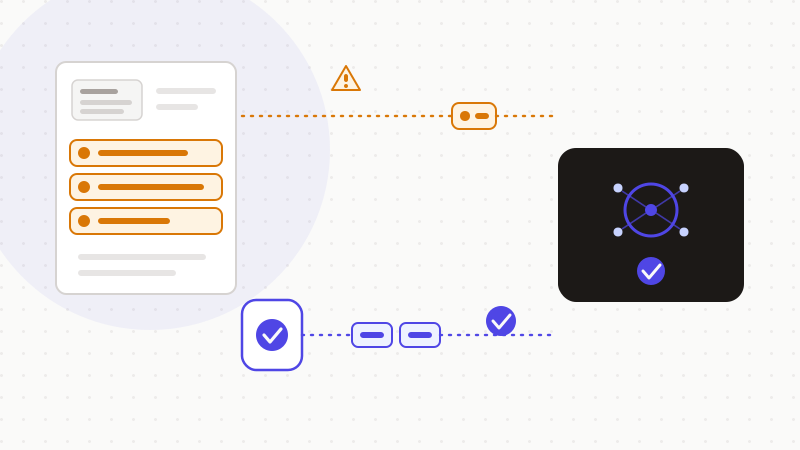
You don't have to give up AI to understand your notice. You just need to mask your real identifiers before sending it. The approach takes a few steps:
- 1Spot the elements to mask: tax number, notice reference, RFR, name and family situation.
- 2Replace each value with a neutral token, in your browser, before opening the AI.
- 3Ask the AI your question on the anonymized text — it explains the notice's structure without seeing your numbers.
- 4Restore the real values locally in the answer, if needed, on your device.
| Notice element | Sensitivity | Do before the AI |
|---|---|---|
| Tax number (13 digits) | Acts as an authentication key | Mask with a token |
| Notice reference (13 digits) | Acts as an authentication key | Mask with a token |
| Reference income (RFR) | Reveals your income | Mask with a token |
| Name and family situation | Personal data | Mask with a token |
“I just want to understand one line of my notice”
This is the most common objection, and it's a fair one. Good news: teaching doesn't depend on your real numbers. To understand a box, a calculation or a line, the AI needs none of your identifiers. Mask them first. The AI explains the structure of your notice just as well with tokens as with your real values.
That's exactly what ONYRI Sanitize does here. The engine spots the tax number, the notice reference, the RFR and your name, then replaces them with reversible tokens before sending. Detection and the token↔value mapping stay in your browser — only anonymized text reaches the AI. What the model receives then contains only tokens, never your real tax identifiers.
Frequently asked questions
- Can you put your French tax notice in ChatGPT?
- Yes to understand it, but no to paste the raw document. Your notice holds the reference income (RFR), the tax number, the notice reference and your family situation — highly sensitive data. The right reflex is to mask these identifiers before sending anything to a consumer AI.
- Why are the tax number and notice reference sensitive?
- Because that pair acts as an authentication key. With these two 13-digit numbers, a third party can check your notice's authenticity. A landlord or an organization uses the verification service (SVAIR) on impots.gouv.fr, without creating an account. The service only confirms the notice's authenticity: it does not grant access to your tax account.
- How can I ask AI to explain my notice without exposing my data?
- First mask your real identifiers: tax number, notice reference, RFR, name and family situation. Replace each value with a neutral token, in your browser, before opening the AI. Teaching about a box or a calculation doesn't depend on your numbers: the AI explains the notice's structure just as well with tokens.
Sources & references
- Income tax notice — contents and access in your personal account — impots.gouv.fr (DGFiP)
- Details on the online notice verification service (tax number + notice reference) — impots.gouv.fr (DGFiP)
- Definition — Personal data — CNIL
Keep your sensitive data in your browser
ONYRI Sanitize detects and masks your sensitive data before it reaches the AI, then restores the answer — from names to API keys.
Anonymize my prompt