Anonymiser les données RH avant de les confier à l'IA
CV, fiches de paie, entretiens : les données RH comptent parmi les plus sensibles. Comment les anonymiser avant ChatGPT, Claude ou Gemini sans perdre l'utilité.
Les données RH — CV, fiches de paie, entretiens, arrêts maladie — comptent parmi les plus sensibles d'une entreprise, et certaines relèvent des catégories particulières du RGPD. Avant de demander à l'IA de résumer un entretien ou de comparer des candidatures, remplacez noms, salaires, adresses, numéros de sécurité sociale et données de santé par des jetons. Le modèle traite la tâche ; aucune donnée identifiante ne quitte le navigateur.
Pourquoi les données RH méritent un traitement à part
Un dossier salarié concentre des informations qui, isolément ou combinées, identifient une personne et révèlent sa vie privée. Certaines sont des « catégories particulières » au sens du RGPD : santé, appartenance syndicale, origine. Leur traitement est strictement encadré — et coller un tel dossier dans un assistant grand public, c'est l'exposer à un tiers sans cadre.
- Données de santé : arrêts maladie, aménagements de poste, restrictions médicales.
- Rémunération : salaires, primes, situation familiale et fiscale.
- Identité directe : nom, adresse, numéro de sécurité sociale, coordonnées.
- Appréciations : évaluations, comptes rendus d'entretien, données disciplinaires.
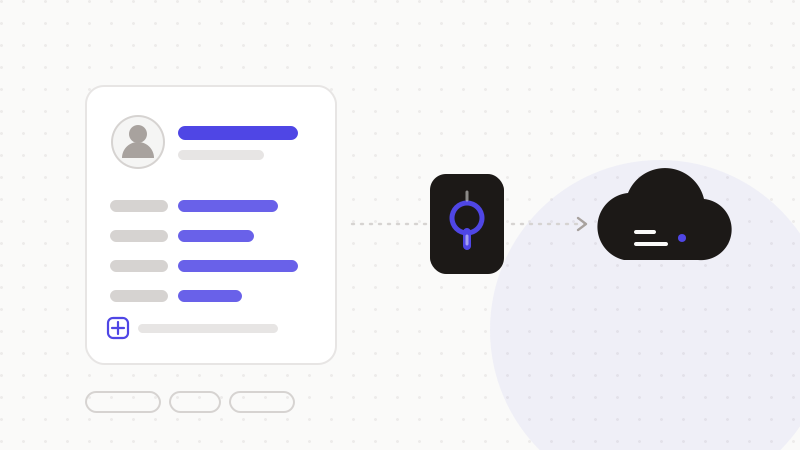
Les champs RH à masquer en priorité
- Identité et coordonnées : nom, prénom, adresse, e-mail, téléphone.
- Numéro de sécurité sociale et identifiants administratifs.
- Rémunération : montants de salaire, primes, éléments de paie.
- Santé : arrêts, restrictions, tout élément médical.
- Évaluations et données disciplinaires nominatives.
Le bon réflexe : anonymiser, pas renoncer
- 1Détection : le moteur repère identité, salaire, n° de sécu et données de santé.
- 2Tokenisation : chaque élément devient un jeton neutre, conservé en mémoire locale.
- 3Envoi : seul le texte anonymisé part vers l'IA — la tâche RH reste réalisable.
- 4Restauration : la réponse est détokenisée dans votre navigateur, prête à l'emploi.
ONYRI Sanitize détecte les données RH sensibles — du nom au montant de salaire, en passant par le numéro de sécurité sociale — et restaure la réponse côté navigateur. Vos équipes RH gagnent le temps de l'IA pour synthétiser ou structurer, sans jamais exposer un salarié.
Questions fréquentes
- Peut-on utiliser l'IA pour trier des CV ?
- Avec prudence. Le tri automatisé de candidatures peut relever d'un usage encadré (vigilance sur les biais et sur les décisions affectant les personnes). Côté données, anonymisez identité et coordonnées avant l'envoi : l'IA évalue les compétences, pas la personne nommée. La décision finale reste humaine.
- Les salaires sont-ils des données sensibles ?
- Ce ne sont pas des « catégories particulières » au sens strict du RGPD, mais ce sont des données personnelles dont la divulgation est très intrusive. À ce titre, elles méritent le même réflexe d'anonymisation avant tout envoi à un outil tiers.
- Comment résumer un entretien annuel sans exposer le salarié ?
- Remplacez le nom et les éléments identifiants par des jetons cohérents, puis demandez le résumé. L'IA travaille sur le contenu de l'entretien ; après restauration côté navigateur, vous récupérez un texte complet, rattaché à la bonne personne — sans que son identité ait quitté votre poste.
Sources et références
Gardez vos données sensibles dans votre navigateur
ONYRI Sanitize détecte et masque vos données sensibles avant l'envoi à l'IA, puis restaure la réponse — du nom à la clé API.