Top 5 Privacy Tools Every AI User Needs
The 5 privacy tools every AI user needs, ranked from 5 to 1: a prompt anonymizer, a hardened browser, an encrypted messenger, a VPN, and a password manager.
Do you use AI every day? Five tools genuinely protect your privacy. Here they are, ranked from 5 to 1. A password manager, a VPN, an encrypted messenger, a hardened browser, and a prompt anonymizer. The first four guard the pipe, your identity, or your accounts. Only one guards what you type into the AI. That's why it tops the list for AI use.
The Top 5 at a glance
Here's the ranking, from the most AI-specific to the most general. Each tool closes a different door. Together, they cover the essentials.
- 1Prompt anonymizer (ONYRI) — the only layer that removes your sensitive data before it reaches the model. It's the AI-specific tool.
- 2Private or hardened browser — it cuts tracking and your browser's fingerprint.
- 3Encrypted messenger — it keeps your exchanges unreadable to everyone but the recipient.
- 4VPN — it encrypts your connection and hides your IP address.
- 5Password manager — it creates and stores a unique, strong password for each account.
| Rank | Tool | Why |
|---|---|---|
| 1 | Prompt anonymizer (ONYRI) | The only layer that blocks your sensitive data before the AI |
| 2 | Private / hardened browser | Cuts tracking and the browser fingerprint |
| 3 | Encrypted messenger | Makes your messages unreadable, except to the recipient |
| 4 | VPN | Encrypts the connection and hides the IP address |
| 5 | Password manager | A unique, strong password for each account |
Why the prompt anonymizer ranks first
The other tools protect the perimeter. They don't read what you write into the AI. Yet that's where the real risk sits for an AI user. Your prompts often hold names, emails, or whole files.
Take ChatGPT. By default, your consumer conversations can be used to train OpenAI's models. Opting out (Settings → Data Controls) is forward-looking only. It does not delete past conversations. It does not remove data already used in a completed training run. Business tiers (Team, Enterprise, API) are not trained on by default.
Deletion is no guarantee either. On May 13, 2025, a U.S. federal magistrate judge ordered OpenAI to preserve and segregate all ChatGPT output logs. That included chats users had explicitly deleted. The order covered the Free, Plus, Pro, and Team tiers. By November 2025, the same case led the court to demand 20 million chat logs. The lesson is simple. What you type into an AI can be retained, then disclosed.
Want to judge an AI tool before trusting it with your data? Our guide on how to tell if an AI tool is safe walks through what to check, from encryption to training policy. And our article on whether humans review your ChatGPT chats shows who can see your exchanges.
The four other layers: useful, but limited
Start with the VPN. It encrypts your connection and hides your IP address. But it does not encrypt what you enter into a site. Anything you type into a page stays visible to the site's operator, VPN or not. A VPN hides the pipe, not what you type into the AI.
Next, the hardened browser. It fights browser fingerprinting. That's a tracking method. It combines details about your browser, device, and settings. It builds a profile that can identify you. It keeps working even after you clear cookies. A hardened browser reduces these signals. But it guards your identity, not the content you send.
An encrypted messenger protects your private exchanges. The best apps are end-to-end encrypted. Only the intended recipients can read the messages. The provider itself cannot see the content. Since late 2023, several consumer messengers also encrypt personal chats by default. End-to-end encryption stops the provider from reading your messages.
Finally, the password manager. It creates a unique, strong password for each account. Reuse is a real danger. In the Verizon 2025 report (DBIR), credentials show up in 88% of basic web application breaches. Stolen credentials are the way in for about 22% of confirmed breaches. A study of 19 billion leaked passwords found about 94% were reused. A manager ends that risk.
- A password manager protects your accounts — not your prompts.
- A VPN protects the connection — not the text you type.
- An encrypted messenger protects your private messages — not your AI exchanges.
- A hardened browser protects your identity — not the content you send.
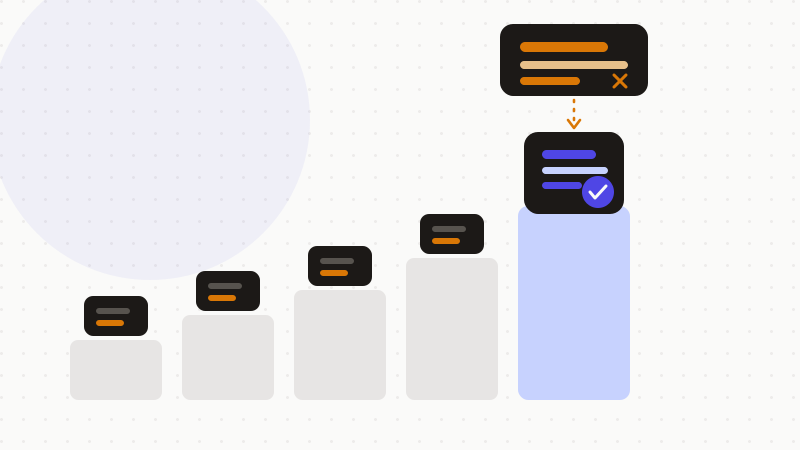
- A prompt anonymizer protects the content itself — that's the AI-specific angle.
How to use them together
These five tools don't compete. They complement each other. Each closes a different door. The mistake is to think one is enough.
Start with the basics. A unique password for each account. A VPN on public networks. An encrypted messenger for private exchanges. A hardened browser to limit tracking.
Then add the AI layer. Before you paste text into ChatGPT, Claude, or Gemini, remove the sensitive data. That's the step the other four tools skip. And that's why it tops this ranking.
That's what ONYRI Sanitize is for. The engine replaces your sensitive data with reversible tokens before sending. Detection and the token↔value mapping stay in your browser. Only anonymized text reaches the AI tool. The model finds only tokens — not your real information.
Frequently asked questions
- What are the best privacy tools for AI users?
- Five tools make a solid base: a password manager, a VPN, an encrypted messenger, a hardened browser, and a prompt anonymizer. The first four protect your accounts, your connection, and your identity. The last protects what you type into the AI — which is why it tops the list for AI use.
- Is a VPN enough to protect my data in ChatGPT?
- No. A VPN encrypts your connection and hides your IP address. But it does not protect what you enter into a site or an AI. Anything you type stays visible to the service operator. To cover the content, anonymize your sensitive data before sending.
- Why anonymize my prompts if I already opted out of training?
- Opting out is forward-looking only. It does not delete your past conversations. And a court order can freeze data meant to disappear. In May 2025, a court ordered OpenAI to preserve ChatGPT logs, including deleted chats. Anonymizing the content stays the only guarantee.
Sources & references
- NYT v. OpenAI — Court Preservation Order (May 13, 2025) — U.S. District Court, S.D.N.Y. (hosted by Ars Technica)
- What does a VPN hide? Full breakdown of what's protected and what's not — ExpressVPN
- Browser Fingerprinting Protection — Mozilla (Firefox)
Keep your sensitive data in your browser
ONYRI Sanitize detects and masks your sensitive data before it reaches the AI, then restores the answer — from names to API keys.