Perplexity est-il sûr ? Ce qu'il fait de vos données
Perplexity est-il sûr ? Pas dangereux, mais pas vraiment privé : par défaut vos requêtes peuvent entraîner ses modèles. Le réglage à couper et la vraie parade.
Perplexity est-il sûr ? Ce n'est pas un outil dangereux en soi, mais ce n'est pas non plus un outil réellement privé pour les comptes grand public (Free, Pro, Max). Par défaut, vos requêtes de recherche et vos interactions peuvent être collectées, conservées et utilisées pour entraîner ses modèles d'IA et améliorer la qualité des réponses — ce comportement est activé d'origine. Un réglage permet de désactiver cette conservation, mais il ne couvre pas tout, et tout ce que vous tapez atteint quand même les serveurs de Perplexity. La seule garantie porte sur le contenu : ne pas y confier de donnée sensible en clair.
Ce que Perplexity fait de vos données
Perplexity est un moteur de recherche conversationnel : vous tapez une question ou collez du texte, il interroge un modèle d'IA puis le web pour composer une réponse. Tout ce que vous saisissez — prompts, fichiers téléversés, sorties générées — transite donc par ses serveurs, que vous soyez connecté ou non. Selon l'analyse de sa politique de confidentialité, les données collectées vont bien au-delà de la requête elle-même.
- Coordonnées : nom, adresse, numéro de téléphone.
- Informations de compte : identifiant, e-mail, mot de passe.
- Données de paiement (pour les abonnements).
- Interactions avec le service : prompts, contenus téléversés, réponses générées.
- Informations sur l'appareil : type, système d'exploitation, adresse IP, localisation.
- Données d'usage : type de navigateur, horodatages, schémas de clic.
Couper « AI data retention » : le réglage en pratique
Le réglage clé est le toggle « AI data retention » (conservation des données pour l'IA). Pour le désactiver :
- 1Ouvrir les paramètres de compte (votre profil).
- 2Aller dans l'onglet Préférences (« Preferences »).
- 3Basculer « AI data retention » sur off — Perplexity n'utilise alors plus vos recherches pour entraîner ses modèles.
Attention aux limites. L'opt-out ne s'applique qu'aux données futures : ce qui a déjà servi à l'entraînement peut ne pas être supprimé. Il n'empêche pas non plus la collecte de base nécessaire au fonctionnement du service (suivi technique, logs). Et il n'est accessible qu'aux utilisateurs connectés : sans compte, impossible de se désinscrire de l'usage des requêtes pour l'IA, et Perplexity collecte tout de même adresse IP, infos appareil, localisation, et pose des cookies.
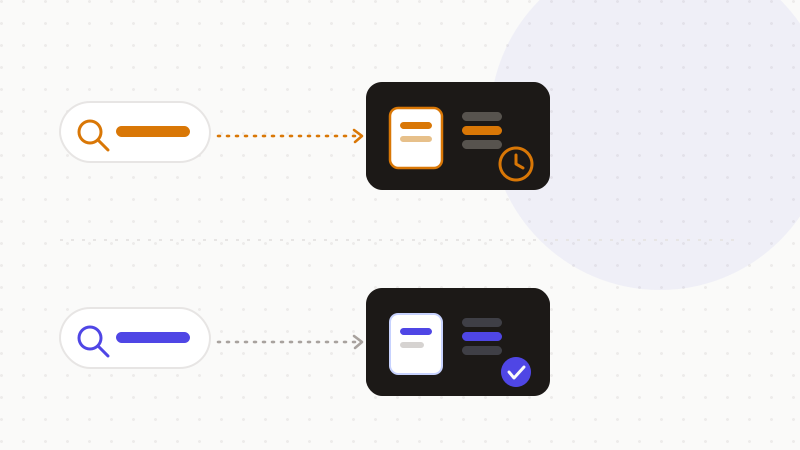
Modèle économique, Comet et les zones grises
Le modèle économique de Perplexity a alimenté les critiques : des dirigeants ont reconnu vouloir étendre la collecte de données au-delà de l'app — notamment via le navigateur Comet — pour mieux cibler la publicité, une approche comparée à celle des navigateurs financés par la pub. Comet peut collecter URLs visitées, contenu des pages, requêtes, téléchargements, cookies et permissions de sites (sauf en mode Incognito), et a fait l'objet en 2025 de plusieurs alertes de sécurité documentées par des chercheurs : injection de prompt, exfiltration de données locales. Pour les détails, le Centre d'aide Perplexity (Data Privacy & Security) et le Comet Browser Help Center précisent les usages.
Bonne nouvelle côté développeurs : l'API Sonar applique une politique de zéro conservation des données (« Zero Data Retention »). Perplexity déclare ne retenir aucune donnée envoyée via l'API et ne pas l'utiliser pour entraîner ses modèles ; seules des métriques de facturation sont collectées — nombre de tokens, modèle utilisé, horodatages, identifiant de clé API — sans contenu des prompts ni des réponses.
| Vous pensez | La réalité |
|---|---|
| « Perplexity est privé par défaut » | Vos requêtes peuvent servir à l'entraînement, activé d'origine |
| « Couper l'option efface mes données » | L'opt-out ne vaut que pour le futur ; le passé peut rester |
| « Sans compte, je ne suis pas suivi » | IP, appareil, localisation et cookies sont collectés quand même |
| « Mon compte grand public = mêmes garanties qu'Enterprise » | Enterprise et API Sonar n'entraînent pas ; le grand public, si |
La parade : anonymiser avant l'envoi
Puisque tout ce que vous tapez atteint les serveurs de Perplexity et que le réglage ne couvre ni le passé ni la collecte technique, la seule garantie porte sur le contenu : si la requête ne contient aucune donnée sensible en clair, ni la collecte ni l'entraînement n'exposent quoi que ce soit d'exploitable.
- Désactivez « AI data retention » : c'est une bonne hygiène de base.
- Ne saisissez jamais santé, juridique, financier, secrets professionnels ou clés API dans la barre de recherche.
- Remplacez les données sensibles par des jetons réversibles avant de coller, puis restaurez les valeurs réelles dans la réponse.
C'est précisément le rôle d'ONYRI Sanitize : le moteur remplace les données sensibles par des jetons réversibles avant l'envoi ; la détection et le mapping restent dans votre navigateur, et seul un texte anonymisé atteint Perplexity. Que la requête soit collectée, conservée ou utilisée pour l'entraînement, l'outil n'y trouve que des jetons — jamais vos informations réelles.
Questions fréquentes
- Perplexity est-il sûr pour vos données ?
- Perplexity n'est pas un outil dangereux, mais il n'est pas vraiment privé pour les comptes grand public : par défaut, vos requêtes peuvent être collectées, conservées et utilisées pour entraîner ses modèles. Vous pouvez désactiver « AI data retention », mais tout ce que vous tapez atteint quand même ses serveurs — la seule garantie est de ne pas y saisir de donnée sensible en clair.
- Comment empêcher Perplexity d'utiliser mes recherches pour l'entraînement ?
- Ouvrez les paramètres de compte, allez dans l'onglet Préférences et basculez « AI data retention » sur off. Perplexity cesse alors d'utiliser vos recherches pour entraîner ses modèles, mais uniquement pour les données futures : ce qui a déjà servi peut ne pas être supprimé, et la collecte technique de base demeure.
- Comment utiliser Perplexity sans exposer mes données sensibles ?
- Désactivez « AI data retention » pour limiter la conservation, mais surtout anonymisez la donnée sensible avant l'envoi : un moteur la remplace par un jeton réversible côté navigateur, et Perplexity ne reçoit jamais l'information réelle. Vous restaurez ensuite les valeurs d'origine dans la réponse.
Sources et références
- Analyse détaillée de la politique de confidentialité de Perplexity : entraînement des modèles par défaut, toggle « AI data retention » dans Préférences, limites de l'opt-out, cas Enterprise et API Sonar — Cape
- Enquête presse sécurité sur la stratégie de collecte de données de Perplexity et le navigateur Comet conçu pour suivre l'activité des utilisateurs et cibler la publicité — Malwarebytes Labs
- Documentation officielle Perplexity (Sonar API) : politique de zéro conservation des données et non-utilisation des données client pour l'entraînement — Perplexity (docs développeurs)
Gardez vos données sensibles dans votre navigateur
ONYRI Sanitize détecte et masque vos données sensibles avant l'envoi à l'IA, puis restaure la réponse — du nom à la clé API.