Is It Safe to Let AI Access Your Email?
Be careful: giving AI access to your inbox exposes all your mail, and a booby-trapped email can hijack it. Grant the minimum, and anonymize what you share.
Be careful. Letting AI into your inbox is not risk-free. These assistants often ask for broad access: read, write, send, sometimes delete. That access touches everything: contacts, invoices, password-reset emails, attachments, years of archives. Your email content then usually leaves your mail provider's servers for the vendor's. And in 2025, one flaw showed a booby-trapped email could hijack the assistant. The safe rule is simple: grant the minimum, avoid full access, and anonymize what you hand to the AI.
What AI really sees when you grant access
Start with the permissions. An AI email assistant asks you to approve a “scope.” A scope is the slice of access you grant the app. In Gmail, these slices are ranked by level.
The broadest one is called mail.google.com. It gives the connected app the right to read, compose, send and permanently delete ALL of your mail. That is the widest possible access to a mailbox. Google flags it as a “restricted” scope.
You may assume a “read-only” scope stays narrow. It does not. The gmail.readonly scope lets the app view all your messages and all your settings. Not just new incoming mail. So it exposes your entire history: contacts, invoices, receipts, attachments.
Why does Google call these “restricted” scopes? Because they give “wide access” to your data. Any app that stores or transmits this Gmail data on its own servers must pass an annual independent security assessment, run by a Google-approved assessor. The takeaway is clear. Giving an AI assistant full access routinely means your email content leaves Google's servers for the vendor's.
| You assume | The reality |
|---|---|
| “Read-only is limited” | gmail.readonly sees ALL your messages and settings, not just new ones |
| “The AI only reads what I ask” | Full access can read, compose, send and delete ALL of your mail |
| “My content stays with Google” | A third-party app that stores this data hosts it on its own servers |
| “An email can't hack my AI” | A crafted email can hide instructions the AI then runs (EchoLeak, 2025) |
Where the content goes, and who can read it
Once your emails sit with the vendor, what can it do with them? Google imposes rules known as “Limited Use.” They govern apps that use restricted scopes.
These rules forbid humans from reading your data, except in narrow cases. For example: your explicit consent to view specific items, a security investigation, a legal duty, or aggregated and anonymized internal use. They also forbid selling your data or using it to serve ads.
But there is a major catch. These rules describe what the vendor promises. In practice, you must trust it to honor them. You cannot verify it yourself in real time. Control slips away the moment the data leaves your browser.
This is already true when you let AI draft an email for you. Handing over the whole mailbox goes much further. The same concern hits AI browsers that read your pages: the more the tool sees, the larger the exposed surface grows.
The real 2025 risk: the booby-trapped email
There is a newer, sneakier risk. It is called prompt injection. OWASP ranks it number one in its 2025 Top 10 of risks for AI applications (reference LLM01).
The idea is simple. The AI reads external content: a webpage, a document, an email. That content hides instructions. The AI follows them as if they came from you. This is “indirect” injection. And OWASP notes it clearly: these instructions do not need to be visible to a human.
The result can be a silent data leak. Hidden instructions push the model to insert an image. That image links to a URL controlled by the attacker. The private conversation then leaks to them. The user sees nothing.
The attack chain was polished. It bypassed Microsoft's cross-prompt-injection classifier (known as XPIA). It abused reference-style Markdown, auto-fetched images and an allowed proxy to leak the data. The flaw was rated critical (CVSS score 9.3). Microsoft patched it server-side and stated it had no evidence of exploitation in the wild.
The fix: minimum access and anonymization
So what should you do? The right posture comes down to one simple principle. Let AI help you write an email, but don't hand over the whole mailbox. Grant the smallest scope possible.
- Avoid full read, send and delete access.
- Prefer narrow permissions, or metadata-only ones.
- Be wary of unknown emails when an assistant summarizes your inbox.
- Anonymize sensitive content before pasting it into any AI.
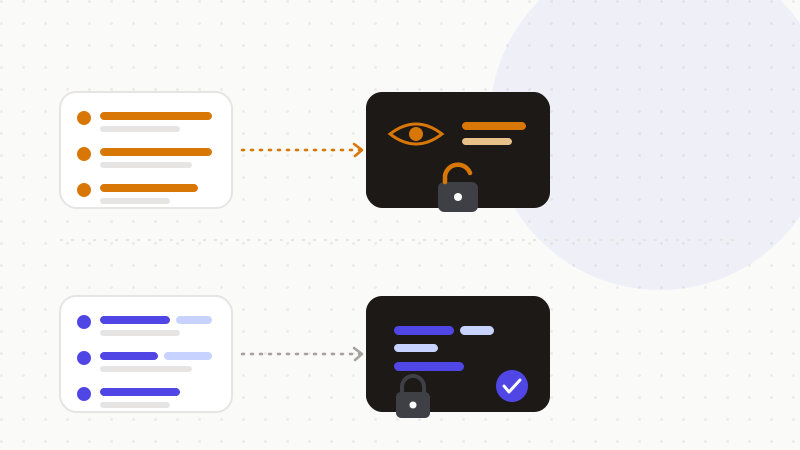
That last step is the most robust. It does not depend on the vendor's promises. Here is how it works, in order:
- 1Spot the sensitive data in your text: names, emails, identifiers.
- 2Replace it with reversible tokens in the browser.
- 3Send only the anonymized text to the model.
- 4Restore the real values in the reply, locally.
That's what ONYRI Sanitize is for. The engine spots sensitive data and replaces it with reversible tokens before sending. Detection and the mapping stay in your browser, and never leave it. Only anonymized text reaches the model. The AI finds only tokens — not your real emails, contacts or attachments. You keep the help of AI, without opening your whole inbox to it.
Frequently asked questions
- Is it safe to let AI access your email?
- Only with care. An AI email assistant often asks for broad access — read, write, send, sometimes delete — which exposes everything: contacts, invoices, attachments, years of archives. The content then usually leaves your mail provider's servers. To limit the risk, grant only the minimum, avoid full access, and anonymize sensitive content before sending it to the AI.
- Is Gmail “read-only” access really limited?
- No. The gmail.readonly scope lets an app view all your messages and all your settings, not just new mail. So it exposes your entire history. Google in fact classifies mailbox-reading permissions as “restricted” scopes, because they give “wide access” to your data.
- What is prompt injection by email?
- It is an attack where an email hides instructions the AI runs while reading it. OWASP ranks it the number-one risk for AI applications in 2025. In 2025, the EchoLeak flaw (CVE-2025-32711) showed a single crafted email could leak data through Microsoft 365 Copilot, with no click at all.
Sources & references
- Choose Gmail API scopes (mail.google.com is a restricted, full-access scope; gmail.readonly views all messages and settings) — Google for Developers
- LLM01:2025 Prompt Injection (direct vs indirect injection; hidden instructions in external content; data-exfiltration example) — OWASP Gen AI Security Project
- EchoLeak: The First Real-World Zero-Click Prompt Injection Exploit in a Production LLM System (CVE-2025-32711, Microsoft 365 Copilot) — arXiv
Keep your sensitive data in your browser
ONYRI Sanitize detects and masks your sensitive data before it reaches the AI, then restores the answer — from names to API keys.