Gemini est-il sûr ? Ce que Google fait de vos données
Gemini est sûr au quotidien mais pas privé : par défaut, Google collecte vos conversations et peut entraîner ses modèles dessus. Ce qu'il faut savoir et faire.
Gemini est globalement sûr pour des usages quotidiens — écrire, chercher, planifier, apprendre — mais ce n'est pas un espace privé. Par défaut, l'historique « Gemini Apps Activity » est activé : tant qu'il l'est, Google peut utiliser vos conversations pour fournir, améliorer et développer ses produits et ses technologies de machine learning, entraînement des modèles compris. Une partie est relue par des humains et conservée jusqu'à 3 ans, l'auto-suppression par défaut est à 18 mois, et les intégrations Workspace élargissent l'accès. Google lui-même conseille de ne pas y saisir d'information confidentielle. La seule protection certaine : ne pas confier la donnée sensible à l'outil.
Gemini est-il sûr ? Oui pour le quotidien, non pour le sensible
Le verdict récurrent des analyses de sécurité est nuancé : Gemini est « globalement sûr » pour les tâches courantes, mais il collecte beaucoup. On cite jusqu'à une vingtaine de catégories de données — localisation précise, contenus que vous saisissez, identifiants liés à votre compte Google. « Sûr » veut dire « pas malveillant », pas « privé ». Pour un brainstorming ou un résumé d'article public, le risque est faible. Pour un dossier client, un contrat ou un numéro de carte, c'est une autre histoire.
Quelles données Google collecte, et combien de temps
Par défaut, l'activité Gemini de plus de 18 mois est auto-supprimée ; vous pouvez raccourcir ce délai à 3 mois, l'allonger à 36 mois, ou désactiver l'auto-suppression. Mais deux conservations échappent à ce réglage. D'abord, une partie des conversations est lue par des relecteurs humains (formés, parfois sous-traitants) pour évaluer les réponses de mauvaise qualité et entraîner les modèles ; avant d'être envoyées, ces conversations sont déconnectées de votre compte — mais conservées jusqu'à 3 ans, séparément, et cette rétention n'est pas effacée quand vous supprimez votre activité. Ensuite, même avec l'activité désactivée, Google garde les chats 72 heures pour répondre, traiter les retours et protéger ses services. Nous détaillons ce circuit de relecture humaine dans un article dédié.
- Contenus saisis : vos prompts, fichiers joints et échanges.
- Données de compte et identifiants liés à votre compte Google.
- Localisation précise et signaux d'usage de l'app.
- Via les intégrations : contenu de Gmail, Drive, Docs, Agenda, Maps, YouTube.
Les intégrations élargissent la surface exposée
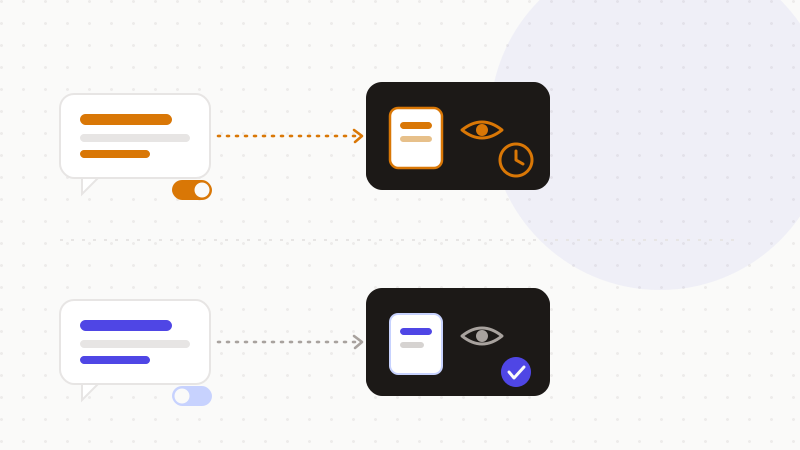
Les intégrations Workspace et les extensions (Connected Apps) permettent à Gemini de puiser dans Gmail, Google Drive, Docs, Agenda, Maps, YouTube et d'autres apps pour des réponses personnalisées et des actions en votre nom — c'est pratique, mais cela augmente la surface de données accessibles. Nuance importante côté Workspace administré : le contenu personnel obtenu via les extensions n'est, lui, ni relu ni utilisé pour entraîner les modèles sans autorisation (cf. le Privacy Hub Workspace de Google). Pour le grand public, en revanche, plus vous branchez d'apps, plus vous élargissez ce que l'outil peut lire.
| Vous pensez | La réalité |
|---|---|
| « Gemini est sûr, donc privé » | Sûr au quotidien, mais collecte ~22 catégories de données |
| « Mes chats restent entre moi et la machine » | Apps Activity ON par défaut → relus et utilisés pour l'entraînement |
| « Je supprime, c'est effacé » | Les chats relus sont gardés jusqu'à 3 ans, hors de la suppression |
| « Le chat temporaire me protège » | Réduit l'exposition, mais le contenu transite quand même chez Google |
Reprendre la main — et la seule parade qui tient
Plusieurs réglages réduisent l'exposition, dans l'ordre d'impact :
- 1Désactiver « Gemini Apps Activity / Keep Activity » : les futurs chats ne sont plus envoyés en relecture humaine ni utilisés pour l'entraînement.
- 2Raccourcir l'auto-suppression (3 mois) et décocher l'amélioration audio/enregistrements.
- 3Utiliser le chat temporaire (Temporary Chat) : pas d'historique, pas de personnalisation, conservé 72 h au plus.
- 4Désactiver les intégrations d'apps une par une si vous ne les utilisez pas.
Mais ces réglages ont une limite commune : même déconnectée du compte, une conversation relue contient toujours ce que vous y avez écrit — nom, adresse, numéro de carte. Masquer le compte ne masque pas le contenu. C'est pourquoi anonymiser AVANT l'envoi vaut mieux que compter sur une suppression a posteriori : si la conversation ne contient aucune donnée sensible en clair, ni la relecture ni la rétention de 3 ans n'exposent quoi que ce soit d'exploitable.
C'est exactement le rôle d'ONYRI Sanitize : le moteur repère les données sensibles et les remplace par des jetons réversibles avant l'envoi ; la détection et le mapping jeton↔valeur restent dans votre navigateur, et seul un texte anonymisé atteint l'IA. Que Gemini relise, entraîne ou conserve la conversation, il n'y trouve que des jetons — jamais vos informations réelles.
Questions fréquentes
- Gemini est-il sûr avec vos données ?
- Gemini est globalement sûr pour des usages quotidiens (écriture, recherche, planification), mais ce n'est pas un espace privé. Par défaut, Google collecte vos conversations et peut les utiliser pour entraîner ses modèles ; une partie est relue par des humains et conservée jusqu'à 3 ans. Google déconseille d'y saisir des informations confidentielles.
- Google entraîne-t-il ses modèles sur mes conversations Gemini ?
- Oui par défaut : tant que « Gemini Apps Activity » est activé, Google peut utiliser vos échanges pour fournir, améliorer et développer ses produits et son machine learning, entraînement compris. Désactiver ce réglage arrête l'envoi des futurs chats à la relecture humaine et à l'entraînement.
- Comment utiliser Gemini sans exposer mes données ?
- Désactivez « Gemini Apps Activity », raccourcissez l'auto-suppression et utilisez le chat temporaire — mais surtout, anonymisez la donnée sensible avant l'envoi : un moteur la remplace par un jeton réversible côté navigateur, et Gemini ne reçoit jamais l'information réelle.
Sources et références
- Google Gemini accède à vos données : ce qu'il collecte (historique, relecture humaine, rétention 18 mois/3 ans) et comment le désactiver — Which?
- Avertissement de Google : ne saisissez pas d'informations confidentielles dans Gemini — relecture humaine et conservation jusqu'à 3 ans — Search Engine Journal
- Gemini est-il sûr ? Données collectées, relecture humaine, et conseils pour ne pas y saisir d'informations sensibles — Surfshark
Gardez vos données sensibles dans votre navigateur
ONYRI Sanitize détecte et masque vos données sensibles avant l'envoi à l'IA, puis restaure la réponse — du nom à la clé API.