Can Your UK Employer See Your ChatGPT Use?
On a personal account, OpenAI shows your employer nothing. But on a work device or network in the UK, monitoring can capture what you type into ChatGPT.
The short answer: it depends. On a personal ChatGPT account, OpenAI does not show your conversations to your employer. Only you see them. A manager cannot read them remotely. But the device and the network change everything. If you use a company computer or Wi-Fi, your employer can see much more. It can see that ChatGPT was opened, when, and sometimes what you typed. In the UK, this monitoring is governed by law. Let's walk through both cases, then the simple fix.
Personal account: OpenAI shows your employer nothing
Start with the good news. On a personal ChatGPT account, your conversations are yours. OpenAI does not expose them to your employer. You are the only one who sees your history.
A manager cannot directly read someone else's chats. There is no “view my team's conversations” button. The one exception: if you share a chat yourself, through a link. Then you open the door on purpose. Without that action, your personal chat stays private on OpenAI's side.
Work device or network: this is where it changes
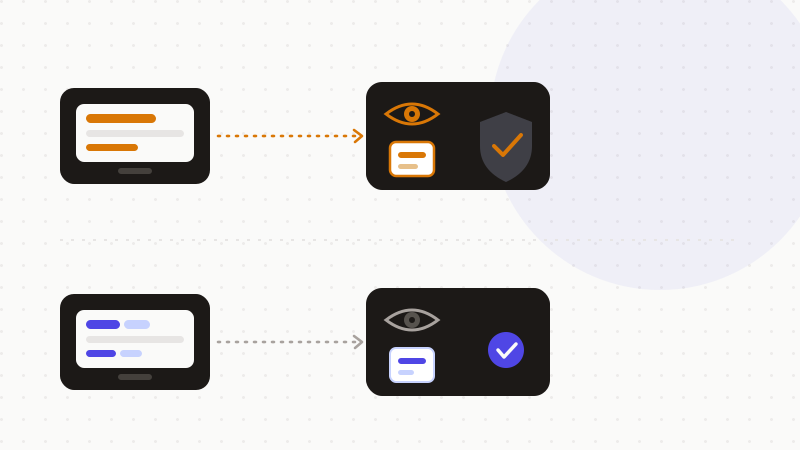
The problem isn't OpenAI. It's the workstation. On a company-managed device or network, your employer has monitoring tools. And those tools see the activity, even on a personal ChatGPT account.
In practice, the employer can see that ChatGPT was used. It can see when, and which site was visited. In some setups, it can even see what you typed or pasted. Several technologies make this possible.
- Endpoint security: an agent on the computer watches activity.
- Browser monitoring: it records the sites opened and sometimes the input.
- Web filtering (a proxy): it logs the addresses visited, including chat.openai.com.
- DLP agents (“Data Loss Prevention”): they spot sensitive data leaving.
- Screen recording: in some settings, it captures the screen live.
A word on DLP. It's a system that prevents data leaks. It inspects what leaves the company. So a copy-paste into ChatGPT can be seen, or even blocked. Remember the simple rule: on a work machine, treat ChatGPT like your work email. Assume everything can be logged.
What UK law requires of the employer
In the UK, an employer cannot monitor however it likes. Two texts govern the practice. The UK GDPR is the UK version of the data regulation. The Data Protection Act 2018 is the law that sits alongside it. Together they set the rules.
The UK regulator is called the Information Commissioner's Office, or ICO. On 3 October 2023, it published dedicated guidance: “Employment practices and data protection: monitoring workers.” This text sets out what an employer must consider before monitoring staff. Here are the key points.
First, a lawful basis. The employer must pick a basis under the UK GDPR before monitoring. There are six of them. In practice, legitimate interests is the most workable one. Consent, on the other hand, is problematic at work. Why? Because the power balance is uneven. A worker can't really say “no” to their boss.
Next, transparency and proportionality. The ICO stresses that monitoring must be necessary, proportionate and transparent. In most cases, the employer must make workers aware before it takes place. It must set out the nature, extent and reasons, in accessible privacy information. That notice must state the lawful basis and the data retention periods.
Covert (secret) monitoring is very hard to justify. The ICO reserves it for exceptional circumstances. For example, suspected criminal activity or gross misconduct. It is not a business-as-usual tool. Finally, there's the DPIA. That's a Data Protection Impact Assessment. It's required where monitoring is likely to result in a high risk to workers, such as systematic monitoring. The ICO recommends running one as good practice, even where it isn't strictly mandatory.
| You assume | The reality (UK) |
|---|---|
| “OpenAI shows my personal chat to my boss” | No — on a personal account, OpenAI exposes nothing to the employer |
| “On my work PC, nobody sees ChatGPT” | Endpoint, proxy and DLP can see usage, even the input |
| “The employer can monitor however it likes” | It needs a UK GDPR lawful basis + must inform workers |
| “Covert monitoring is allowed” | The ICO reserves it for exceptional cases (fraud, gross misconduct) |
| “ChatGPT Enterprise is private for me” | Admins can view, export and audit the conversations |
The fix: nothing sensitive in the prompt
The practical lesson is simple. On a work system, treat your AI prompts like work email. Assume they can be logged. So keep sensitive or regulated data out of the prompt.
The best lever acts at the source. Remove or anonymise names, client details and other identifiers before you paste into an AI tool. The logic is mechanical. The less real data in the prompt, the less monitoring has to grab. And it works regardless of the account or device. For the global angle, beyond the UK frame, see our article “Can your employer see your ChatGPT history?”.
- 1Spot the sensitive data in your text: names, emails, client files.
- 2Replace it with reversible tokens, right in the browser.
- 3Send only the anonymized text to the AI.
- 4Restore the real values in the reply, locally.
That's what ONYRI Sanitize is for. The engine detects sensitive data and replaces it with reversible tokens before sending. Detection and the mapping stay in your browser. Only anonymized text reaches the tool. Whether a DLP agent inspects the flow or an admin looks at a log, it finds only tokens — not your real information.
Frequently asked questions
- Can my employer see my ChatGPT use in the UK?
- It depends on the account and the device. On a personal ChatGPT account, OpenAI shows your employer nothing: only you see your chats. But on a work device or network, monitoring (endpoint, proxy, DLP) can capture that ChatGPT was used, when, and sometimes what you typed. In the UK, that monitoring requires a UK GDPR lawful basis and workers must be informed.
- Must a UK employer tell me before monitoring me?
- Usually, yes. The ICO requires monitoring to be necessary, proportionate and transparent. In most cases the employer must make workers aware beforehand, and set out the nature, extent, reasons, lawful basis and retention periods. Covert monitoring is reserved for exceptional cases, such as suspected fraud.
- On a company-provided ChatGPT Enterprise, are my chats private?
- No, not from admins. On a ChatGPT Enterprise, Team or Edu workspace, admins can view, export and delete conversations, set retention and access an audit log through the compliance API. The fix stays the same: keep nothing sensitive in the clear in your prompt.
Sources & references
- Employment practices and data protection: monitoring workers — Information Commissioner's Office (ICO)
- ICO publishes final guidance on data protection and monitoring workers — Taylor Wessing
- Can My Boss Read My ChatGPT Queries? How Private Are My Searches? — Mozilla Foundation
Keep your sensitive data in your browser
ONYRI Sanitize detects and masks your sensitive data before it reaches the AI, then restores the answer — from names to API keys.