Top 5 Ways to Protect Your Privacy in ChatGPT
The safest method: anonymize sensitive data before you send it. Our top 5 ways to protect your privacy in ChatGPT, ranked by real impact on the content.
The safest way to protect your privacy in ChatGPT is simple. Anonymize sensitive data before you send it. That's the only method that protects the prompt content itself. The other steps help too. But they act on your IP address, storage, or history. Not on the text you type. Here are the five methods, ranked by real impact.
The top 5 at a glance
One useful reminder first. ChatGPT does not encrypt your exchanges end to end, unlike encrypted messaging apps. Your data is encrypted only in transit. Once it arrives, OpenAI can read it and review part of it on its servers. So any protection of the content must happen before you send.
Here is the ranking, from most to least effective:
- 1Anonymize sensitive data before sending (the ONYRI Sanitize method). The only content-level protection, whatever the setting or tool.
- 2Use an enterprise plan with a contract (DPA). OpenAI does not train on business data by default.
- 3Use temporary chat and delete your history. Never used for training, but kept for up to 30 days.
- 4Turn off training in Data Controls. Your future exchanges stop feeding the model.
- 5Turn on a VPN or private browsing. It masks your IP address, but not the prompt content.
| Rank | Method | Why |
|---|---|---|
| 1 | Anonymize before sending (ONYRI) | Protects the content itself, whatever the setting or tool |
| 2 | Enterprise plan with a DPA | No training on business data; contract useful for GDPR |
| 3 | Temporary chat + deletion | Outside training, but kept up to 30 days; “deleting” guarantees nothing |
| 4 | Turn off training (Data Controls) | Stops future use, not retention or review |
| 5 | VPN / private browsing | Masks the IP, no effect on the prompt content |
Why the bottom of the list doesn't cover the content
Let's start at the bottom. A VPN is useful, but often misunderstood. It masks your IP address and your location. It has no effect on the content you send. Your prompt text still reaches OpenAI, in readable form, and is stored there. The VPN protects the IP, never the content. We cover this point in our article on whether a VPN protects your data in ChatGPT.
Next comes the training opt-out. By default, consumer accounts (Free, Plus, Pro) let OpenAI use your prompts to train future models. You can turn this off. Go to Settings, then Data Controls, and disable “Improve the model for everyone.” This setting applies to the whole account (see the OpenAI Help Center, Data Controls FAQ and “How do I turn off model training”). It's a good baseline. But it stops neither retention nor safety review.
Third method: temporary chat and deleting your history. Temporary chat conversations are never used for training. They are scheduled for deletion within 30 days (see the OpenAI Help Center, Temporary Chat FAQ). It's the most privacy-friendly option on the consumer side. But it does not protect the content while OpenAI processes it. And “delete” does not mean gone.
The proof comes from the New York Times v. OpenAI case. An order first forced OpenAI to keep logs that would normally be erased. That included conversations users thought they had deleted. A judge then ordered 20 million de-identified ChatGPT logs to be produced. So turning off your history does not guarantee it disappears. We explain this in our article on how to stop ChatGPT from recording your conversations.
The top of the list: covering the content
Let's move up the ranking. The second method is an enterprise plan with a contract. By default, OpenAI does not train its models on business data: ChatGPT Team, ChatGPT Enterprise and the API. A Data Processing Addendum (DPA) is available for business customers, useful for GDPR compliance (see OpenAI — Enterprise privacy). The customer keeps ownership of its inputs and outputs. It's solid for handling sensitive data at scale.
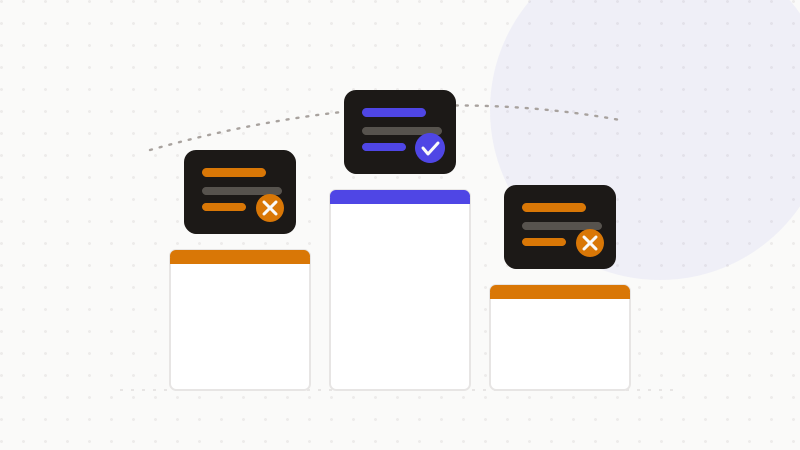
At the top of the ranking: anonymize sensitive data before sending. It's the only method that protects the content itself. VPN, temporary chat and opt-out all act on metadata or storage. None of them stops sensitive content from reaching the provider's servers. Removing sensitive data in the browser, before sending, protects the content whatever the setting or AI tool.
That's the role of ONYRI Sanitize. The tool detects sensitive data and replaces it with reversible tokens, in your browser. Everything you type, including files and images, counts as prompt content. Anonymizing upstream neutralizes this risk at the source. We describe the steps in our guide on how to anonymize data before using AI.
How to use them
These methods stack. Layer them in the right order:
- Turn off training in Data Controls. It's good basic hygiene.
- Use temporary chat and delete the history you no longer need.
- For regular work use, choose an enterprise plan with an executed DPA.
- Above all, anonymize sensitive data before sending — the only content-level guarantee.
- Add a VPN if you want to mask your IP, without believing it protects the text.
That's exactly the role of ONYRI Sanitize. The engine replaces sensitive data with reversible tokens before sending. Detection and the token↔value mapping stay in your browser. Only anonymized text reaches the tool. Whatever your setting, ChatGPT finds only tokens — not your real information.
Frequently asked questions
- What are the best ways to protect your privacy in ChatGPT?
- The most effective is to anonymize sensitive data before sending: it's the only method that protects the prompt content. Next come an enterprise plan with a DPA, temporary chat, the training opt-out, and a VPN. Those four help, but they act on storage, history or the IP, not on the text itself.
- Does a VPN protect my data in ChatGPT?
- No, not at the content level. A VPN masks your IP address and your location. It has no effect on the text of your prompts, which still reaches OpenAI in readable form. The VPN adds network anonymity, but it does not protect what you write.
- Do temporary chat or deleting history stop OpenAI from keeping my data?
- Not entirely. Temporary chat is never used for training and is scheduled for deletion within 30 days. But a legal obligation can freeze data: in the NYT v. OpenAI case, a judge ordered logs to be preserved and 20 million of them produced. So “deleting” does not guarantee it disappears.
Sources & references
- OpenAI Must Turn Over 20 Million ChatGPT Logs, Judge Affirms (NYT case: log preservation and compelled production) — Bloomberg Law
- ChatGPT Privacy Explained: Risks, Data Use, and Security Tips (a VPN masks the IP but not the prompt content) — Private Internet Access
- OpenAI ChatGPT privacy policy: requirements for business services (no business training by default, DPA available) — Usercentrics
Keep your sensitive data in your browser
ONYRI Sanitize detects and masks your sensitive data before it reaches the AI, then restores the answer — from names to API keys.