Here Are the 5 Quiet Signs an AI Tool Isn't Safe for Your Data
An unsafe AI tool leaves clues. Here are the 5 quiet signs that give it away — and the one fix that protects your data whatever the tool does.
How do you know if an AI tool isn't safe for your data? It almost always leaves clues. Some are obvious. Others are quiet. Here are the five signs of an unsafe AI tool, from least to most serious. For each one, I show how to spot it and the concrete risk. And there's one fix that holds whatever the tool: anonymize sensitive data before you send it.
The ranking at a glance
One point first. No single sign proves bad intent on its own. But each one raises the risk. The more a tool stacks up, the less safe your data is. Read these signals as a quick test, before you paste any sensitive data.
Here is the ranking, from least to most serious:
- 1It trains its models on your inputs by default. The training setting is on at the start; it's on you to turn it off.
- 2Its privacy policy stays vague, or it grants itself a broad license over your content.
- 3It offers no opt-out, or an opt-out that only works going forward.
- 4It hides where it hosts and processes your data. No data residency, no clear jurisdiction.
- 5It asks for excessive permissions. An extension or app that reads everything you type.
- 6The cross-cutting fix — ONYRI Sanitize: anonymize sensitive data in the browser before sending. A tool showing any of these signs then receives only tokens.
| Rank | Sign | Why it matters |
|---|---|---|
| 1 | Trains on your inputs by default | Your words feed a model you don't control |
| 2 | Vague policy or broad license | It can reuse your content very widely |
| 3 | No opt-out, or forward-only | Data already absorbed doesn't come back |
| 4 | Opaque hosting and jurisdiction | You can't verify any legal safeguard |
| 5 | Excessive permissions | It can silently capture everything you type |
| Fix | Anonymize before sending (ONYRI Sanitize) | Neutralizes all five signs: the tool receives only tokens |
Signs 1 to 3: what the tool does with your data
First sign: the tool trains its models on your inputs by default. How do you spot it? Open the data settings. Look for a training toggle that's already on. Take OpenAI, for example. Its consumer versions of ChatGPT use your conversations to improve future models by default. That covers Free, Plus and Pro personal accounts. To stop it, turn off “Improve the model for everyone” under Data Controls. ChatGPT Team, Enterprise, Edu and the API don't train on your data by default, and come with a data processing addendum (DPA). The risk is simple. Your words feed a model you don't steer. Our guide on how to tell if an AI tool is safe covers this control in detail.
Second sign: a vague privacy policy, or a broad license over your content. One rule here: read the terms. Some providers grant themselves very wide rights over what you type. Industry analyses describe irrevocable, perpetual, worldwide and royalty-free rights. The provider can then use, reproduce, modify, distribute and display your content — including to train its models. The U.S. Federal Trade Commission (FTC) warned about this in February 2024. Quietly changing your terms to use data in new ways can be unfair or deceptive. A business that collected data under one set of promises cannot renege on its own. A silent update, with no clear notice or consent, does not suffice.
Third sign: no opt-out, or an opt-out that only works going forward. Check two things. First, can you refuse at all? Second, does it reach the past? In general, opting out is forward-looking only. It stops your future chats from feeding training. But it doesn't delete past conversations. And it doesn't remove data already used in a completed training run. The reason is technical. “Unlearning” is very hard for a model. Deleting a row from a database is simple. Removing one specific example from a trained model's parameters is not. Once data is baked in, it's nearly impossible to pull back. The FTC has also targeted companies that quietly rewrite their rules. It accused a genetic-testing company of unlawful sharing. The company allegedly expanded third-party data sharing retroactively. All without notifying or getting consent from people who had already signed up.
Signs 4 and 5: where your data goes, and who reads it
Fourth sign: opaque hosting and jurisdiction. Look for one simple thing. Where is your data stored and processed? The GDPR regulates transfers of personal data outside the European Economic Area. A transfer is lawful only with a set mechanism. It can be an adequacy decision from the European Commission. Or Standard Contractual Clauses. Or Binding Corporate Rules. The goal: the GDPR level of protection follows the data. The GDPR doesn't require data to always stay in Europe. But it restricts and documents every transfer. An organisation must know where data resides and on what legal basis it travels. So a tool that hides where it hosts your data is a problem. With no stated residency or jurisdiction, you can't verify any safeguard.
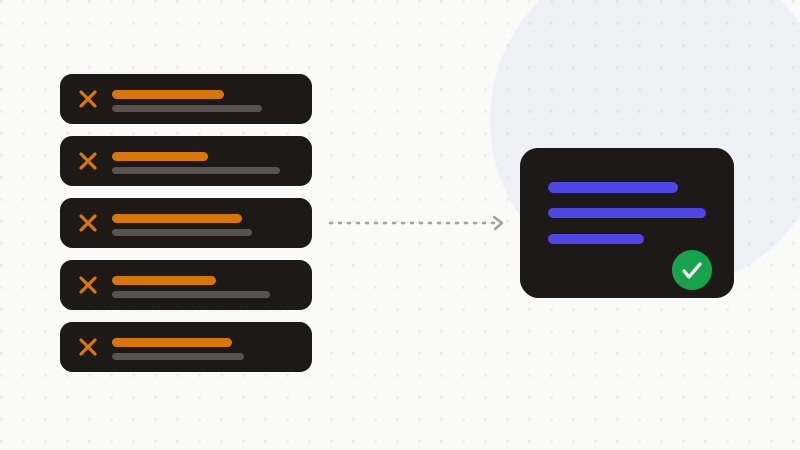
Fifth sign, the most serious: excessive permissions. Look at what the tool asks for. An extension or app that can “read and change all your data on the websites you visit” sees a lot. That broad permission lets it watch every page you load. It can inject scripts. It can read form fields, saved credentials and session cookies. In other words, an over-permissioned extension silently captures everything you type or view. Including what you paste into an AI tool. The risk isn't theoretical. A peer-reviewed study, “A Study on Malicious Browser Extensions in 2025,” documents it. Malicious extensions serve phishing, spying, spam and payment fraud. The researchers even bypassed Chrome and Firefox security review to publish working malicious extensions. Proof that store vetting still has gaps.
How to use this
You know the five signs. Here's how to act. Avoiding every imperfect tool isn't realistic. The best move is cross-cutting. Remove sensitive data before it ever leaves. That's the role of ONYRI Sanitize. The tool detects sensitive data and replaces it with reversible tokens, in your browser. A tool showing any of these five signs then receives only tokens. Not the real names, IDs, amounts, or API keys. Even a tool that trains on your inputs never sees the real data. Our guide on how to tell if an AI tool is safe rounds out this checklist.
- Read the data settings. Turn off any training that's on by default.
- Look for a clear policy, not a broad license over your content.
- Check that an opt-out exists — and what it really covers.
- Ask where your data is hosted and under which jurisdiction.
- Review an extension's permissions before you install it.
- Above all, anonymize sensitive data before you send it.
That's the whole point of ONYRI Sanitize. The engine replaces sensitive data with reversible tokens before sending. Detection and the token↔value mapping stay in your browser. Only anonymized text reaches the tool. Even an unsafe AI finds only tokens — never your real information.
Frequently asked questions
- What are the signs an AI tool is not safe for your data?
- Five signs come up often. One: it trains its models on your inputs by default. Two: its policy stays vague, or it grants itself a broad license. Three: no opt-out, or one that only works going forward. Four: opaque hosting and jurisdiction. Five: excessive permissions. The best fix is cross-cutting: anonymize sensitive data before you send it.
- Does opting out of training delete data it already used?
- Usually no. An opt-out only works going forward. It stops your future chats from feeding training. But it doesn't erase past conversations, or data already inside a model. Technically, removing one specific example from a trained model's parameters is very hard. That's why it's safer not to entrust the real data in the first place.
- Why can a browser extension be a risk for AI?
- An extension with permission to “read and change all your data on the websites you visit” sees a great deal. It can read form fields, credentials and cookies. So it captures what you type, including inside an AI tool. A 2025 study shows malicious extensions sometimes pass store review. Always check permissions before you install.
Sources & references
- AI (and Other) Companies: Quietly Changing Your Terms of Service Could Be Unfair or Deceptive (quietly changing terms for AI training may be unfair or deceptive) — U.S. Federal Trade Commission (FTC)
- International data transfers — Data protection guide for small business (transfers outside the EEA: adequacy, Standard Contractual Clauses, Binding Corporate Rules) — European Data Protection Board (EDPB)
- A Study on Malicious Browser Extensions in 2025 (malicious extensions and bypassing store review) — arXiv (Singh et al.)
Keep your sensitive data in your browser
ONYRI Sanitize detects and masks your sensitive data before it reaches the AI, then restores the answer — from names to API keys.