Is It Safe to Put Your National Insurance Number Into AI?
No — never paste your National Insurance number into a consumer ChatGPT. It's a permanent unique identifier and personal data under UK GDPR. Anonymize it first.
No. Do not paste your National Insurance number (NINO) in the clear into a consumer ChatGPT. The NINO is a unique, permanent personal identifier in the UK. It never changes. It follows you for life. Once it's exposed, it becomes a hook for identity theft. In a consumer AI, your input can feed training, be retained, or be reviewed. The good practice is simple: anonymize the number before you send it. Never hand it to the tool in the clear.
What a NINO is, and why it's so sensitive
The NINO is your UK social security number. It has a fixed format: two letters, six digits, then a final letter. For example QQ123456B. That format makes it easy to spot in text. So it's easy for a fraudster to copy.
This number is everywhere in your admin life. GOV.UK says it appears on your P60, your payslips and your benefit letters. You also find it in your personal tax account and in the HMRC app. A new employer needs it as soon as you're hired. So it's the central identifier for your job and your taxes.
One detail says a lot. GOV.UK notes that HMRC — the UK tax authority — will never give you your NINO over the phone or by webchat. That's a safety rule. It's designed to shut down impersonation attempts. If the authority itself guards this number, you should too.
Under UK GDPR, a NINO is personal data
The UK GDPR is the UK version of the GDPR after Brexit. It protects personal data. And a NINO is personal data, without any doubt.
The ICO — the UK privacy regulator — gives the definition. Personal data is any information that relates to an identified or identifiable person. That identification can be direct or indirect. It runs through one or more identifiers: a name, a number. A unique identifier like the NINO lands squarely in that definition.
The ICO adds a crucial point. An identifier can be as simple as a name or a number. And it's often enough to combine it with other information to clearly identify a person. An address. A workplace. A phone number. That's where the risk climbs. If you enter your NINO next to other data in an AI, you pull together everything needed to identify you.
What a consumer AI can do with your NINO
The risk isn't theoretical. When you paste text into a consumer AI, that text leaves your device. It goes to the provider's servers. You lose control of what happens next.
OpenAI says it plainly. By default, your ChatGPT conversations can be used to train its models. You can opt out in settings (Settings > Data Controls). But be careful: opting out does not delete past conversations. It also doesn't erase data already used in completed training runs. On business plans (ChatGPT Business, Enterprise, API), OpenAI doesn't train on your inputs by default. The consumer experience offers no such guarantee.
In plain terms: a NINO pasted into a consumer AI can be retained and reused, with no way for you to pull it back. A permanent identifier that slips out of your control is exactly what you want to avoid.
| You assume | The reality |
|---|---|
| “A NINO is just an ordinary number” | It's a unique, permanent identifier that points directly to you |
| “I paste it, then delete the conversation” | Opting out doesn't erase data already used for training |
| “My NINO alone says nothing about me” | Combined with a name or address, it's enough to identify you (ICO) |
| “The AI keeps it to itself” | On consumer plans, your inputs can feed training |
The fix: anonymize before you send, and know how to report
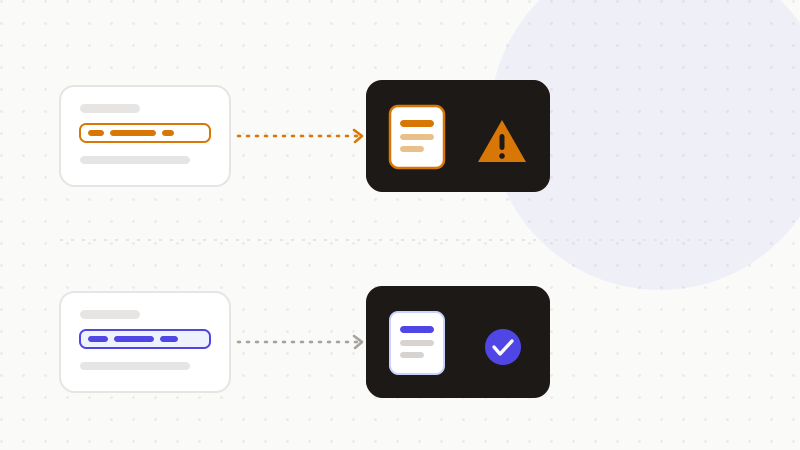
The golden rule fits in one sentence. Never enter a NINO in the clear into an AI. If you must handle a document that contains one, remove or mask the number first. An anonymization engine recognizes the UK NINO format and replaces it with a token before you send.
And if you run into a scam targeting your number? GOV.UK points to the right channels. Here are the useful steps.
- Never share your NINO on an unsolicited request — HMRC won't ask for it by phone or webchat.
- Forward suspicious emails to report@phishing.gov.uk (handled by the National Cyber Security Centre).
- Forward suspicious texts to 7726 (a free service).
- Report fraud online, or on 0300 123 2040, to Action Fraud (England and Wales) if you've lost money.
- 1Spot the NINO in your text, along with any other identifiers.
- 2Replace it with a reversible token, in the browser.
- 3Send only the anonymized text to the AI.
- 4Restore the real number in the reply, locally.
That's what ONYRI Sanitize is for. The engine spots sensitive data — including the UK NINO format — and replaces it with reversible tokens before sending. Detection and the mapping stay in your browser. Only anonymized text reaches the model. The AI sees only a token, never your real number. You keep control of your permanent identifier.
Frequently asked questions
- Is it safe to put your National Insurance number in ChatGPT?
- No. The NINO is a unique, permanent identifier, and personal data under UK GDPR. In a consumer ChatGPT, your input can feed training by default and be retained; opting out doesn't erase data already used. The safe move is to never paste it in the clear and to anonymize it before you send.
- Why is the NINO so sensitive?
- Because it's unique and permanent: it doesn't change. Once compromised, it can be a hook for identity theft — loan applications, fraudulent benefit claims, account openings. GOV.UK also notes that HMRC never gives you your NINO over the phone or by webchat.
- How do I use AI with a document that contains a NINO?
- Anonymize first. An engine recognizes the UK NINO format (two letters, six digits, one letter) and replaces it with a reversible token in the browser. You send only the anonymized text to the AI, then restore the real number locally. The model never receives your real identifier.
Sources & references
- Find your National Insurance number — GOV.UK (HM Government)
- Report suspicious emails, websites, phishing and scams — GOV.UK (HM Government)
- What is personal data? (UK GDPR guidance) — Information Commissioner's Office (ICO)
Keep your sensitive data in your browser
ONYRI Sanitize detects and masks your sensitive data before it reaches the AI, then restores the answer — from names to API keys.