Here Are the 6 Simple Habits to Use AI Without Leaking Your Data
The safest habit: anonymize sensitive data before you send it. Here are the 6 simple habits to use AI without leaking your data, ranked by real impact.
The safest way to use AI without leaking your data is simple. Build one habit above all: anonymize sensitive data before you send it. It's the only one of the six habits that protects the content itself. The other five reduce exposure or limit retention. They help, but they don't erase the text you type. Here are the six habits, ranked by real impact.
The ranking at a glance
A reminder first. A query sent to a public LLM is visible to the company that provides it. For ChatGPT, that's OpenAI. Those queries are stored. The UK's NCSC notes they will almost certainly be used, at some point, to develop the model. So your habits must act before you send.
Here is the ranking, from strongest to weakest impact:
- 1Anonymize sensitive data before sending (the ONYRI Sanitize method). The only habit that protects the content itself.
- 2Paste only the necessary excerpt. Minimisation cuts what reaches the model.
- 3Turn off training in your settings. Your future exchanges stop feeding the model.
- 4Use Temporary Chat. Outside history and training, but kept for up to 30 days.
- 5Never upload a raw sensitive file. Its contents become a stored, provider-visible query.
- 6Reread before you send. Nothing that would trouble you if it went public.
| Rank | Habit | Why |
|---|---|---|
| 1 | Anonymize before sending (ONYRI) | Protects the content itself, whatever the model or setting |
| 2 | Paste only the useful excerpt | Less data sent, less exposure (GDPR minimisation) |
| 3 | Turn off training | Stops future training use, account-wide |
| 4 | Temporary Chat | Outside history and training, but kept up to 30 days |
| 5 | No raw sensitive file | The file's contents become a stored, visible query |
| 6 | Reread before sending | A final filter against the extra data |
The top: habits that protect what you send
Habit 1: anonymize sensitive data before you send it. That's the ONYRI Sanitize move. You replace each sensitive value with a reversible token, in the browser. Only anonymized text leaves for the model. It's the only habit that protects the content itself, not just its storage. We walk through the steps in our guide on how to anonymize data before using AI.
Habit 2: paste only the excerpt you need. GDPR calls this data minimisation (Article 5). The rule is simple. Use only data that is “adequate, relevant and limited” to the need. The UK's ICO says the same: hold the minimum, no more. So don't paste a whole file when three lines will do. We explain this in our guide on how to write AI prompts without leaking data.
The settings and reflexes that limit exposure
Habit 3: turn off training in your settings. In ChatGPT, open Settings, then Data Controls. Switch off “Improve the model for everyone.” Your new conversations then stop training OpenAI's models, account-wide. One caveat: the setting is forward-looking only. Your older chats stay in history.
Habit 4: use Temporary Chat. A Temporary Chat does not appear in history. It creates no memory and isn't used for training. OpenAI does say it may keep it for up to 30 days, for safety, before deleting it. One more difference: Temporary Chat must be turned on for each new chat. The training setting is set once.
Habit 5: never upload a raw sensitive file. The NCSC is clear here. The contents of an uploaded file become a stored query, visible to the provider. A whole HR spreadsheet or a full contract exposes far more than needed. Pull out the useful passage. Anonymize it. Then send that text, not the file.
Habit 6: reread before you send. Take three seconds. Ask the NCSC's question: “Would this message trouble me if it went public?” If yes, strip the extra data. The NCSC also advises reading a service's terms and privacy policy before trusting it with anything sensitive.
How to use them
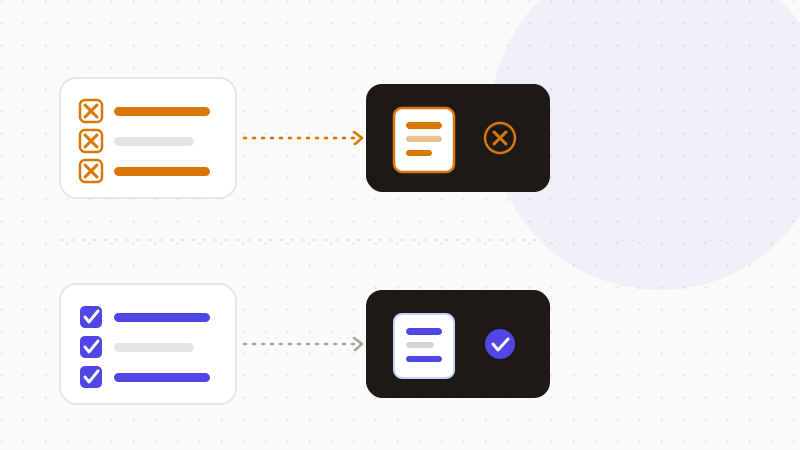
These six habits stack. Layer them in the right order:
- Anonymize sensitive data before sending — the only content-level guarantee.
- Paste only the useful excerpt, never the whole file.
- Turn off training in Data Controls.
- Open a Temporary Chat for one-off exchanges.
- Never upload a raw sensitive file; extract and anonymize first.
- Reread every prompt: nothing that would trouble you if it went public.
That's the role of ONYRI Sanitize. The engine replaces sensitive data with reversible tokens before sending. Detection and the token↔value mapping stay in your browser. Only anonymized text reaches the tool. Whatever the model, it finds only tokens — not your real information.
Frequently asked questions
- How do I use AI safely without leaking my data?
- Build six simple habits. The strongest: anonymize sensitive data before sending, the only one that protects the content. Then paste only the useful excerpt, turn off training, use Temporary Chat, never upload a raw sensitive file, and reread every prompt before you send it.
- Is turning off training enough to protect my data?
- No. The “Improve the model for everyone” setting stops future training use, account-wide. But it's forward-looking only. It doesn't erase text already sent, or its retention. Only anonymizing before you send protects the content itself.
- Can I upload a sensitive file to ChatGPT?
- It's better to avoid it. The NCSC notes that the contents of an uploaded file become a stored query, visible to the provider. Extract only the useful passage, anonymize it, then send that text — not the raw file.
Sources & references
- ChatGPT and large language models: what's the risk? (don't put sensitive data in a public LLM; queries are visible, stored and reused to develop the model) — NCSC (UK National Cyber Security Centre)
- Principle (c): Data minimisation (identify and hold only the minimum data needed) — ICO (UK Information Commissioner's Office)
- Art. 5 GDPR – Principles relating to processing of personal data (minimisation: adequate, relevant and limited data) — GDPR-info.eu (Intersoft Consulting)
Keep your sensitive data in your browser
ONYRI Sanitize detects and masks your sensitive data before it reaches the AI, then restores the answer — from names to API keys.