Rédiger une charte d'usage de l'IA en entreprise
Une charte d'usage de l'IA définit ce que vos équipes peuvent confier à ChatGPT, Claude ou Gemini — et ce qui ne doit jamais sortir. Les 6 sections clés.
Une charte d'usage de l'IA est un document court qui dit à vos équipes quels outils d'IA sont autorisés, quelles données peuvent y être collées, et lesquelles ne doivent jamais sortir. Sans elle, chacun improvise — et c'est souvent un nom de client, un salaire ou une clé API qui finit dans un prompt. Une bonne charte tient en deux pages : périmètre, données interdites, outils validés, et le réflexe d'anonymisation avant tout envoi.
Pourquoi une charte d'usage de l'IA n'est plus optionnelle
Vos équipes utilisent déjà l'IA générative, avec ou sans votre accord. En l'absence de cadre, cet usage devient du « shadow AI » : des outils non validés, alimentés par des données dont personne ne suit la destination. Le risque n'est pas théorique — il se matérialise au moment précis du copier-coller.
- Fuite de données personnelles (clients, salariés) vers un service tiers sans contrat de sous-traitance.
- Secrets techniques exposés : clés API, identifiants, URLs internes collés dans un prompt de debug.
- Réutilisation possible des prompts pour l'entraînement, selon l'outil et son paramétrage.
- Non-conformité RGPD : pas de base légale, pas de minimisation, pas d'information des personnes.
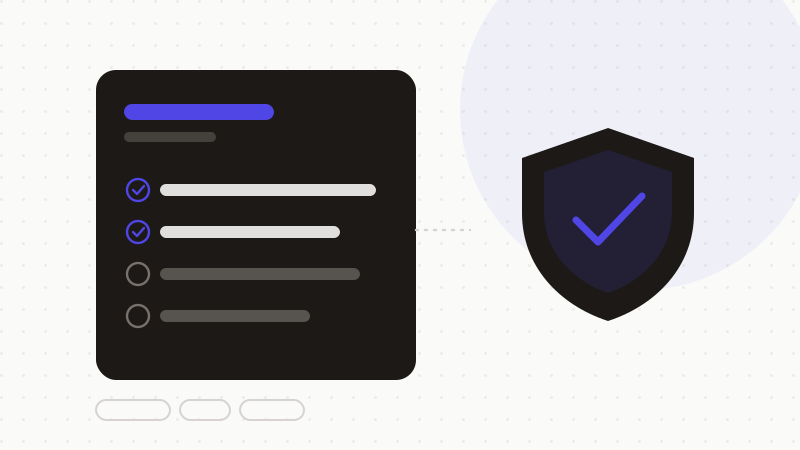
Les 6 sections d'une charte d'usage de l'IA
- 1Périmètre et objectif : qui est concerné, pour quels usages l'IA est encouragée (rédaction, synthèse, code).
- 2Outils autorisés : la liste des assistants validés et, si besoin, leur niveau d'usage par type de tâche.
- 3Données interdites : la liste explicite de ce qui ne doit jamais être collé (voir l'encadré).
- 4Règle d'anonymisation : l'obligation de masquer les données sensibles avant tout envoi à un modèle externe.
- 5Validation humaine : une réponse d'IA est une proposition, pas une décision — relecture obligatoire.
- 6Responsabilités et contact : qui possède la charte, qui répond aux questions, comment signaler un incident.
La règle qui fait toute la différence : anonymiser avant d'envoyer
Interdire les données sensibles ne suffit pas si vous ne donnez pas le moyen de les retirer. Le réflexe à outiller est l'anonymisation : un moteur détecte les éléments identifiants, les remplace par des jetons réversibles, puis restaure la réponse de l'IA côté navigateur. L'assistant raisonne sur un contenu structurellement identique, mais vidé de toute donnée sensible.
- Rendre l'anonymisation automatique plutôt qu'optionnelle : un réflexe oublié n'est pas une règle.
- Garder le mapping jeton ↔ valeur en local : la donnée ne doit jamais transiter pour être protégée.
- Préférer une formulation positive : l'IA est encouragée, à condition d'anonymiser d'abord.
Erreurs fréquentes à éviter
- Une charte de quinze pages que personne ne lit : visez deux pages, une liste, un réflexe.
- Interdire l'IA tout court : l'interdiction pousse au shadow AI, pas à la conformité.
- Oublier de nommer un responsable : sans propriétaire, la charte n'est jamais mise à jour.
- Écrire la règle sans fournir l'outil qui la rend applicable au quotidien.
ONYRI Sanitize est la brique qui rend votre charte applicable : il détecte et masque les données sensibles — du nom du client à la clé API — avant l'envoi à ChatGPT, Claude ou Gemini, puis restaure la réponse côté navigateur. Vos équipes gardent la productivité de l'IA sans transformer un prompt en fuite.
Questions fréquentes
- Faut-il interdire ChatGPT au travail ?
- Non. L'interdiction pure pousse vos équipes vers des outils non suivis (« shadow AI ») et fait perdre les gains de productivité. Mieux vaut encadrer : des outils validés, une liste de données interdites, et l'anonymisation des données sensibles avant tout envoi.
- Une charte d'usage de l'IA suffit-elle pour être conforme au RGPD ?
- C'est une brique nécessaire mais pas suffisante. Elle doit s'inscrire dans votre gouvernance des données (base légale, minimisation, information des personnes, sous-traitance). La charte cadre les usages ; l'anonymisation avant envoi limite concrètement les données qui quittent l'entreprise.
- Qui doit rédiger la charte d'usage de l'IA ?
- Idéalement à plusieurs mains : direction (le cap), sécurité ou DPO (le cadre), et managers métier (le réalisme du terrain). Un seul propriétaire désigné en assure la mise à jour à mesure que les outils évoluent.
Sources et références
Gardez vos données sensibles dans votre navigateur
ONYRI Sanitize détecte et masque vos données sensibles avant l'envoi à l'IA, puis restaure la réponse — du nom à la clé API.